

NetSendo Logo
v2.1.0- Perplexity API key test failed with max_tokens must be at least 16 ([#27](https://github.com/NetSendo/NetSendo/issues/27)): testing a Perplexity API key under NetSendo Brain → Settings → Internet Research always returned Perplexity API error: max_tokens must be at least 16, so a valid key could never be verified. WebResearchService::testPerplexity() sent a minimal probe request with max_tokens: 10, but Perplexity's API now enforces a floor of 16 for that parameter and rejects any lower value before the key is even checked. The probe now requests max_tokens: 16 (the documented minimum — the "OK" reply the test expects fits comfortably), so a valid key returns success and only genuinely invalid keys report an error. Only the connection-test path was affected; actual deepResearch() calls already used max_tokens: 4000 and worked normally.

Open-source Email & SMS marketing you host yourself

Full control over data, ready-made integrations, AI for content creation, automation and webhooks. Set up in Docker in 5 minutes.

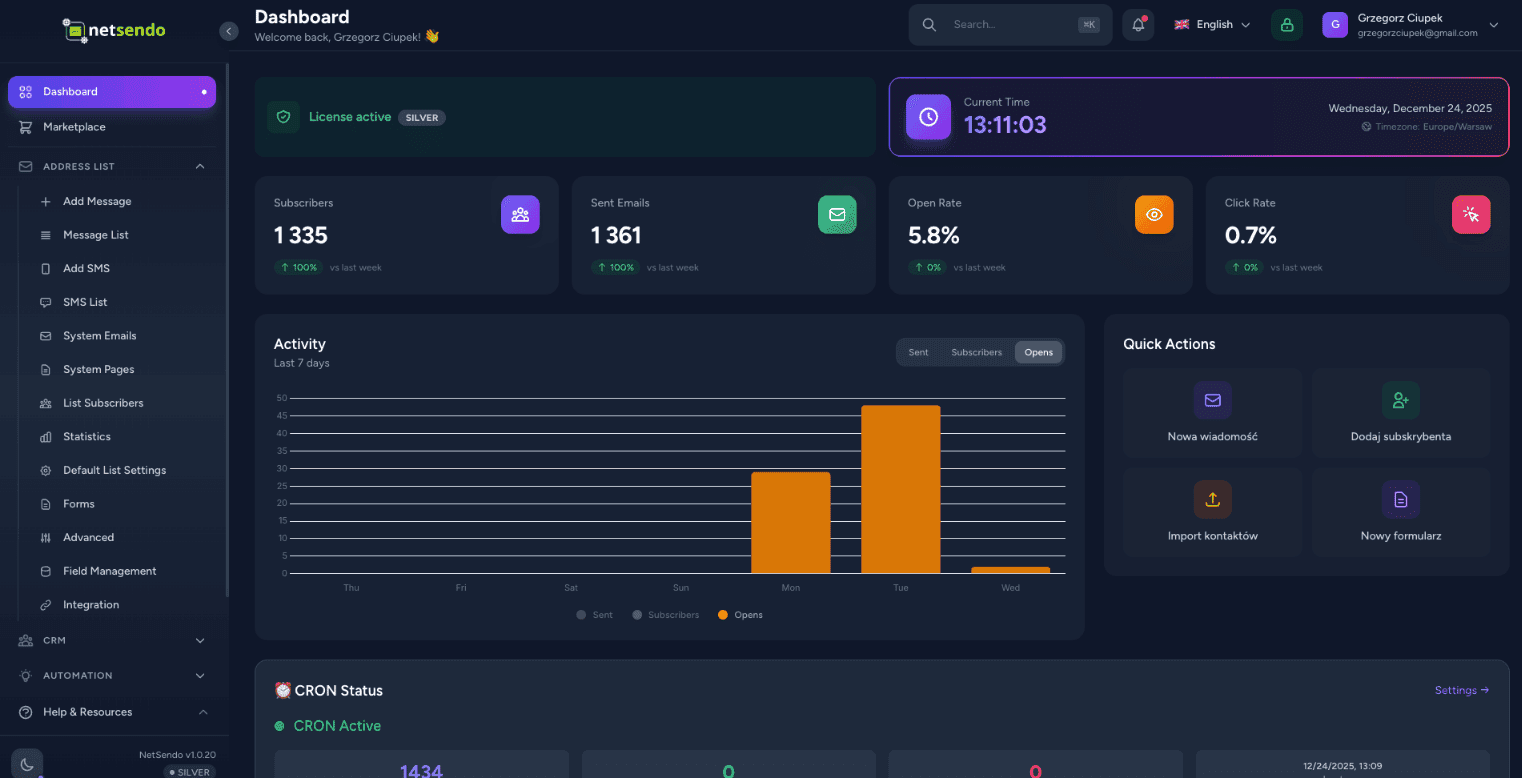
NetSendo Dashboard
NEW • AI Module

AI Campaign Architect

Strategic Email + SMS campaign planner that creates your plan, logic, and forecasts — before you send your first message.

4-Step Wizard

Business context → Audience → AI Strategy → Forecast & Export

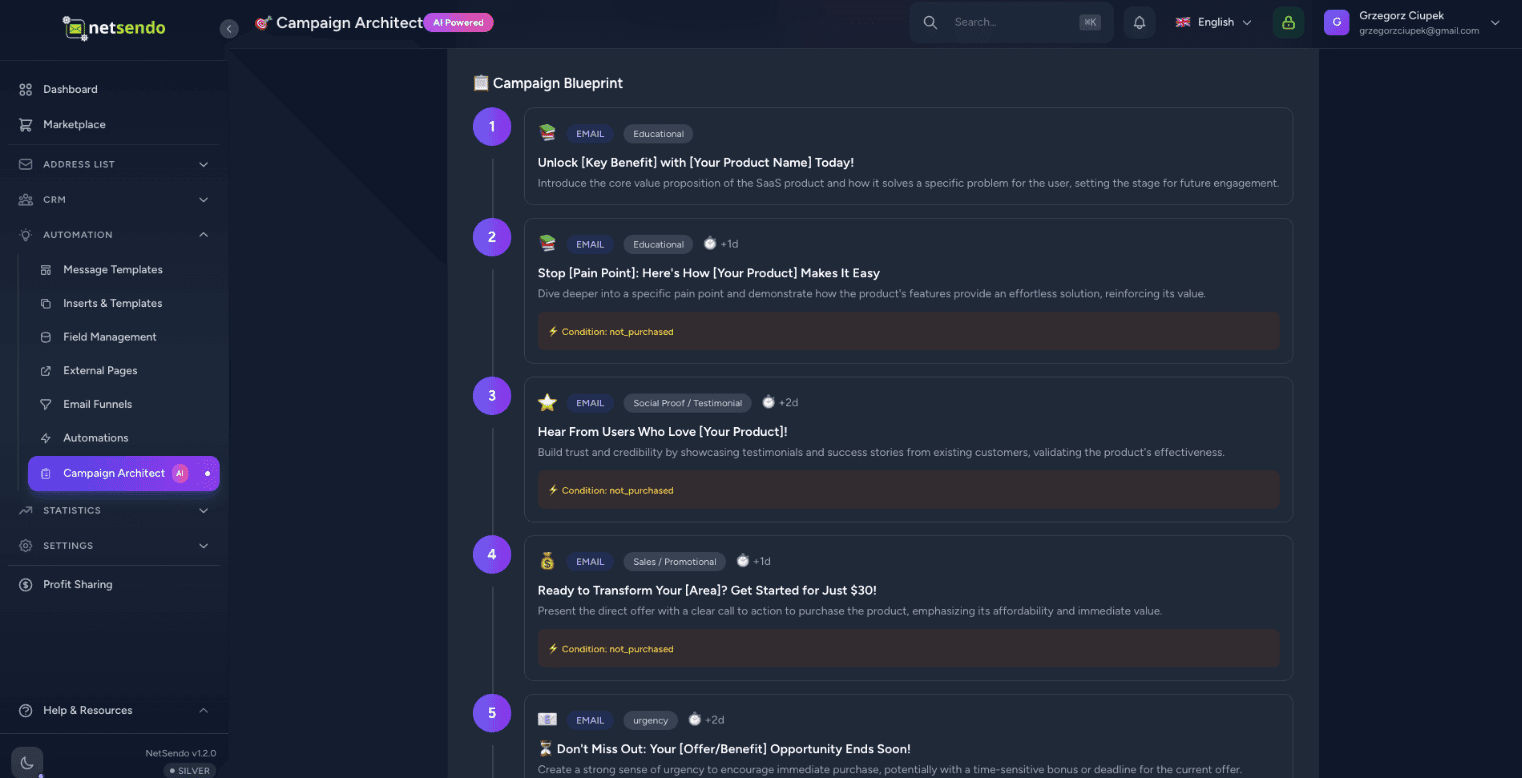
Campaign Blueprint

Message timeline, goals (education/sales/reminder) and IF/THEN logic

ROI Forecast

Industry benchmarks + sliders that calculate ROI in real-time
Recommended message count and channels (Email/SMS)
Schedule and timing optimization
Segmentation (leads vs customers, active vs inactive)
Behavior logic (opened / clicked / purchased)
AI Campaign Architect Dashboard
New tables: campaign_plans, campaign_plan_steps
Export: Drafts / Scheduled
12 languages for generation
PL/EN translations

Why NetSendo?

Built for developers who want control, privacy, and flexibility without sacrificing modern features.

Campaign Architect
AI-powered strategic planner. Design campaign flow, segments, IF/THEN logic, and forecast ROI.
Self-hosted / Docker
Keep your data private. Deploy on your own servers with a simple Docker Compose setup.
Email & SMS Marketing
Unified platform for both channels. Send campaigns, newsletters, and transactional messages.
AI Assistant
Generate subject lines and email content with AI. Supports OpenAI, Anthropic, and localized models.
Webhooks & API
Real-time event triggers. Build custom automations with comprehensive API access.
Open Source
Transparent development, source-available. Community-driven features with Silver & Gold plans.

How it works

01

Deploy in Docker

Run docker compose up. NetSendo starts in seconds with Postgres and Redis included.

02

Add Mailbox

Connect your SMTP server, Gmail, or API provider like SendGrid/Mailgun.

03

Plan & Launch

Design campaign strategy in Campaign Architect, export to campaigns and launch.

AI-Powered Content Creation

Let AI write your
campaigns in seconds

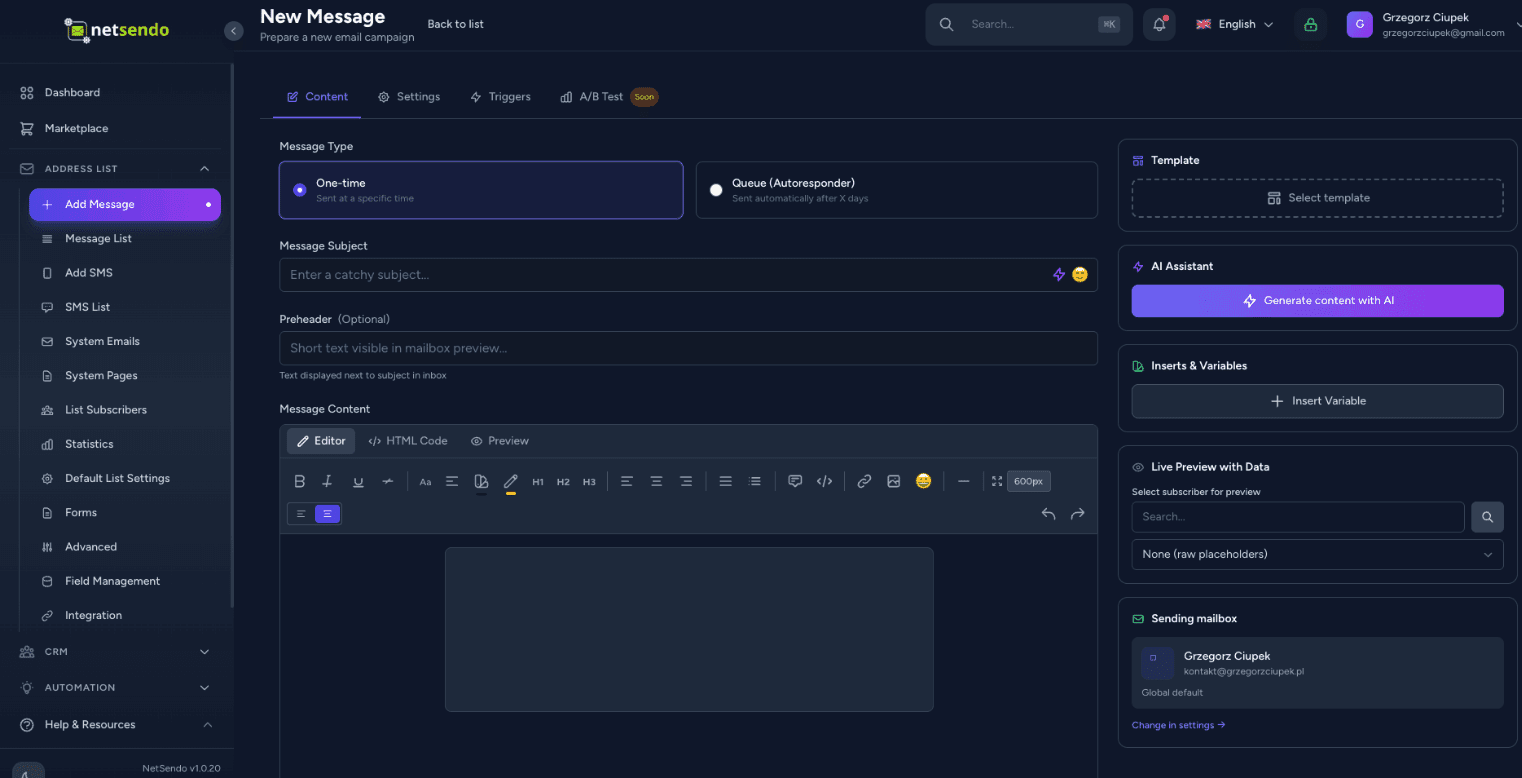
Stop staring at a blank screen. Netsendo's AI assistant can generate engaging subject lines, write full email body content, and even take voice dictation to craft your message.

Multi-Model Support

Use OpenAI GPT-4o, Anthropic Claude 3.5, or Google Gemini. Your API key, your rules.

Voice Dictation

Just speak your ideas. The AI will transcribe and format them into a professional newsletter.
AI Content Creation
┌─────────────────┐      STDIO       ┌─────────────────┐
│  Claude/Cursor  │ ◄────────────► │   MCP Server    │
│   (AI Client)   │                 │  (Docker/npx)   │
└─────────────────┘                 └────────┬────────┘
                                             │
                                        HTTP/S
                                             │
                                    ┌────────▼────────┐
                                    │    NetSendo     │
                                    │  (Your inst.)   │
                                    └─────────────────┘

Supported AI Clients

🤖Claude Desktop
💻Cursor IDE
📝VS Code

Example query

"Show my mailing lists and add a new subscriber jan@example.com to Newsletter"

AI Assistant Integration

Manage NetSendo with
natural language

Connect Claude, Cursor, or VS Code to your NetSendo instance. Ask questions, manage subscribers, and send messages — all through conversation with AI.

Natural language

Ask 'How many subscribers do I have?' or 'Send an email to John'.

No code required

No need to know the API — AI handles it for you.

Real-time operations

Direct operations on your NetSendo instance.

See MCP Documentation
Try it yourself

Experience NetSendo Live

Don't just take our word for it. Log in to our live demo instance and explore the platform's capabilities firsthand.

This is a public demo instance. Data is reset every 24 hours.

demo.netsendo.com
demo@netsendo.com
READ ONLY
demo1234
••••••••

Connect with your tools

NetSendo plays nicely with the tools you already use. Orchestrate workflows with n8n and connect any AI model.

Explore n8n Integration
Calendly
Booking automation
Zoom
Video conferencing
Google Calendar
Calendar synchronization
Google Meet
Video conferencing
MCP
AI assistant integration
n8n
Workflow automation
Stripe
Payment processing
Polar
Developer-first payments
WooCommerce
E-commerce integration
WordPress
Forms & content gating
Shopify
E-commerce integration
SendGrid
Email API
Twilio
SMS Provider
SMSAPI
SMS Provider
OpenAI
AI generation

Latest Updates

View all releases
v2.1.0Latest
Release Notes
  • Perplexity API key test failed with max_tokens must be at least 16 ([#27](https://github.com/NetSendo/NetSendo/issues/27)): testing a Perplexity API key under NetSendo Brain → Settings → Internet Research always returned Perplexity API error: max_tokens must be at least 16, so a valid key could never be verified. WebResearchService::testPerplexity() sent a minimal probe request with max_tokens: 10, but Perplexity's API now enforces a floor of 16 for that parameter and rejects any lower value before the key is even checked. The probe now requests max_tokens: 16 (the documented minimum — the "OK" reply the test expects fits comfortably), so a valid key returns success and only genuinely invalid keys report an error. Only the connection-test path was affected; actual deepResearch() calls already used max_tokens: 4000 and worked normally.
  • Automation "Add Tag" crashed with 1062 Duplicate entry when the subscriber already had the tag ([#24](https://github.com/NetSendo/NetSendo/issues/24)): Subscriber::addTag() guarded its insert with an in-memory $this->tags->contains(...) check and then did a raw attach(). When the tags relationship was stale — already loaded before the tag was attached by another code path, or out of sync with the database — the guard passed and the raw INSERT hit the subscriber_tag_subscriber_id_tag_id_unique constraint (SQLSTATE[23000]: Integrity constraint violation: 1062). The resulting QueryException aborted the automation action and, because it was thrown mid-chain, could stop subsequent actions/listeners (e.g. webhooks) from running. addTag() is now idempotent: it uses syncWithoutDetaching(), which checks the live pivot table before inserting, so re-adding an existing tag is a no-op instead of a duplicate-key insert; the rare concurrent double-attach race is additionally caught (UniqueConstraintViolationException) so the exception can never bubble up. The TagAdded event still fires exactly once, and only when the tag was genuinely newly attached — preserving the previous event semantics. This fixes the reported automation path and every other caller of addTag() (funnels, webinar attendance tags, Calendly, manual subscriber tagging), matching the idempotent syncWithoutDetaching() pattern already used in the webinar services.
  • Missing <html>/<body> structure in outgoing e-mails ([#22](https://github.com/NetSendo/NetSendo/issues/22)): messages composed in the GUI editor or sent through the API were delivered as bare HTML *fragments* — the source started straight with the preheader or a <div>, with no <!DOCTYPE html>, <html> or <body>. SpamAssassin flags this as HTML_MIME_NO_HTML_TAG ("HTML-only message, but there is no HTML tag", ≈ −0.6 deliverability points on Mail-Tester). A master HTML layout is now applied at the single send choke point — the new App\Helpers\EmailHtmlDocument::wrap() runs inside every mail provider's send() (SMTP, Gmail, SendGrid, NMI), so every outgoing message is guaranteed a valid document structure regardless of how its content was created (broadcasts, scheduled campaigns, API POST /emails, the "send test" action, and one-off CRM contact e-mails, which had the same defect). Content that is *already* a full document (it contains an <html> or <body> tag — hand-authored templates and the Blade-rendered system/webinar/CardIntel mailables) is detected and passed through untouched, so no message is ever double-wrapped. The wrapper emits a UTF-8 <head> (charset + Content-Type + viewport + x-apple-disable-message-reformatting), an <html lang> derived from the recipient's language / app locale, and an escaped <title> from the subject. Configurable via config/netsendo.php → email.wrap_html_document (env EMAIL_WRAP_HTML_DOCUMENT, default on) to restore the previous send-verbatim behaviour. Because the wrapper adds <body>/</body>, the existing preheader-after-<body> and open-pixel-before-</body> insertion in SendEmailJob now lands both inside the document body.
  • SMTP throttling / intelligent retry for transient failures ([#21](https://github.com/NetSendo/NetSendo/issues/21)): transient SMTP responses — most notably 421 Too many connections, but also greylisting and other temporary 4xx/rate-limit errors — were treated as hard failures: SendEmailJob marked the recipient as failed and called $this->fail() immediately, so on connection-limited providers a large broadcast could leave a significant share of recipients failed and require a manual "Retry failed". Two coordinated changes fix this:
  • Transient vs permanent classification + automatic re-queue: new BounceProcessingService::isTransientError() distinguishes transient throttling/connection-limit/greylisting errors from permanent 5xx/hard bounces. On a transient error SendEmailJob now releases the job back to the queue with an exponential backoff + jitter (~15–30s, then ~30–45s) and retries up to $tries (3) instead of failing — the queue entry stays queued, not failed. Permanent 5xx errors still fail immediately (and still feed inline bounce processing). The recipient is only marked failed after retries are exhausted.
  • Staggered dispatch (no more connection bursts): CronScheduleService::processQueue() previously dispatched a whole minute's allowance at once at the top of each cron tick, so the worker opened a burst of simultaneous SMTP sessions — exactly what trips the 421 limit. Sends are now spread across a configurable window (default 55s) via per-job ->delay(), computed from the effective per-minute rate (delay = slot × window ÷ rate) so, e.g., 10/min goes out at ~0s, 6s, 11s, … rather than all at second 0.
Full changelog
v2.0.12Previous
Release Notes
  • Brain — Performance-Driven Task Scoring (5th Dimension):
  • Integrated PerformanceLearner signals into TaskScorer, adding a performance_affinity scoring dimension (0–25 scale) that rewards tasks matching historically successful patterns (winning days, hours, campaign types, subject patterns). Total task score range now 0–125 (previously 0–100).
  • gatherScoringContext() now includes performance_signals from PerformanceLearner::getTuningSignals() for data-driven prioritization.
  • File: app/Services/Brain/TaskScorer.php
  • Brain — Strategy-Aware AI Analysis & Campaign Planning:
  • SituationAnalyzer now injects PERFORMANCE INSIGHTS (top-performing days/hours/types) and STRATEGY CONSTRAINTS (tone, excluded days, send limits, goal focus) into the AI analysis prompt. Added prompt instructions 9 & 10 requiring AI to respect user-defined constraints and leverage historical performance data.
Full changelog
v2.0.11Previous
Release Notes
  • Tags — Optional Description Field:
  • Added an optional description field to tags, allowing users to document the purpose and intended usage of each tag. This prevents confusion over time as the number of tags grows.
  • Database migration: Added nullable text column description to the tags table.
  • Tag model: Added description to the $fillable array.
  • TagController (web): Updated store() and update() validation and mass assignment to accept description (max 1000 characters).
  • TagResource (API): Added description to the API response payload for GET /api/v1/tags.
Full changelog

Frequently Asked Questions