

Open-source Email & SMS marketing
you host yourself
Full control over data, ready-made integrations, AI for content creation, automation and webhooks. Set up in Docker in 5 minutes.
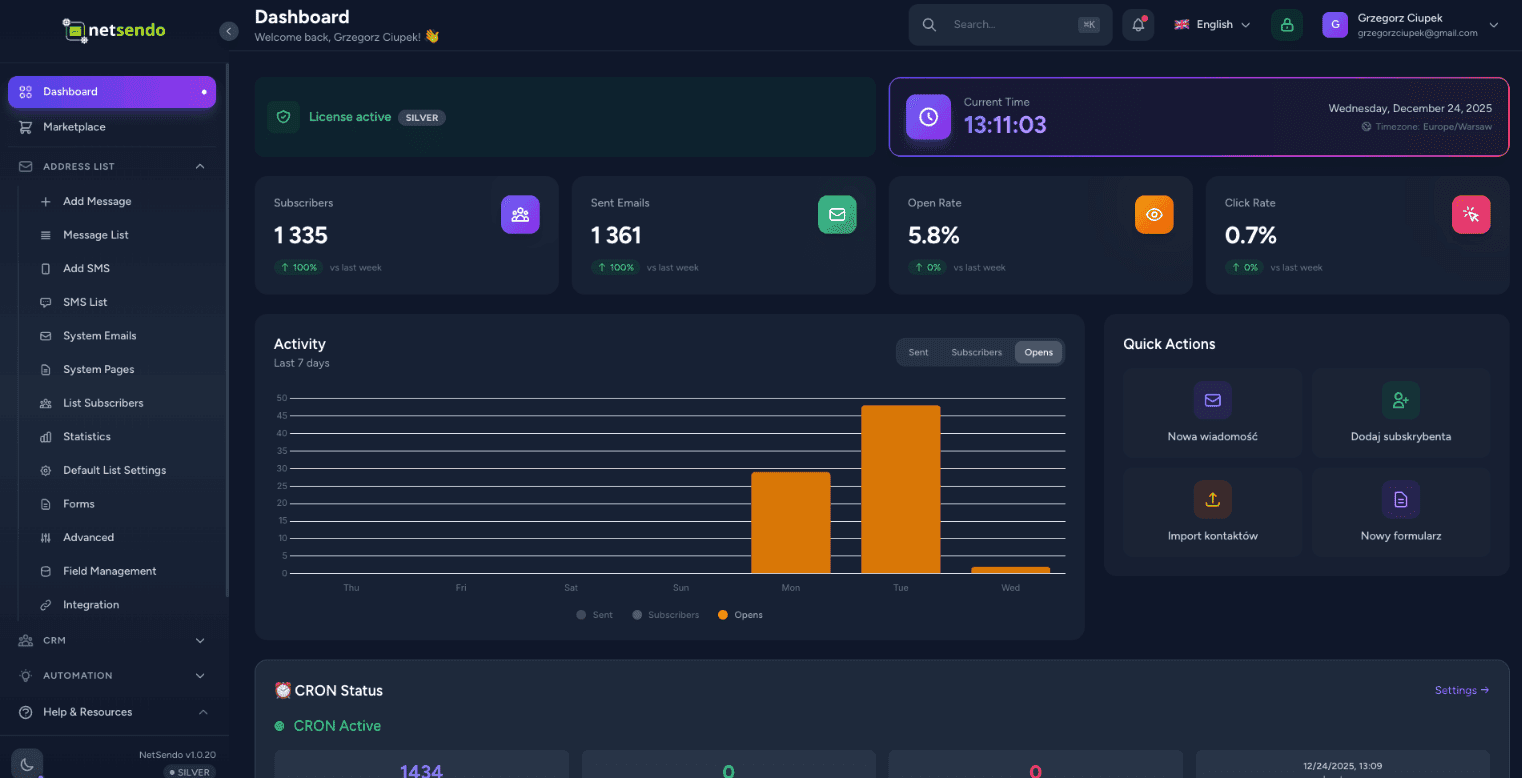
AI Campaign Architect
Strategic Email + SMS campaign planner that creates your plan, logic, and forecasts — before you send your first message.
Business context → Audience → AI Strategy → Forecast & Export
Message timeline, goals (education/sales/reminder) and IF/THEN logic
Industry benchmarks + sliders that calculate ROI in real-time
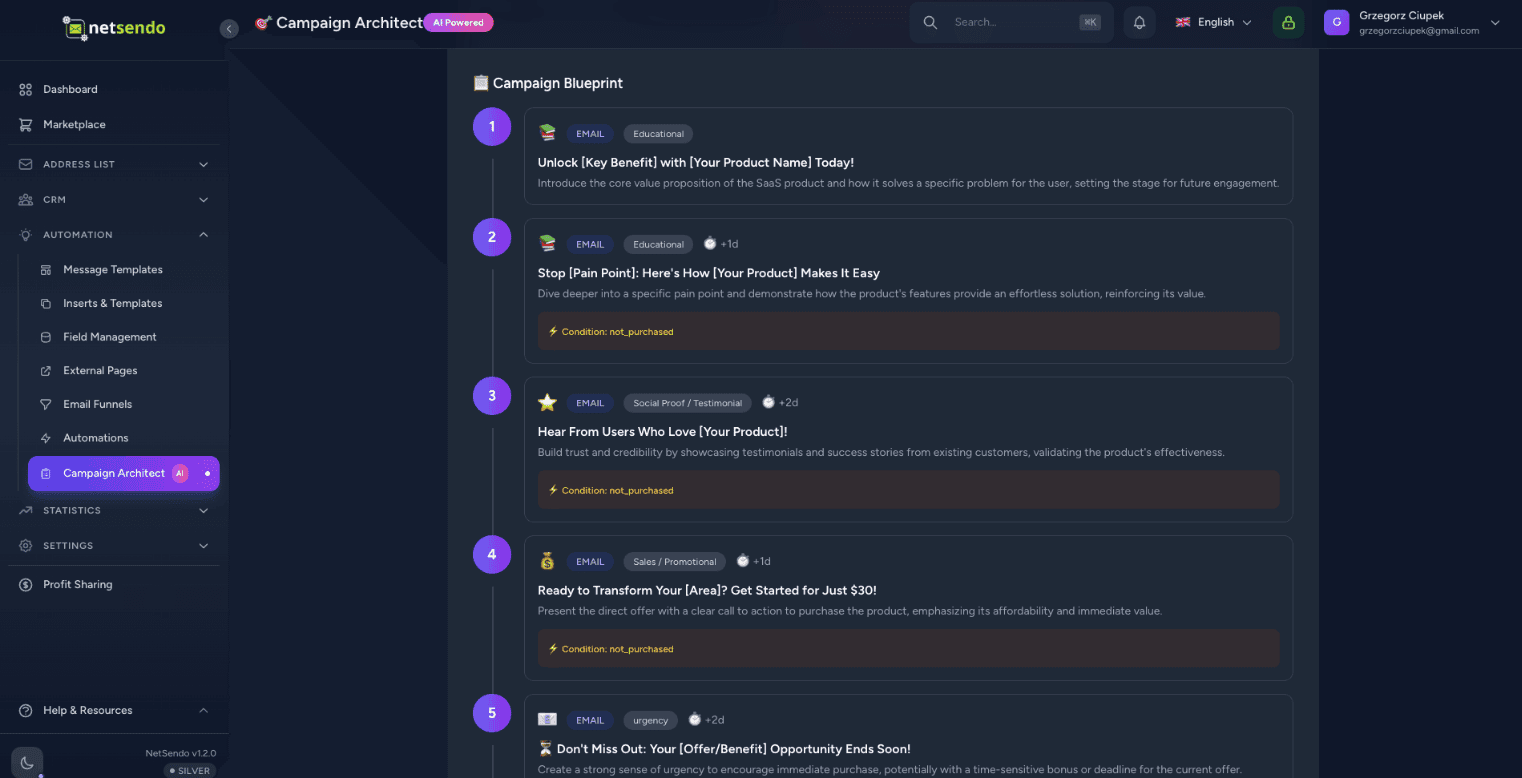
Why NetSendo?
Built for developers who want control, privacy, and flexibility without sacrificing modern features.
How it works
Deploy in Docker
Run docker compose up. NetSendo starts in seconds with Postgres and Redis included.
Add Mailbox
Connect your SMTP server, Gmail, or API provider like SendGrid/Mailgun.
Plan & Launch
Design campaign strategy in Campaign Architect, export to campaigns and launch.
Let AI write your
campaigns in seconds
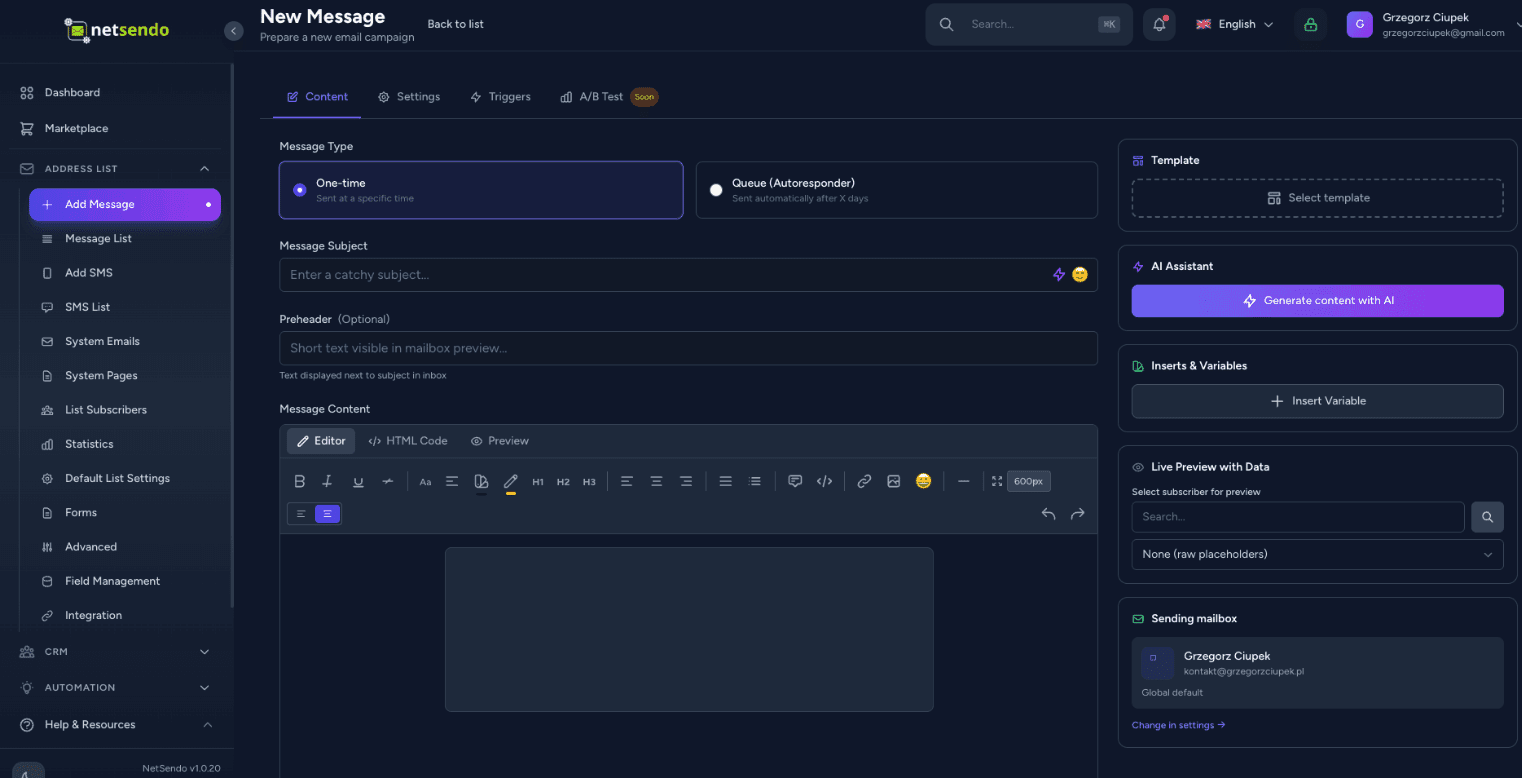
Stop staring at a blank screen. Netsendo's AI assistant can generate engaging subject lines, write full email body content, and even take voice dictation to craft your message.
Multi-Model Support
Use OpenAI GPT-4o, Anthropic Claude 3.5, or Google Gemini. Your API key, your rules.
Voice Dictation
Just speak your ideas. The AI will transcribe and format them into a professional newsletter.
┌─────────────────┐      STDIO       ┌─────────────────┐
│  Claude/Cursor  │ ◄────────────► │   MCP Server    │
│   (AI Client)   │                 │  (Docker/npx)   │
└─────────────────┘                 └────────┬────────┘
                                             │
                                        HTTP/S
                                             │
                                    ┌────────▼────────┐
                                    │    NetSendo     │
                                    │  (Your inst.)   │
                                    └─────────────────┘
Supported AI Clients
Example query
"Show my mailing lists and add a new subscriber jan@example.com to Newsletter"
Manage NetSendo with
natural language
Connect Claude, Cursor, or VS Code to your NetSendo instance. Ask questions, manage subscribers, and send messages — all through conversation with AI.
Natural language
Ask 'How many subscribers do I have?' or 'Send an email to John'.
No code required
No need to know the API — AI handles it for you.
Real-time operations
Direct operations on your NetSendo instance.
Experience NetSendo Live
Don't just take our word for it. Log in to our live demo instance and explore the platform's capabilities firsthand.
This is a public demo instance. Data is reset every 24 hours.
Connect with your tools
NetSendo plays nicely with the tools you already use. Orchestrate workflows with n8n and connect any AI model.
Latest Updates
View all releases- Modal Overlay — Content Hidden Behind Backdrop:
- Fixed all modal dialogs (Delete, Copy, and others) having their content hidden behind the semi-transparent backdrop overlay. Root cause: the modal content container in Modal.vue had default static positioning, causing the absolute inset-0 backdrop (bg-gray-500 opacity-75) to render on top of it. Added relative z-[51] to the modal content container to create a proper stacking context and ensure the modal body always renders above the backdrop.
- Mailing Lists — Grid View Action Buttons Unresponsive:
- Fixed all action buttons (Subscribers, Create Message, Edit, Clone, Delete) on mailing list cards being unclickable. Root cause: the list name <Link> contained a <span class="absolute inset-0"> overlay that covered the entire card (which has position: relative), intercepting all click events and redirecting to the edit page. Added relative z-10 to the action buttons container to elevate them above the overlay.
- Tailwind CSS v3 → v4 Migration:
- Migrated from Tailwind CSS v3 to v4 with new CSS-native configuration approach.
- Replaced @tailwind base/components/utilities directives with @import "tailwindcss" in app.css.
- Added @custom-variant dark (&:where(.dark, .dark *)) to preserve class-based dark mode toggling (replaces darkMode: 'class' from tailwind.config.js).
- Added @theme block with font-family configuration (replaces theme.extend from tailwind.config.js).
- Converted @layer utilities custom classes to @utility syntax.