

NetSendo REST API reference
Every endpoint of the public API, with authentication, scopes, rate limits, errors and examples.
Written for NetSendo 2.7.0 and checked against its source code (routes, controllers and the API key model).
Overview
The API is part of every NetSendo installation, SILVER and GOLD alike. It runs on your own server under https://your-domain.com/api/v1, speaks JSON, and acts on the account that owns the API key. The MCP server and the n8n node use the same endpoints. The few calls that drive GOLD features, such as A/B tests, answer 402 without an active GOLD licence.
Send Authorization: Bearer with your key on every request, Content-Type: application/json with a body, and Accept: application/json so that validation errors come back as JSON.
Check your key
GET /api/v1/account returns the account behind the key and the NetSendo version. Integrations use it to test a connection.
curl https://your-domain.com/api/v1/account \
  -H "Authorization: Bearer ns_live_YOUR_KEY" \
  -H "Accept: application/json"

# 200 OK
{
  "data": {
    "id": 1,
    "name": "Anna Admin",
    "email": "admin@example.com",
    "version": "2.7.0"
  }
}
Authentication and API keys
Create keys in the NetSendo panel under Settings → API Keys. Give each key a name, pick its scopes and, if you want, an expiry date. The key is shown once, when you create it; NetSendo stores only its SHA-256 hash and records when it was last used.
Keys look like ns_live_ followed by 32 random characters. Pass the key in the Authorization header as a Bearer token. Query-string keys are not accepted.
Authorization: Bearer ns_live_YOUR_KEYMark a key as MCP Key to use it with Claude, Cursor or VS Code; the panel's MCP connection test uses that key. See the MCP server documentation for connecting AI assistants.
When authentication fails
The API answers 401 with one of these messages:
Missing or invalid Authorization header. Use: Bearer <api_key>Invalid API key format. Key should start with ns_live_Invalid API keyAPI key has expired
Scopes
Each key carries a set of scopes. An endpoint that needs a scope the key lacks answers 403 Forbidden.
| Scope | What it allows |
|---|---|
| subscribers:read | Read the suppression list, export list members inline, read a subscriber's activity history |
| subscribers:write | Create, update and delete subscribers, batch create, replace a subscriber's tags, add and remove suppressed addresses |
| lists:read | List health reports and address verification, import preview, list activity and engagement, sending schedule, list defaults, forms, system emails and system pages |
| lists:write | Create, change and delete lists; import; clean and deduplicate; bulk membership changes; tags and custom fields; sending schedule and list defaults; forms; system emails and pages |
| tags:read | Can be selected; in 2.7.0 no endpoint requires it (reading tags needs only a valid key) |
| notifications:write | Create notifications in the account owner's notification centre |
| webhooks:read | Can be selected; in 2.7.0 no endpoint requires it (reading webhooks needs only a valid key) |
| webhooks:write | Create, change, delete and test webhooks and regenerate their signing secret |
| email:read | Status of emails sent through the API, list of sending mailboxes |
| email:write | Send single and batch emails |
| sms:read | Status of SMS sent through the API, list of SMS providers |
| sms:write | Send single and batch SMS |
| messages:read | Campaign preview and recipient count, email templates, template categories and saved blocks |
| messages:write | Create, change, delete, schedule, send, test and duplicate campaigns; A/B tests; templates and saved blocks |
| funnels:read | Automation rules, their options and logs |
| funnels:write | Create, change, delete, activate and pause funnels and their steps, enrol subscribers; create and change automation rules |
- A write scope includes the read scope of the same resource: a key with
lists:writecan also call endpoints that needlists:read. - A key created without any scope selected receives all 16 scopes.
- Endpoints marked any valid key in the tables below check only that the key is valid and not expired. They include listing and reading subscribers, lists, tags, custom fields, campaigns, funnels, A/B tests and webhooks. Every endpoint returns only the data of the key's own account.
Rate limits
The API allows 3,000 requests per minute per API key. Routes without a key (the list subscription endpoints and the signed export download) are counted per IP address with the same limit.
Responses carry X-RateLimit-Limit and X-RateLimit-Remaining. Over the limit the API answers 429 Too Many Requests with a Retry-After header in seconds.
For large jobs use the batch endpoints instead of many single calls: up to 1,000 subscribers per POST /subscribers/batch, 5,000 rows per import and 5,000 contacts per membership operation.
Errors
Errors are JSON objects with a short error label and a readable message:
{
  "error": "Forbidden",
  "message": "API key does not have subscribers:write permission"
}
Validation errors use the standard Laravel format, a message plus an errors object with one array of messages per field. Send Accept: application/json; without it a failed validation may answer with a redirect instead of JSON.
{
  "message": "The email field must be a valid email address.",
  "errors": {
    "email": ["The email field must be a valid email address."]
  }
}
Since NetSendo 2.4.0 the calls that drive GOLD features answer 402 Payment Required without an active GOLD licence (no key, SILVER, or GOLD past its expiry). The body says which feature was refused; message is in the default language of the instance (APP_LOCALE):
{
  "error": "Payment Required",
  "code": "gold_required",
  "message": "“A/B tests” requires the GOLD licence. Upgrade on the Licence page to use it.",
  "feature": "ab_tests",
  "required_plan": "GOLD",
  "upgrade_url": "https://your-domain.com/license"
}| Status | Meaning |
|---|---|
| 200 | Success |
| 201 | Created |
| 202 | Accepted and queued (emails, SMS, CSV export) |
| 401 | Missing, malformed, unknown or expired API key |
| 402 | The call uses a GOLD feature and the installation has no active GOLD licence |
| 403 | The key lacks the scope the endpoint needs |
| 404 | The resource does not exist in this account |
| 409 | Conflict, for example deleting a list that still has members without confirm=1, or starting a funnel or A/B test in the wrong state |
| 422 | Validation failed, or the resource is not ready (a campaign without lists, mailbox or content) |
| 429 | Rate limit exceeded |
| 500 | Server error; the instance log has the details |
Pagination
List endpoints return pages of 25 items by default (50 for tags). Change the size with per_page and move with page. The response has the items in data, page links in links and counts such as current_page, per_page and total in meta. The inline list export pages with a cursor instead: pass limit (at most 5,000) and, while has_more is true, the returned next_cursor.
Endpoints
All paths below are relative to your instance, for example https://your-domain.com/api/v1/subscribers. Replace the parts in braces with IDs from your account. Rows marked GOLD need an active GOLD licence and answer 402 without one; group descriptions name the calls that need GOLD only for some values.
- Account and connection test
- Subscribers
- Contact lists
- Import and export
- List hygiene
- List membership (bulk)
- Activity and engagement
- Suppression list
- Tags and custom fields
- Email sending
- SMS sending
- Campaigns (messages)
- A/B tests
- Funnels
- Automation rules
- Webhooks
- Templates and saved blocks
- System emails and system pages
- Subscription forms
- Notifications
- Integration helpers
- NetSendo Brain
- List subscription endpoints
Account and connection test
Identify the account behind a key. /api/mcp/test is the connection check used by MCP clients.
| Method | Path | Scope |
|---|---|---|
| GET | /api/v1/account | any valid key |
| GET | /api/mcp/test | any valid key |
Subscribers
Create, read, update and delete contacts. POST /subscribers needs contact_list_id, plus email for an email list or phone for an SMS list; optional fields are first_name, last_name, status, source, tags (tag IDs), custom_fields, ip_address, user_agent and device. If the address already exists, it is added to the list or reactivated instead of duplicated. Filter GET /subscribers with contact_list_id, status, email (partial match), tag_id, sort_by and sort_order. POST /subscribers/{id}/tags replaces all tags of the subscriber. Deleting is a soft delete.
| Method | Path | Scope |
|---|---|---|
| GET | /api/v1/subscribers | any valid key |
| POST | /api/v1/subscribers | subscribers:write |
| POST | /api/v1/subscribers/batch | subscribers:write |
| GET | /api/v1/subscribers/{id} | any valid key |
| GET | /api/v1/subscribers/by-email/{email} | any valid key |
| PUT, PATCH | /api/v1/subscribers/{id} | subscribers:write |
| DELETE | /api/v1/subscribers/{id} | subscribers:write |
| POST | /api/v1/subscribers/{id}/tags | subscribers:write |
| GET | /api/v1/subscribers/{id}/activity | subscribers:read |
Contact lists
Manage email and SMS lists. PUT merges settings: fields you leave out stay unchanged. Settings include double_opt_in, default_mailbox_id, default_sms_provider_id, max_subscribers, resubscription_behavior, signups_blocked, webhook_url and webhook_events. Deleting a list that has members answers 409 until you pass confirm=1; the subscribers themselves are kept. /stats returns members by status, engagement, 30-day growth and the settings that affect sending.
| Method | Path | Scope |
|---|---|---|
| GET | /api/v1/lists | any valid key |
| POST | /api/v1/lists | lists:write |
| GET | /api/v1/lists/{id} | any valid key |
| PUT, PATCH | /api/v1/lists/{id} | lists:write |
| DELETE | /api/v1/lists/{id} | lists:write |
| GET | /api/v1/lists/{id}/stats | any valid key |
| GET | /api/v1/lists/{id}/subscribers | any valid key |
| GET | /api/v1/lists/{id}/cron-settings | lists:read |
| PUT | /api/v1/lists/{id}/cron-settings | lists:write |
| GET | /api/v1/settings/list-defaults | lists:read |
| PUT | /api/v1/settings/list-defaults | lists:write |
Import and export
Import CSV, TSV, JSON or a plain list of addresses (up to 5,000 rows per request) with column mapping and safety options such as skipping invalid, disposable, suppressed or role addresses and fixing domain typos. Preview first with /import/preview. GET /export returns members inline as JSON, CSV or NDJSON with cursor paging; POST /export queues a full CSV export and sends the account owner a download link.
| Method | Path | Scope |
|---|---|---|
| POST | /api/v1/lists/{id}/import/preview | lists:read |
| POST | /api/v1/lists/{id}/import | lists:write |
| GET | /api/v1/lists/{id}/export | subscribers:read |
| GET | /api/v1/lists/{id}/export/fields | any valid key |
| POST | /api/v1/lists/{id}/export | any valid key |
| GET | /api/v1/exports/download | none (signed URL) |
List hygiene
GET /hygiene scores a list from 0 to 100 and counts problem categories such as invalid syntax, typo domains, disposable domains, role addresses, duplicates, hard bounces, never engaged and dormant contacts. clean unsubscribes, removes, tags, deletes or suppresses chosen categories; dedupe merges contacts that point to the same mailbox; verify checks syntax and MX records. clean and dedupe default to dry_run=true, and destructive actions need confirm=true.
| Method | Path | Scope |
|---|---|---|
| GET | /api/v1/lists/hygiene-options | any valid key |
| GET | /api/v1/lists/{id}/hygiene | lists:read |
| POST | /api/v1/lists/{id}/hygiene/clean | lists:write |
| POST | /api/v1/lists/{id}/hygiene/dedupe | lists:write |
| POST | /api/v1/lists/{id}/hygiene/verify | lists:read |
List membership (bulk)
Add existing contacts to a list, remove them, change their status, move or copy them to another list, or add and remove tags, for up to 5,000 contacts per call. Select contacts with subscriber_ids, emails or a filter (status, tags, engagement, signup date). Move and copy transfer only contacts that are active on the source list and need lists of the same channel. Pass trigger_automations: false to move people without restarting welcome sequences.
| Method | Path | Scope |
|---|---|---|
| POST | /api/v1/lists/{id}/members | lists:write |
| POST | /api/v1/lists/{id}/members/remove | lists:write |
| POST | /api/v1/lists/{id}/members/status | lists:write |
| POST | /api/v1/lists/{id}/members/move | lists:write |
| POST | /api/v1/lists/{id}/members/copy | lists:write |
| POST | /api/v1/lists/{id}/members/tags | lists:write |
Activity and engagement
/activity merges signups, confirmations, unsubscribes, opens, clicks and send results of a list into one feed, filterable by days, limit and types[]. /engagement returns audience make-up, growth and churn with a daily series, open and click rates, top messages and links, and the size of the inactive part of the list.
| Method | Path | Scope |
|---|---|---|
| GET | /api/v1/lists/{id}/activity | lists:read |
| GET | /api/v1/lists/{id}/engagement | lists:read |
Suppression list
An account-wide do-not-mail list that every import respects. POST takes emails[], an optional reason and unsubscribe_existing (default true, unsubscribes the address from all lists). DELETE lifts the block but does not resubscribe anyone.
| Method | Path | Scope |
|---|---|---|
| GET | /api/v1/suppressions | subscribers:read |
| POST | /api/v1/suppressions | subscribers:write |
| DELETE | /api/v1/suppressions | subscribers:write |
Email sending
POST /email/send queues one email: email, subject and content (HTML) are required; preheader, plain_text, mailbox_id, subscriber_id, schedule_at, tracking_enabled and extra headers are optional. POST /email/batch sends one message to a list (list_id or contact_list_ids), to tag_ids or to subscriber_ids, with optional excluded_list_ids. Both answer 202 with an ID you can pass to /email/status/{id}.
| Method | Path | Scope |
|---|---|---|
| POST | /api/v1/email/send | email:write |
| POST | /api/v1/email/batch | email:write |
| GET | /api/v1/email/status/{id} | email:read |
| GET | /api/v1/email/mailboxes | email:read |
SMS sending
POST /sms/send queues one SMS: phone and message (up to 1,600 characters) are required; provider_id, subscriber_id and schedule_at are optional. POST /sms/batch sends to a list_id, tag_ids or subscriber_ids. Placeholders such as [[fname]] are filled per recipient.
| Method | Path | Scope |
|---|---|---|
| POST | /api/v1/sms/send | sms:write |
| POST | /api/v1/sms/batch | sms:write |
| GET | /api/v1/sms/status/{id} | sms:read |
| GET | /api/v1/sms/providers | sms:read |
Campaigns (messages)
Campaigns are called messages in the API, and every /messages path also works under /campaigns. Create one with subject, channel (email or sms) and type (broadcast or autoresponder), then set recipient lists and exclusions, and send or schedule it. Sending and scheduling answer 422 while the campaign has no list, no mailbox (email) or no content. schedule takes scheduled_at and an optional timezone. Filter the list with channel, type, status and search. Saving a campaign with an enabled ab_test_config of two or more variants needs GOLD and is refused with 402 before anything is saved.
| Method | Path | Scope |
|---|---|---|
| GET | /api/v1/messages | any valid key |
| POST | /api/v1/messages | messages:write |
| GET | /api/v1/messages/{id} | any valid key |
| PUT, PATCH | /api/v1/messages/{id} | messages:write |
| DELETE | /api/v1/messages/{id} | messages:write |
| POST | /api/v1/messages/{id}/lists | messages:write |
| POST | /api/v1/messages/{id}/exclusions | messages:write |
| POST | /api/v1/messages/{id}/schedule | messages:write |
| POST | /api/v1/messages/{id}/send | messages:write |
| POST | /api/v1/messages/{id}/test | messages:write |
| GET, POST | /api/v1/messages/{id}/preview | messages:read |
| GET | /api/v1/messages/{id}/stats | any valid key |
| GET | /api/v1/messages/{id}/recipients-count | messages:read |
| POST | /api/v1/messages/{id}/duplicate | messages:write |
| POST | /api/v1/messages/{id}/toggle-active | messages:write |
| POST | /api/v1/messages/{id}/resend-failed | messages:write |
| POST | /api/v1/messages/{id}/send-to-missed | messages:write |
A/B tests
Create a test for a campaign, add variants, start and end it, and read the results. Creating a test, adding variants and starting it need GOLD; ending a test, reading its results and deleting it work on every plan, so a test that was already running finishes after a GOLD licence ends.
| Method | Path | Scope |
|---|---|---|
| GET | /api/v1/ab-tests | any valid key |
| POST | /api/v1/ab-tests | messages:writeGOLD |
| GET | /api/v1/ab-tests/{id} | any valid key |
| POST | /api/v1/ab-tests/{id}/variants | messages:writeGOLD |
| POST | /api/v1/ab-tests/{id}/start | messages:writeGOLD |
| POST | /api/v1/ab-tests/{id}/end | messages:write |
| GET | /api/v1/ab-tests/{id}/results | any valid key |
| DELETE | /api/v1/ab-tests/{id} | messages:write |
Funnels
Automation sequences with steps. A funnel starts on list_signup, tag_added, form_submit or manual. Add, change and remove steps, activate or pause the funnel, enrol a subscriber by hand (the funnel must be active, otherwise 409) and read its statistics. Funnels are part of SILVER; adding a step of type split (A/B split) or turning a step into one needs GOLD, while split steps a funnel already has stay editable.
| Method | Path | Scope |
|---|---|---|
| GET | /api/v1/funnels | any valid key |
| POST | /api/v1/funnels | funnels:write |
| GET | /api/v1/funnels/{id} | any valid key |
| PUT, PATCH | /api/v1/funnels/{id} | funnels:write |
| DELETE | /api/v1/funnels/{id} | funnels:write |
| POST | /api/v1/funnels/{id}/steps | funnels:write |
| PUT | /api/v1/funnels/{id}/steps/{step} | funnels:write |
| DELETE | /api/v1/funnels/{id}/steps/{step} | funnels:write |
| POST | /api/v1/funnels/{id}/subscribers | funnels:write |
| POST | /api/v1/funnels/{id}/activate | funnels:write |
| POST | /api/v1/funnels/{id}/pause | funnels:write |
| GET | /api/v1/funnels/{id}/stats | any valid key |
Automation rules
Rules of the form when a trigger happens, if conditions match, run actions. /automations/options lists the triggers, conditions and actions you can use. Rules can be switched on and off, duplicated, and their run logs read.
| Method | Path | Scope |
|---|---|---|
| GET | /api/v1/automations/options | funnels:read |
| GET | /api/v1/automations | funnels:read |
| POST | /api/v1/automations | funnels:write |
| GET | /api/v1/automations/{id} | funnels:read |
| PUT, PATCH | /api/v1/automations/{id} | funnels:write |
| DELETE | /api/v1/automations/{id} | funnels:write |
| POST | /api/v1/automations/{id}/toggle | funnels:write |
| POST | /api/v1/automations/{id}/duplicate | funnels:write |
| GET | /api/v1/automations/{id}/logs | funnels:read |
Webhooks
Register URLs that receive signed event notifications. The signing secret is returned only when the webhook is created or its secret is regenerated. /webhooks/events lists the event names, and /test sends a test delivery. The webhooks documentation lists every event, its payload and how to verify signatures.
| Method | Path | Scope |
|---|---|---|
| GET | /api/v1/webhooks/events | any valid key |
| GET | /api/v1/webhooks | any valid key |
| POST | /api/v1/webhooks | webhooks:write |
| GET | /api/v1/webhooks/{id} | any valid key |
| PUT, PATCH | /api/v1/webhooks/{id} | webhooks:write |
| DELETE | /api/v1/webhooks/{id} | webhooks:write |
| POST | /api/v1/webhooks/{id}/test | webhooks:write |
| POST | /api/v1/webhooks/{id}/regenerate-secret | webhooks:write |
Templates and saved blocks
Email templates, their categories and the saved blocks of the email builder. /templates/{id}/preview renders a template.
| Method | Path | Scope |
|---|---|---|
| GET | /api/v1/templates | messages:read |
| POST | /api/v1/templates | messages:write |
| GET | /api/v1/templates/{id} | messages:read |
| PUT, PATCH | /api/v1/templates/{id} | messages:write |
| DELETE | /api/v1/templates/{id} | messages:write |
| POST | /api/v1/templates/{id}/duplicate | messages:write |
| POST | /api/v1/templates/{id}/preview | messages:read |
| GET | /api/v1/template-categories | messages:read |
| GET | /api/v1/template-blocks/types | messages:read |
| GET | /api/v1/template-blocks | messages:read |
| POST | /api/v1/template-blocks | messages:write |
| PUT, PATCH | /api/v1/template-blocks/{id} | messages:write |
| DELETE | /api/v1/template-blocks/{id} | messages:write |
System emails and system pages
The emails and pages NetSendo shows around signup, confirmation and unsubscribe, addressed by slug. Without list_id you work on the global default; with list_id the first write creates an override for that list, and DELETE removes the override so the list falls back to the default. Global defaults cannot be deleted.
| Method | Path | Scope |
|---|---|---|
| GET | /api/v1/system-emails | lists:read |
| GET | /api/v1/system-emails/{slug} | lists:read |
| PUT | /api/v1/system-emails/{slug} | lists:write |
| PUT | /api/v1/system-emails/{slug}/active | lists:write |
| DELETE | /api/v1/system-emails/{slug} | lists:write |
| GET | /api/v1/system-pages | lists:read |
| GET | /api/v1/system-pages/{slug} | lists:read |
| PUT | /api/v1/system-pages/{slug} | lists:write |
| DELETE | /api/v1/system-pages/{slug} | lists:write |
Subscription forms
Create, change, duplicate and delete the signup forms of your lists.
| Method | Path | Scope |
|---|---|---|
| GET | /api/v1/forms | lists:read |
| POST | /api/v1/forms | lists:write |
| GET | /api/v1/forms/{id} | lists:read |
| PUT, PATCH | /api/v1/forms/{id} | lists:write |
| DELETE | /api/v1/forms/{id} | lists:write |
| POST | /api/v1/forms/{id}/duplicate | lists:write |
Notifications
Create notifications in the account owner's notification centre: title (required), message, type (info, success, warning or error), list_id or action_url, and free-form data. Nothing is sent to subscribers.
| Method | Path | Scope |
|---|---|---|
| GET | /api/v1/notifications | any valid key |
| POST | /api/v1/notifications | notifications:write |
Integration helpers
Endpoints used by the WordPress, WooCommerce and other plugins: external pages, plugin version checks and connections. /api/webhooks/purchase receives purchases from e-commerce integrations and needs a valid API key.
| Method | Path | Scope |
|---|---|---|
| GET | /api/v1/external-pages | any valid key |
| GET | /api/v1/plugin/check-version | any valid key |
| POST | /api/v1/plugin/heartbeat | any valid key |
| GET | /api/v1/plugin/connections | any valid key |
| DELETE | /api/v1/plugin/connections/{id} | any valid key |
| POST | /api/v1/plugin/connections/{id}/disconnect | any valid key |
| POST | /api/webhooks/purchase | any valid key |
NetSendo Brain
The AI assistant built into NetSendo: chat, conversations, knowledge base, action plans and their approval, settings and the Telegram connection. POST /brain/chat takes a message of up to 5,000 characters and an optional conversation_id. The chat in manual mode is part of SILVER. Brain working on its own needs GOLD: PUT /brain/settings answers 402 for work_mode semi_auto or autonomous, non-manual agent_modes, a telegram_bot_token or research keys (perplexity_api_key, serpapi_api_key). Knowledge base entries hold up to 10,000 characters, 100,000 with GOLD, where GET /brain/knowledge?search= also finds entries by meaning (semantic search, since 2.7.0).
| Method | Path | Scope |
|---|---|---|
| POST | /api/v1/brain/chat | any valid key |
| GET | /api/v1/brain/conversations | any valid key |
| GET | /api/v1/brain/conversations/{id} | any valid key |
| GET | /api/v1/brain/knowledge | any valid key |
| POST | /api/v1/brain/knowledge | any valid key |
| PUT | /api/v1/brain/knowledge/{id} | any valid key |
| DELETE | /api/v1/brain/knowledge/{id} | any valid key |
| GET | /api/v1/brain/plans | any valid key |
| GET | /api/v1/brain/plans/{id} | any valid key |
| POST | /api/v1/brain/plans/{id}/approve | any valid key |
| GET | /api/v1/brain/settings | any valid key |
| PUT | /api/v1/brain/settings | any valid key |
| POST | /api/v1/brain/telegram/link-code | any valid keyGOLD |
| POST | /api/v1/brain/telegram/disconnect | any valid key |
| POST | /api/v1/brain/telegram/test | any valid keyGOLD |
| POST | /api/v1/brain/telegram/set-webhook | any valid keyGOLD |
List subscription endpoints
For website forms and simple integrations that should reach one list only. These endpoints do not take an account API key: authenticate with the list's own key, generated in the list settings under Integration → List API Key. subscribe takes email (or phone for an SMS list), first_name and last_name; unsubscribe takes email. A list that does not accept signups answers 403. Errors here use success: false with error or errors.
| Method | Path | Scope |
|---|---|---|
| POST | /api/v1/lists/{id}/subscribe | the list's own API key |
| POST | /api/v1/lists/{id}/unsubscribe | the list's own API key |
Examples
curl -X POST https://your-domain.com/api/v1/subscribers \
  -H "Authorization: Bearer ns_live_YOUR_KEY" \
  -H "Content-Type: application/json" \
  -H "Accept: application/json" \
  -d '{
    "email": "anna@example.com",
    "contact_list_id": 5,
    "first_name": "Anna",
    "tags": [1, 3],
    "custom_fields": { "city": "Berlin" }
  }'

# 201 Created (200 when the address already existed)
{
  "data": {
    "id": 456,
    "email": "anna@example.com",
    "first_name": "Anna",
    "status": "active",
    "contact_list_id": 5,
    "contact_list_ids": [5],
    "source": "api",
    "tags": [{ "id": 1, "name": "VIP", ... }, { "id": 3, "name": "Newsletter", ... }],
    "custom_fields": { "email": "anna@example.com", "fname": "Anna", ..., "city": "Berlin" },
    "subscribed_at": "2026-11-07T10:30:00.000000Z",
    "created_at": "2026-11-07T10:30:00.000000Z",
    ...
  }
}curl -X POST https://your-domain.com/api/v1/email/send \
-H "Authorization: Bearer ns_live_YOUR_KEY" \
-H "Content-Type: application/json" \
-H "Accept: application/json" \
-d '{
"email": "anna@example.com",
"subject": "Your order is on its way",
"content": "<p>Hi [[fname]], your order has shipped.</p>",
"subscriber_id": 456,
"mailbox_id": 1
}'
# 202 Accepted
{
"data": {
"id": 123,
"email": "anna@example.com",
"subject": "Your order is on its way",
"status": "queued",
"mailbox": "Main mailbox",
"scheduled_at": null
},
"message": "Email queued successfully"
}# 1. Create a draft email campaign for list 5
curl -X POST https://your-domain.com/api/v1/messages \
-H "Authorization: Bearer ns_live_YOUR_KEY" \
-H "Content-Type: application/json" \
-H "Accept: application/json" \
-d '{
"subject": "November news",
"channel": "email",
"type": "broadcast",
"content": "<h1>Hello [[fname]]</h1>",
"contact_list_ids": [5],
"mailbox_id": 1
}'
# 2a. Send it now (42 = the id returned in step 1)
curl -X POST https://your-domain.com/api/v1/messages/42/send \
-H "Authorization: Bearer ns_live_YOUR_KEY" \
-H "Accept: application/json"
# 2b. Or schedule it in a given time zone
curl -X POST https://your-domain.com/api/v1/messages/42/schedule \
-H "Authorization: Bearer ns_live_YOUR_KEY" \
-H "Content-Type: application/json" \
-H "Accept: application/json" \
-d '{ "scheduled_at": "2026-11-20 09:00", "timezone": "Europe/Warsaw" }'const res = await fetch(
"https://your-domain.com/api/v1/subscribers?status=active&per_page=50",
{
headers: {
Authorization: `Bearer ${process.env.NETSENDO_API_KEY}`,
Accept: "application/json",
},
}
)
if (res.status === 429) {
const wait = Number(res.headers.get("Retry-After") ?? 60)
// try again after `wait` seconds
}
const { data, meta } = await res.json()
console.log(meta.total, data.map((s) => s.email))curl -X POST https://your-domain.com/api/v1/lists/5/subscribe \
-H "Authorization: Bearer YOUR_LIST_API_KEY" \
-H "Content-Type: application/json" \
-H "Accept: application/json" \
-d '{ "email": "anna@example.com", "first_name": "Anna" }'
# 201 Created
{
"success": true,
"message": "Successfully subscribed",
"subscriber_id": 456,
"status": "new"
}OpenAPI specification in your instance
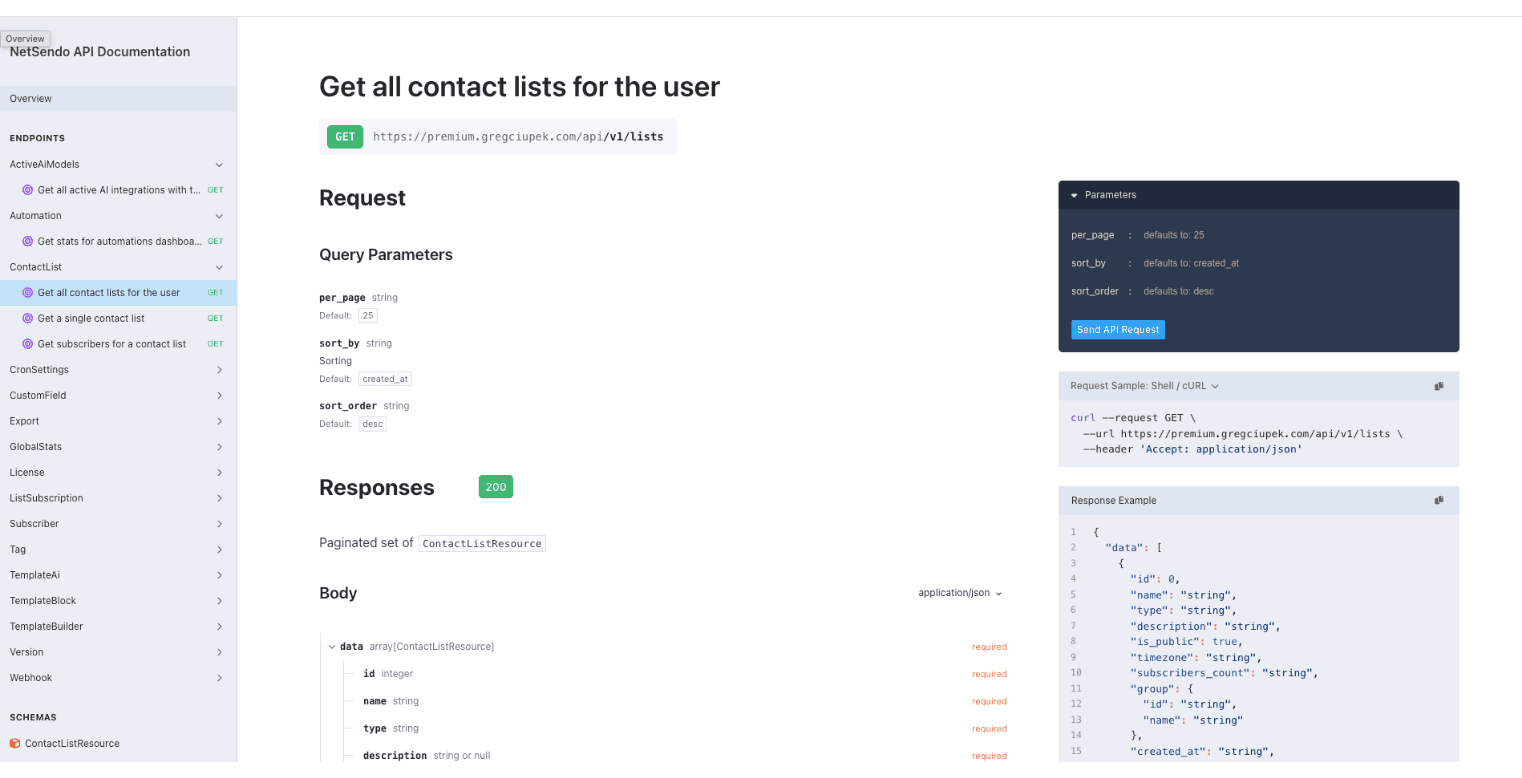
Every NetSendo installation also generates an OpenAPI description of its API. Sign in to the panel and open https://your-domain.com/docs/api for the interactive reference, or /docs/api.json for the raw specification. Both are visible only to signed-in users.
Frequently asked questions
How do I authenticate with the NetSendo API?
Create an API key in the NetSendo panel under Settings → API Keys and send it in the Authorization header as a Bearer token: Authorization: Bearer ns_live_… The key is shown only once, when you create it.
What is the NetSendo API rate limit?
3,000 requests per minute per API key. Over the limit the API answers 429 Too Many Requests with a Retry-After header. Batch endpoints accept up to 1,000 subscribers per request.
Which scope does a key need to add subscribers?
subscribers:write for POST /api/v1/subscribers and POST /api/v1/subscribers/batch. Imports and bulk membership changes on a list need lists:write. A write scope also grants the matching read scope.
Is there an OpenAPI specification for the NetSendo API?
Yes. Each installation generates one: sign in to the panel and open /docs/api for the interactive reference or /docs/api.json for the specification.
How can a website form add subscribers without an account API key?
Generate a key for the list in its settings under Integration → List API Key, then POST the form data to /api/v1/lists/{id}/subscribe with that key as a Bearer token. The key works only for that list.
What is the difference between /messages and /campaigns?
None. /campaigns is an alias of /messages: both paths reach the same campaign endpoints with the same scopes.