

NetSendo Logo
v2.1.0- Perplexity API key test failed with max_tokens must be at least 16 ([#27](https://github.com/NetSendo/NetSendo/issues/27)): testing a Perplexity API key under NetSendo Brain → Settings → Internet Research always returned Perplexity API error: max_tokens must be at least 16, so a valid key could never be verified. WebResearchService::testPerplexity() sent a minimal probe request with max_tokens: 10, but Perplexity's API now enforces a floor of 16 for that parameter and rejects any lower value before the key is even checked. The probe now requests max_tokens: 16 (the documented minimum — the "OK" reply the test expects fits comfortably), so a valid key returns success and only genuinely invalid keys report an error. Only the connection-test path was affected; actual deepResearch() calls already used max_tokens: 4000 and worked normally.

Open-Source E-Mail & SMS Marketing selbst gehostet

Volle Datenkontrolle, fertige Integrationen, KI-gesteuerte Inhalte, Automatisierung und Webhooks. In 5 Minuten mit Docker eingerichtet.

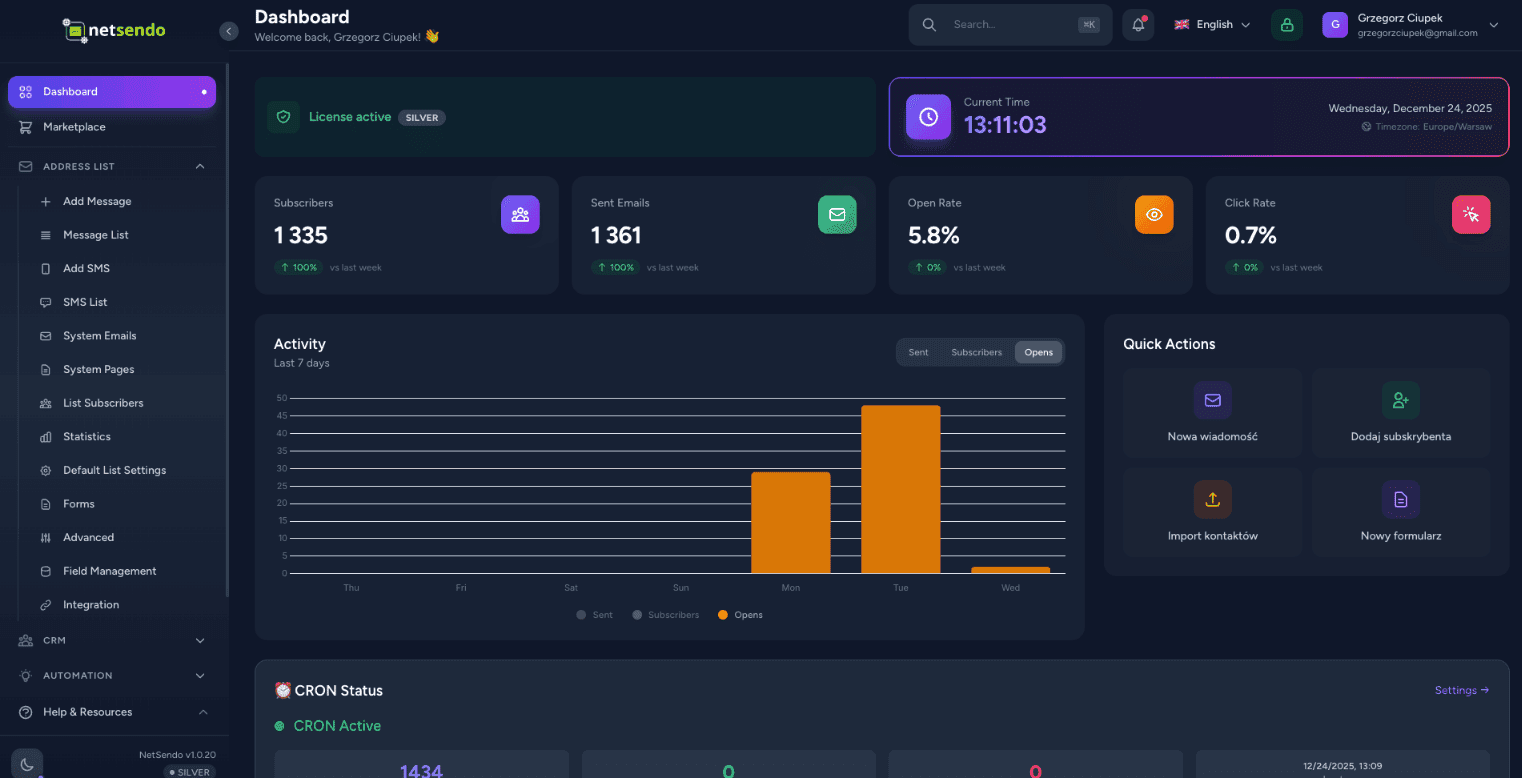
NetSendo Dashboard
NEU • KI-Modul

AI Campaign Architect

Strategischer E-Mail + SMS Kampagnenplaner, der Plan, Logik und Prognosen erstellt — bevor du die erste Nachricht sendest.

4-Schritte-Wizard

Geschäftskontext → Zielgruppe → KI-Strategie → Prognose & Export

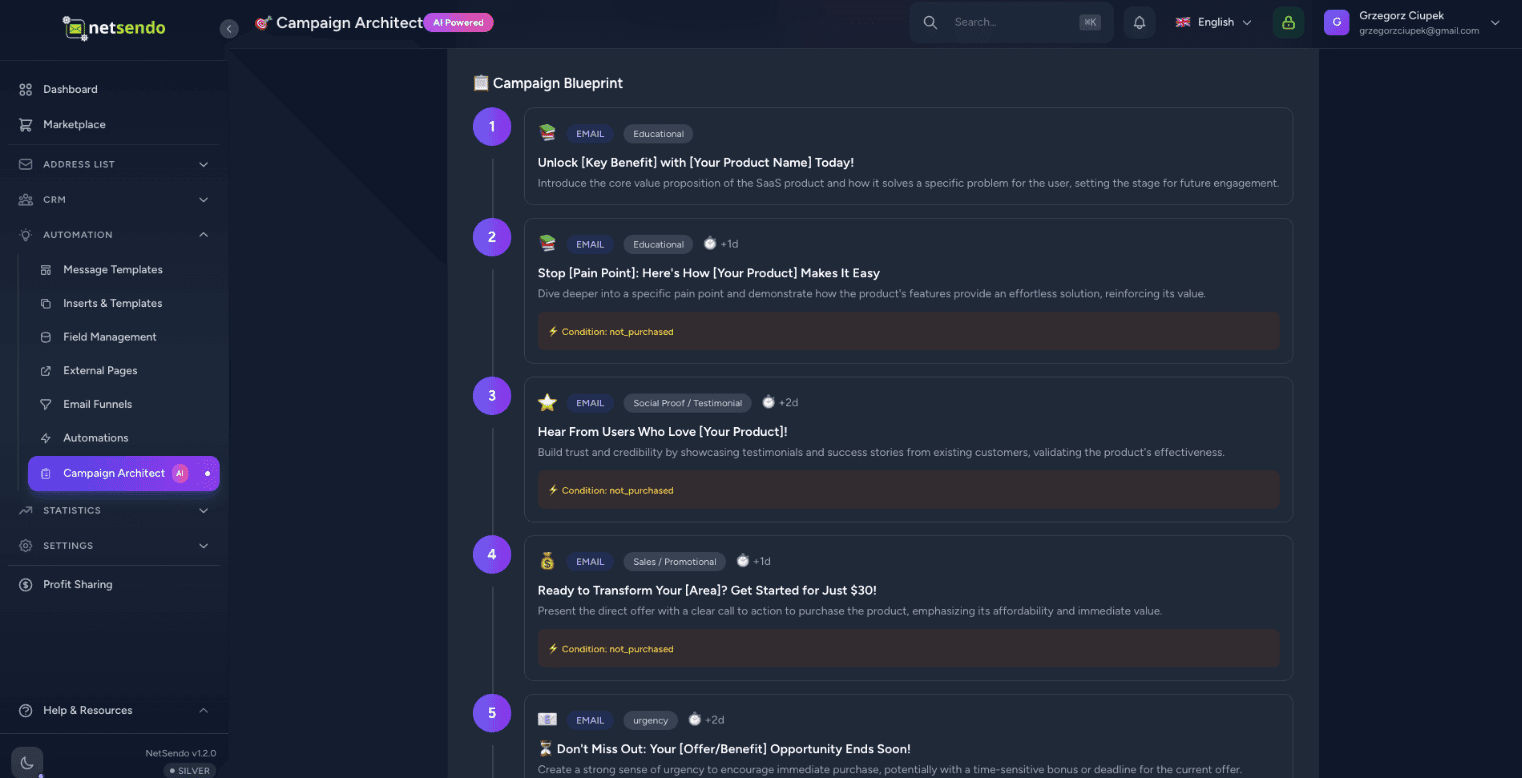
Kampagnen-Blueprint

Nachrichten-Timeline, Ziele (Education/Sales/Reminder) und IF/THEN-Logik

ROI-Prognose

Branchen-Benchmarks + Schieberegler für Echtzeit-ROI-Berechnung
Empfohlene Nachrichtenanzahl und Kanäle (E-Mail/SMS)
Zeitplan und Timing-Optimierung
Segmentierung (Leads vs Kunden, aktiv vs inaktiv)
Verhaltenslogik (geöffnet / geklickt / gekauft)
AI Campaign Architect Dashboard
Neue Tabellen: campaign_plans, campaign_plan_steps
Export: Entwürfe / Geplant
12 Sprachen für Generierung
DE/EN Übersetzungen

Warum NetSendo?

Entwickelt für Entwickler, die Kontrolle, Datenschutz und Flexibilität wollen, ohne auf moderne Funktionen zu verzichten.

Campaign Architect
KI-gestützter strategischer Planer. Entwirf Kampagnenabläufe, Segmente, IF/THEN-Logik und prognostiziere ROI.
Self-hosted / Docker
Behalte deine Daten privat. Einfache Installation auf eigenen Servern mit Docker Compose.
E-Mail & SMS Marketing
Eine Plattform für beide Kanäle. Sende Kampagnen, Newsletter und Transaktionsnachrichten.
KI-Assistent
Erstelle Betreffzeilen und E-Mail-Inhalte mit KI. Unterstützt OpenAI, Anthropic und lokale Modelle.
Webhooks & API
Echtzeit-Event-Auslöser. Erstelle eigene Automatisierungen mit umfassendem API-Zugriff.
Open Source
Transparente Entwicklung, quelloffener Code. Community-getriebene Funktionen mit Silver- und Gold-Plänen.

Wie es funktioniert

01

In Docker deployen

Führe docker compose up aus. NetSendo startet in Sekunden inklusive Postgres und Redis.

02

Postfach hinzufügen

Verbinde deinen SMTP-Server, Gmail oder API-Anbieter wie SendGrid/Mailgun.

03

Planen & Starten

Gestalte Kampagnenstrategie im Campaign Architect, exportiere und starte.

KI-gesteuerte Inhaltserstellung

Lass KI deine
Kampagnen in Sekunden schreiben

Hör auf, auf einen leeren Bildschirm zu starren. Der NetSendo-Assistent generiert ansprechende Betreffzeilen und schreibt vollständige E-Mails.

Multi-Modell Support

Nutze OpenAI GPT-4o, Anthropic Claude 3.5 oder Google Gemini. Dein API-Key, deine Regeln.

Sprachdiktat

Sprich einfach deine Ideen ein. Die KI transkribiert und formatiert sie in einen professionellen Newsletter.
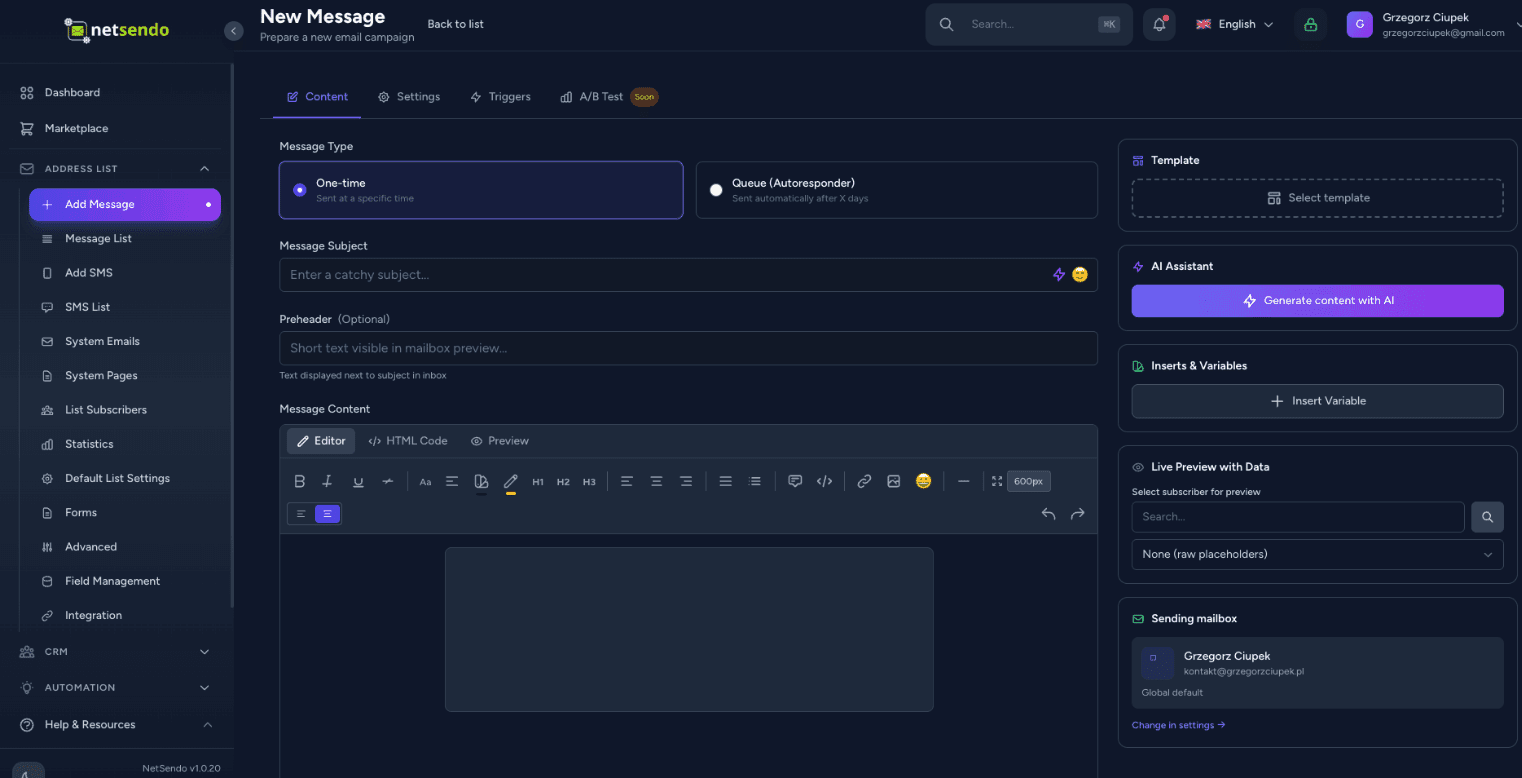
AI Content Creation
┌─────────────────┐      STDIO       ┌─────────────────┐
│  Claude/Cursor  │ ◄────────────► │   MCP Server    │
│   (AI Client)   │                 │  (Docker/npx)   │
└─────────────────┘                 └────────┬────────┘
                                             │
                                        HTTP/S
                                             │
                                    ┌────────▼────────┐
                                    │    NetSendo     │
                                    │  (Your inst.)   │
                                    └─────────────────┘

Unterstützte KI-Clients

🤖Claude Desktop
💻Cursor IDE
📝VS Code

Beispielanfrage

"Zeige meine Mailinglisten und füge einen neuen Abonnenten jan@example.com zum Newsletter hinzu"

KI-Assistenten-Integration

NetSendo verwalten mit
natürlicher Sprache

Verbinde Claude, Cursor oder VS Code mit deiner NetSendo-Instanz. Stelle Fragen, verwalte Abonnenten und sende Nachrichten — alles durch Konversation mit KI.

Natürliche Sprache

Frage 'Wie viele Abonnenten habe ich?' oder 'Sende eine E-Mail an Jan'.

Kein Code nötig

Keine API-Kenntnisse erforderlich — die KI erledigt das für dich.

Echtzeit-Operationen

Direkte Operationen auf deiner NetSendo-Instanz.

MCP-Dokumentation ansehen
Teste es selbst

Erlebe NetSendo Live

Verlasse dich nicht nur auf unsere Worte. Melde dich in unserer Live-Demo an und erkunde die Funktionen der Plattform.

Dies ist eine öffentliche Demo-Instanz. Daten werden alle 24 Stunden zurückgesetzt.

demo.netsendo.com
demo@netsendo.com
READ ONLY
demo1234
••••••••

Verbinde deine Tools

NetSendo funktioniert nahtlos mit deinen bestehenden Tools. Orchestriere Workflows mit n8n und verbinde jedes KI-Modell.

n8n Integration erkunden
Calendly
Termin-Automatisierung
Zoom
Videokonferenzen
Google Calendar
Kalender-Synchronisierung
Google Meet
Videokonferenzen
MCP
KI-Assistenten-Integration
n8n
Workflow-Automatisierung
Stripe
Zahlungsabwicklung
Polar
Entwickler-First Zahlungen
WooCommerce
E-Commerce-Integration
WordPress
Formulare & Content Gating
Shopify
E-Commerce-Integration
SendGrid
E-Mail-API
Twilio
SMS-Anbieter
SMSAPI
SMS-Anbieter
OpenAI
KI-Generierung

Neueste Updates

Alle Releases ansehen
v2.1.0Aktuell
Release Notes
  • Perplexity API key test failed with max_tokens must be at least 16 ([#27](https://github.com/NetSendo/NetSendo/issues/27)): testing a Perplexity API key under NetSendo Brain → Settings → Internet Research always returned Perplexity API error: max_tokens must be at least 16, so a valid key could never be verified. WebResearchService::testPerplexity() sent a minimal probe request with max_tokens: 10, but Perplexity's API now enforces a floor of 16 for that parameter and rejects any lower value before the key is even checked. The probe now requests max_tokens: 16 (the documented minimum — the "OK" reply the test expects fits comfortably), so a valid key returns success and only genuinely invalid keys report an error. Only the connection-test path was affected; actual deepResearch() calls already used max_tokens: 4000 and worked normally.
  • Automation "Add Tag" crashed with 1062 Duplicate entry when the subscriber already had the tag ([#24](https://github.com/NetSendo/NetSendo/issues/24)): Subscriber::addTag() guarded its insert with an in-memory $this->tags->contains(...) check and then did a raw attach(). When the tags relationship was stale — already loaded before the tag was attached by another code path, or out of sync with the database — the guard passed and the raw INSERT hit the subscriber_tag_subscriber_id_tag_id_unique constraint (SQLSTATE[23000]: Integrity constraint violation: 1062). The resulting QueryException aborted the automation action and, because it was thrown mid-chain, could stop subsequent actions/listeners (e.g. webhooks) from running. addTag() is now idempotent: it uses syncWithoutDetaching(), which checks the live pivot table before inserting, so re-adding an existing tag is a no-op instead of a duplicate-key insert; the rare concurrent double-attach race is additionally caught (UniqueConstraintViolationException) so the exception can never bubble up. The TagAdded event still fires exactly once, and only when the tag was genuinely newly attached — preserving the previous event semantics. This fixes the reported automation path and every other caller of addTag() (funnels, webinar attendance tags, Calendly, manual subscriber tagging), matching the idempotent syncWithoutDetaching() pattern already used in the webinar services.
  • Missing <html>/<body> structure in outgoing e-mails ([#22](https://github.com/NetSendo/NetSendo/issues/22)): messages composed in the GUI editor or sent through the API were delivered as bare HTML *fragments* — the source started straight with the preheader or a <div>, with no <!DOCTYPE html>, <html> or <body>. SpamAssassin flags this as HTML_MIME_NO_HTML_TAG ("HTML-only message, but there is no HTML tag", ≈ −0.6 deliverability points on Mail-Tester). A master HTML layout is now applied at the single send choke point — the new App\Helpers\EmailHtmlDocument::wrap() runs inside every mail provider's send() (SMTP, Gmail, SendGrid, NMI), so every outgoing message is guaranteed a valid document structure regardless of how its content was created (broadcasts, scheduled campaigns, API POST /emails, the "send test" action, and one-off CRM contact e-mails, which had the same defect). Content that is *already* a full document (it contains an <html> or <body> tag — hand-authored templates and the Blade-rendered system/webinar/CardIntel mailables) is detected and passed through untouched, so no message is ever double-wrapped. The wrapper emits a UTF-8 <head> (charset + Content-Type + viewport + x-apple-disable-message-reformatting), an <html lang> derived from the recipient's language / app locale, and an escaped <title> from the subject. Configurable via config/netsendo.php → email.wrap_html_document (env EMAIL_WRAP_HTML_DOCUMENT, default on) to restore the previous send-verbatim behaviour. Because the wrapper adds <body>/</body>, the existing preheader-after-<body> and open-pixel-before-</body> insertion in SendEmailJob now lands both inside the document body.
  • SMTP throttling / intelligent retry for transient failures ([#21](https://github.com/NetSendo/NetSendo/issues/21)): transient SMTP responses — most notably 421 Too many connections, but also greylisting and other temporary 4xx/rate-limit errors — were treated as hard failures: SendEmailJob marked the recipient as failed and called $this->fail() immediately, so on connection-limited providers a large broadcast could leave a significant share of recipients failed and require a manual "Retry failed". Two coordinated changes fix this:
  • Transient vs permanent classification + automatic re-queue: new BounceProcessingService::isTransientError() distinguishes transient throttling/connection-limit/greylisting errors from permanent 5xx/hard bounces. On a transient error SendEmailJob now releases the job back to the queue with an exponential backoff + jitter (~15–30s, then ~30–45s) and retries up to $tries (3) instead of failing — the queue entry stays queued, not failed. Permanent 5xx errors still fail immediately (and still feed inline bounce processing). The recipient is only marked failed after retries are exhausted.
  • Staggered dispatch (no more connection bursts): CronScheduleService::processQueue() previously dispatched a whole minute's allowance at once at the top of each cron tick, so the worker opened a burst of simultaneous SMTP sessions — exactly what trips the 421 limit. Sends are now spread across a configurable window (default 55s) via per-job ->delay(), computed from the effective per-minute rate (delay = slot × window ÷ rate) so, e.g., 10/min goes out at ~0s, 6s, 11s, … rather than all at second 0.
Vollständiger Changelog
v2.0.12Vorherig
Release Notes
  • Brain — Performance-Driven Task Scoring (5th Dimension):
  • Integrated PerformanceLearner signals into TaskScorer, adding a performance_affinity scoring dimension (0–25 scale) that rewards tasks matching historically successful patterns (winning days, hours, campaign types, subject patterns). Total task score range now 0–125 (previously 0–100).
  • gatherScoringContext() now includes performance_signals from PerformanceLearner::getTuningSignals() for data-driven prioritization.
  • File: app/Services/Brain/TaskScorer.php
  • Brain — Strategy-Aware AI Analysis & Campaign Planning:
  • SituationAnalyzer now injects PERFORMANCE INSIGHTS (top-performing days/hours/types) and STRATEGY CONSTRAINTS (tone, excluded days, send limits, goal focus) into the AI analysis prompt. Added prompt instructions 9 & 10 requiring AI to respect user-defined constraints and leverage historical performance data.
Vollständiger Changelog
v2.0.11Vorherig
Release Notes
  • Tags — Optional Description Field:
  • Added an optional description field to tags, allowing users to document the purpose and intended usage of each tag. This prevents confusion over time as the number of tags grows.
  • Database migration: Added nullable text column description to the tags table.
  • Tag model: Added description to the $fillable array.
  • TagController (web): Updated store() and update() validation and mass assignment to accept description (max 1000 characters).
  • TagResource (API): Added description to the API response payload for GET /api/v1/tags.
Vollständiger Changelog

Häufig gestellte Fragen