

NetSendo v1.7.1: CRM & Sales Automation is Here
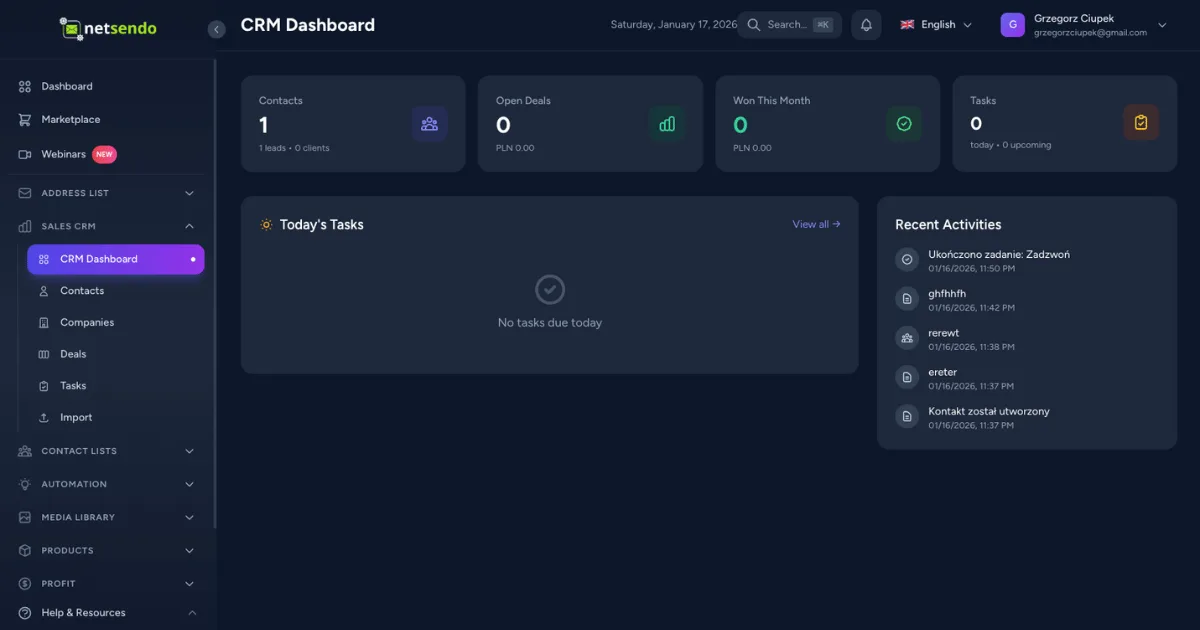
Is your sales process disconnected from your marketing automation? Juggling different platforms for email sequences and deal management often leads to missed opportunities and a fragmented customer view. This siloed approach makes it impossible to create a truly seamless journey from lead to loyal customer.
NetSendo v1.7.1 bridges this gap by introducing a powerful, fully-integrated CRM Sales Automation System. Now, you can trigger complex sales and marketing workflows based on deal stages, contact activities, and more, right inside the platform you already control. Take back ownership of your entire customer lifecycle.
🚀 What's New in v1.7.1
This release is packed with features designed to unify your sales and marketing efforts, giving you unparalleled control over your data and workflows.
Introducing the CRM Sales Automation System
At the heart of v1.7.1 is a complete automation engine built for your sales pipeline. Think of it as your tireless digital sales assistant, working 24/7 to move deals forward. We've added a full suite of tools right into the Automation Builder.
New Triggers
Initiate workflows when a deal is created, its stage changes, it's won, a task is completed, or a new contact is added.
Powerful Actions
Automatically create tasks, update lead scores, change deal stages, assign owners, and log activities without manual intervention.
Smart Conditions
Filter your automations with precision. Use conditions like Deal Value, Pipeline Stage, Score Threshold, or even idle days to target the right deals at the right time.
ℹ️ Note: We've also included a scheduled job to detect idle deals, allowing you to automatically re-engage contacts that have gone cold.
Advanced Personalization: International Vocative & Gender Detection
Personalization goes beyond using a first name. It's about using it correctly. NetSendo now supports the vocative case for international names, ensuring your greetings are grammatically correct and natural-sounding, especially for languages like Czech and Polish.
"Hello, [[fname]]!" -> "Hello, John!"
"Cześć, [[!fname]]!" -> "Cześć, Janie!" (instead of "Cześć, Jan")
To power this, we’ve added automatic gender detection on CSV import and via the API. If a gender isn't specified, NetSendo intelligently infers it from the first name, improving the accuracy of your gender-based content and vocative forms from day one.
Streamlined Workflow: Direct CRM Emails & Smarter Tests
Reduce context switching and empower your sales team. You can now send emails directly from a CRM contact's profile. A new rich composer lets you select your sending identity and automatically logs the email in the contact's activity timeline.
We've also made testing more powerful. Sending a test message to an email address that exists in your database will now correctly render dynamic placeholders like {{male|female}} and the new vocative [[!fname]], giving you a true preview of your personalized content.
💡 Benefits & Use Cases
Here’s how you can leverage the new CRM automation features in the real world:
SaaS: Automate Lead Nurturing
When a user signs up for a trial (Deal Created), you can automatically:
- Create a Task for a sales rep to make a welcome call.
- Update Score by +15 to prioritize the lead.
- If the deal is idle for 7 days, trigger an email sequence to re-engage them.
- When the Deal is Won, add a "customer" tag to trigger your onboarding email series.
E-commerce: High-Value Customer Follow-Up
When a new customer makes a purchase (Contact Created), you can build a workflow:
- Condition: Check if Deal Value is greater than $500.
- Assign Owner to your key account manager.
- Log Activity noting them as a "VIP Customer".
- Create a Task for the manager to send a personal thank-you email in 3 days.
📋 Step-by-Step Guide: Automating a 'New Deal' Welcome Task
Let's create a simple automation to assign a follow-up task whenever a new deal worth over $100 is created.
-
Navigate to the Automation Builder
From your NetSendo dashboard, go to "Automation" and click "Create New Automation".
-
Select the Trigger
Choose the "CRM" category and select the Deal Created trigger. Select the pipeline you want to monitor.
-
Add a Condition
Click the "+" icon, select "Condition", and configure it to check if Deal Value is "greater than" 100.
-
Add an Action
On the "Yes" path, click the "+" icon again and select the Create Task action. Write a task description like "Follow up with new lead" and assign it to a team member.
-
Activate Your Automation
Give your automation a name, save it, and toggle it to "Active". Your sales process is now partially automated!
🎯 Expert Tips
Create a dedicated automation for deals that have been idle for over 14 days. Use it to send a gentle "checking in" email and create a task for the deal owner to investigate.
Use CRM automations for pipeline logic (e.g., adding tags based on deal stage) and let your email automations handle the complex communication sequences triggered by those tags. This keeps workflows clean and modular.
When sending emails directly from the CRM, use the [[!fname]] placeholder. This small touch adds a significant layer of personalization, especially for your international customers.
Ready to Unify Sales & Marketing?
Stop juggling tools and start building a cohesive customer journey. Update your instance to NetSendo v1.7.1 and gain full control over your sales and marketing automation.

