

NetSendo v1.6.5: WordPress Pixel & Accurate Stats
Introduction: Bridging Your Website and Marketing Automation
Have you ever wished your marketing automation platform knew exactly what your audience was doing on your WordPress site? Understanding user behavior—what pages they visit, what content they read—is the key to unlocking hyper-personalized marketing. Disconnected data often leads to missed opportunities and generic campaigns.
NetSendo v1.6.5 closes this gap. We're thrilled to introduce the NetSendo Pixel for WordPress, a powerful feature that seamlessly integrates your website activity with your marketing engine. This update also brings intelligent integration with our WooCommerce plugin and a crucial fix for subscriber count accuracy, giving you a clearer, more powerful view of your audience.
🚀 What's New in v1.6.5
This release is all about deeper integration and data integrity. Let's break down the key components that make this update a game-changer for anyone using WordPress.
The NetSendo Pixel for WordPress
Think of a tracking pixel as a bridge. On one side is your WordPress website with all its valuable user activity; on the other is your NetSendo instance, ready to turn that activity into automated campaigns. Our new native Pixel creates this bridge automatically.
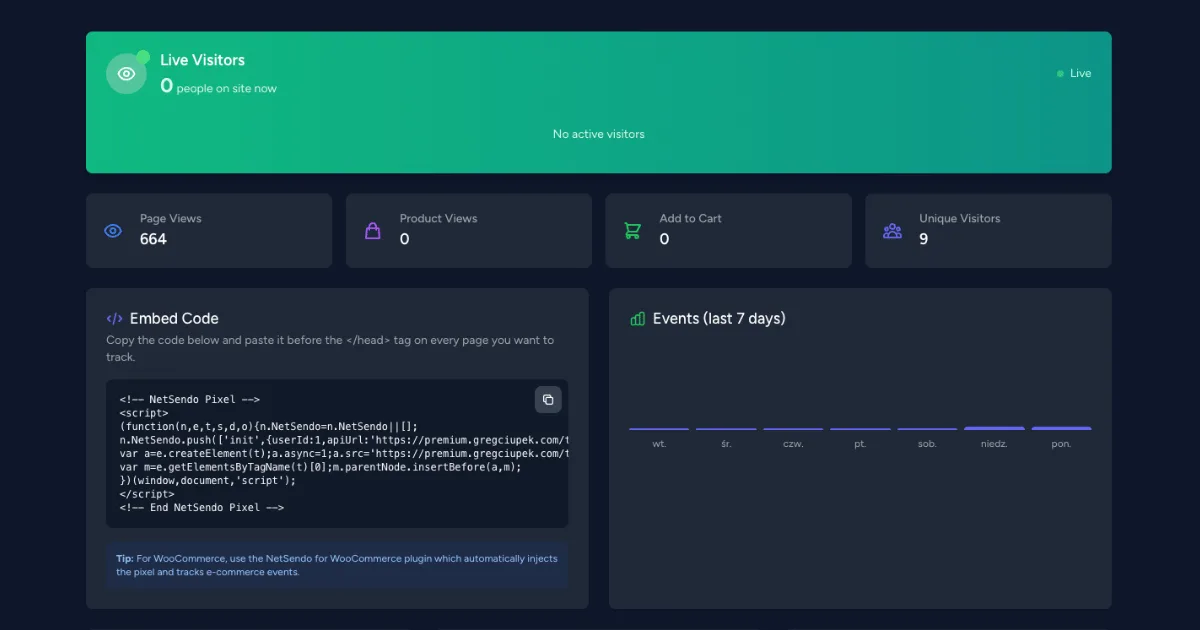
The plugin now injects a tracking script that monitors user navigation, starting with a powerful page_view event. It's smart enough to detect the page type, whether it's your homepage, a blog post, a specific page, or even search results. This data lays the foundation for advanced segmentation and automation based on user interests.
Page View Tracking
Automatically track every page visit with detailed context like page type.
Auto-Configuration
The required user_id is now fetched and saved automatically during the API connection test.
Smart Pixel Collision Detection
Using both our WordPress and WooCommerce plugins? We've engineered them to work in perfect harmony. Previously, both plugins might have tried to load the base tracking script, which is inefficient. Now, the main WordPress plugin acts as the primary injector.
If the WordPress plugin is active and has the Pixel enabled, it handles the base script. The WooCommerce plugin detects this and switches to a secondary role, focusing only on adding e-commerce-specific events like add_to_cart or purchase. This ensures your site remains fast, and your tracking data is clean and complete.
ℹ️ Note: You'll see an info notice in the settings if both plugins are active, confirming that the WordPress plugin is managing the Pixel. This is expected behavior.
Fixed: Accurate Subscriber Counts
Data integrity is non-negotiable. We identified and fixed an issue where subscriber counts across the platform were including users who had unsubscribed or been removed. This could lead to inflated numbers and inaccurate reporting.
With v1.6.5, all subscriber counts—in your mailing lists, SMS lists, API responses, and the main dashboard—now reflect unique, active subscribers only. Your stats are now a true representation of your engaged audience.
🎯 Benefits & Use Cases
Here’s how you can leverage these updates in the real world:
SaaS & Content Marketing
Track which feature pages or blog posts a user visits on your WordPress site. If a user on your "Pro Plan" list repeatedly views the "Enterprise Features" page, you can trigger an automated email from your sales team offering a demo of those features. This is targeted, intent-driven marketing.
E-commerce Full-Funnel View
Combine both plugins for a complete customer journey view. See that a customer read a blog post about "10 Ways to Use Product X," then viewed the product page, and finally added it to their cart. If they abandon checkout, your automation can reference the blog post they read, creating a highly relevant and effective recovery email.
Agencies & Multi-Client Setups
Onboard new clients faster. The new auto-configuration of the Pixel's user_id means less manual setup and fewer chances for error. You can confidently roll out advanced tracking for all your WordPress-based clients, providing more value and deeper insights into their marketing performance.
🛠️ Step-by-Step Guide: Enabling the WordPress Pixel
Getting started with the new Pixel is incredibly simple. Here’s how to do it:
-
Update Your Plugin
Ensure you have the latest version (v1.6.5 or newer) of the NetSendo WordPress plugin installed from the official repository.
-
Navigate to Settings
In your WordPress admin dashboard, go to Settings → NetSendo. You will see a new "Pixel Tracking" section.
-
Enable Pixel Tracking
Click the checkbox to "Enable Pixel". This will reveal the User ID field.
[Image Description: A screenshot of the NetSendo WordPress plugin settings page. The new "Pixel Tracking" section is highlighted, showing the "Enable Pixel" checkbox and the "User ID" field.]
-
Auto-Configure User ID
If the "User ID" field is empty, simply scroll up to the API settings and click "Test Connection". The plugin will automatically connect to your NetSendo instance, retrieve the ID, and populate the field for you.
-
Save Changes
Click "Save Changes". The NetSendo Pixel is now active on your website!
⚠️ Important: The Pixel will not work without a valid User ID. Always use the "Test Connection" button to ensure it's configured correctly.
💡 Expert Tips for a Smarter Setup
After enabling the Pixel, open your website in a new browser tab. Use your browser's Developer Tools (right-click → Inspect → Network tab) and filter for "netsendo". You should see the tracking script being loaded. This is a quick way to confirm everything is working.
With the new, accurate subscriber counts, now is the perfect time to review your list health. You might notice your numbers have dropped slightly. This is a good thing! It reflects your true active audience. Consider running a re-engagement campaign for contacts who haven't opened emails recently.
Start creating new subscriber segments in NetSendo based on page view data. For example, create a segment of users who have visited your pricing page more than twice in the last 30 days. This is a high-intent audience ripe for a targeted offer.
Conclusion: Your Data, Connected
NetSendo v1.6.5 is a major step towards unifying your marketing data. By integrating your WordPress site activity directly into your automation platform, you gain unparalleled insight and control. You own your data, and now you can harness it more effectively than ever before.
Update your plugins today to take advantage of these new capabilities. As always, we’re committed to providing you with powerful, self-hosted tools that respect your data and give you unlimited potential.
Ready to Upgrade?
Get the latest plugins and start tracking user behavior today.

