

NetSendo v1.7.3: A Global Experience with Full Localization
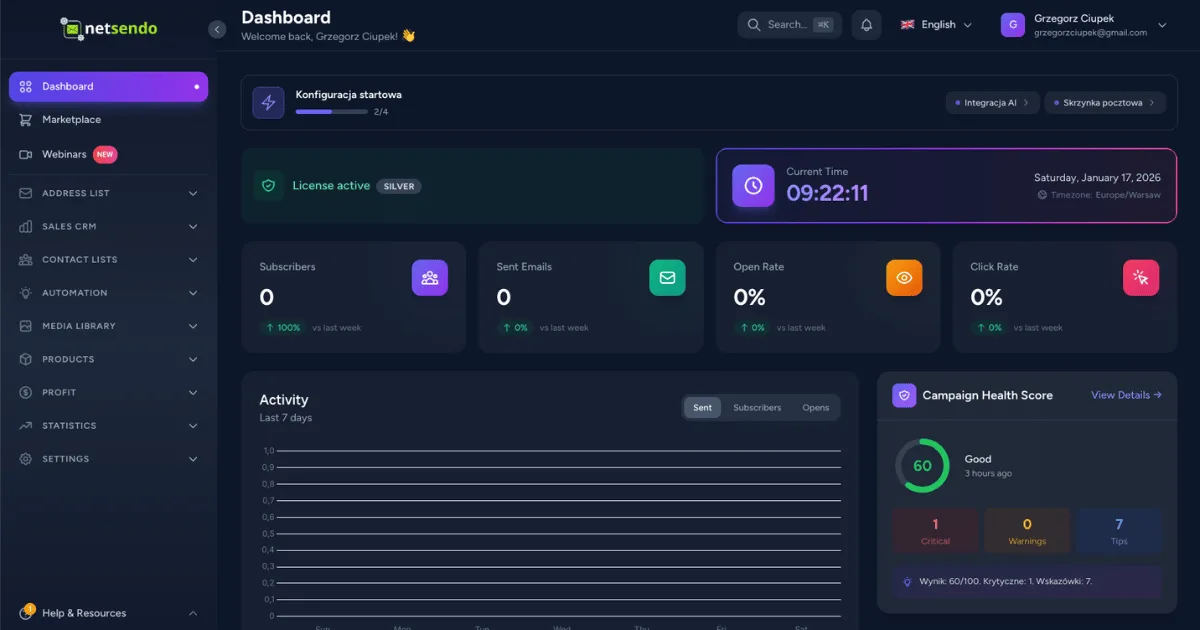
In a global marketplace, speaking your user's language is about more than just words. It's about presenting information in a way that's intuitive and familiar. Do your European users prefer a 24-hour clock? Does your American audience expect dates formatted as MM/DD/YYYY? Managing these small details is key to a seamless user experience.
We're thrilled to announce the release of NetSendo v1.7.3, an update focused on making our self-hosted platform a truly global tool. This version introduces comprehensive localization, smarter image handling, and key editor improvements, all designed to make your marketing automation more powerful and intuitive, no matter where you or your subscribers are.
🚀 What's New in v1.7.3
This update is packed with features that refine the user experience, from top-level interface changes to behind-the-scenes optimizations.
Full Localization
Dates, times, and numbers now automatically display in the user's preferred locale.
Smart Compression
An iterative algorithm automatically compresses large images to meet server limits.
Inline Email Images
Images can now be embedded directly into emails for maximum compatibility.
Editor Upgrades
New list indentation controls give you more formatting power.
A Truly Localized Experience
NetSendo now speaks your language on a whole new level. We've overhauled our system to provide full date, time, and number localization. When you switch your language preference to Polish (pl-PL), all dates will appear as DD.MM.RRRR, and currency will be displayed as "1 234,56 zł". Switch to American English (en-US), and you'll see "1,234.56" and dates like "1/16/2026".
This release also introduces a user-specific preference for 12-hour or 24-hour time formats, ensuring the entire interface, from the dashboard to campaign reports, aligns with your workflow.
Smarter, Hassle-Free Image Handling
Ever had an upload fail because the image was too large? Our new iterative image compression algorithm solves this. When you upload an image, NetSendo automatically checks its size. If it exceeds the 10MB limit, the system intelligently reduces its quality and dimensions in steps until it fits—all without you having to do a thing.
We've also improved how images are handled in emails. With the new EmailImageService, you can add a simple class (img_to_b64) to an image in your email template. NetSendo will automatically convert it to an inline Base64 image before sending. This is a game-changer for compatibility with tricky email clients like Onet, ensuring your most important images always display correctly.
Enhanced Content Creation
We've added much-requested list indentation controls to our WYSIWYG editor. You can now easily create nested lists using toolbar buttons or familiar keyboard shortcuts like Tab and Shift+Tab, giving you more precise control over your email content.
💼 Benefits & Use Cases
Here’s how you can leverage these new features in the real world:
For Agencies with Global Clients
Imagine your agency is based in Spain (ES), but you're managing campaigns for a client in the United States (US). With v1.7.3, your dashboard will display dates and currency in Spanish format, while your client logs in to see everything formatted perfectly for their US locale. This eliminates confusion and makes reporting a breeze.
For E-commerce Stores
Your Polish online store sends order confirmations and marketing emails. The new Base64 image embedding ensures your company logo displays perfectly even in desktop clients like Onet Poczta. The iterative compression means your team can upload high-resolution product photos directly from a camera without worrying about hitting server upload limits.
For SaaS Platforms
Your SaaS has users worldwide. With the new time format preference, a user in the UK can set their view to the 24-hour clock, while a user in Canada can choose the 12-hour AM/PM format. This level of personalization makes your platform feel more native and user-friendly, improving user retention.
🛠️ Step-by-Step Guide: Personalizing Your NetSendo
Take advantage of the new localization settings in just a few clicks:
-
Navigate to Your Profile
Click on your user icon in the top-right corner and select "Profile Information".
-
Set Your Language
In the "Language" dropdown, select your preferred language, such as German (de-DE) or Polish (pl-PL). The entire UI will instantly update.
ℹ️ Note: All dates, numbers, and relative times ("5 minutes ago") will now render in the correct format for your chosen language.
-
Choose Your Time Format
Right below the language setting, find the new "Time Format" dropdown. Choose between "24-hour" or "12-hour" format. All timestamps across NetSendo will immediately reflect your choice.
-
Test the New Editor
When creating your next campaign, highlight a list item and use the "Increase Indent" button in the toolbar or simply press the
Tabkey to see the new formatting in action.
🎯 Expert Tips
While NetSendo's new compression is fantastic, for best performance, pre-optimize hero images or large graphics before uploading. This ensures the fastest load times for you and the smallest possible email size for your subscribers.
The img_to_b64 class is powerful for logos, icons, and critical banners. However, embedding many large images can increase email size. Use it for essential visuals and let standard linked images handle the rest.
Combine NetSendo's powerful segmentation with your localization efforts. Create subscriber segments based on browser language or country to send fully-targeted campaigns that go beyond just formatting and include culturally relevant content.
Ready for a Better User Experience?
This update is another step towards making NetSendo the most powerful and flexible self-hosted marketing automation platform available. By owning your data and your software, you gain unparalleled control.
If you love what we're building, give us a star on GitHub!

