

NetSendo Logo
v2.1.0- Perplexity API key test failed with max_tokens must be at least 16 ([#27](https://github.com/NetSendo/NetSendo/issues/27)): testing a Perplexity API key under NetSendo Brain → Settings → Internet Research always returned Perplexity API error: max_tokens must be at least 16, so a valid key could never be verified. WebResearchService::testPerplexity() sent a minimal probe request with max_tokens: 10, but Perplexity's API now enforces a floor of 16 for that parameter and rejects any lower value before the key is even checked. The probe now requests max_tokens: 16 (the documented minimum — the "OK" reply the test expects fits comfortably), so a valid key returns success and only genuinely invalid keys report an error. Only the connection-test path was affected; actual deepResearch() calls already used max_tokens: 4000 and worked normally.

Open-source Email & SMS marketing który hostujesz u siebie

Pełna kontrola nad danymi, gotowe integracje, AI do tworzenia treści, automatyzacje i webhooks. Postaw w Dockerze w 5 minut.

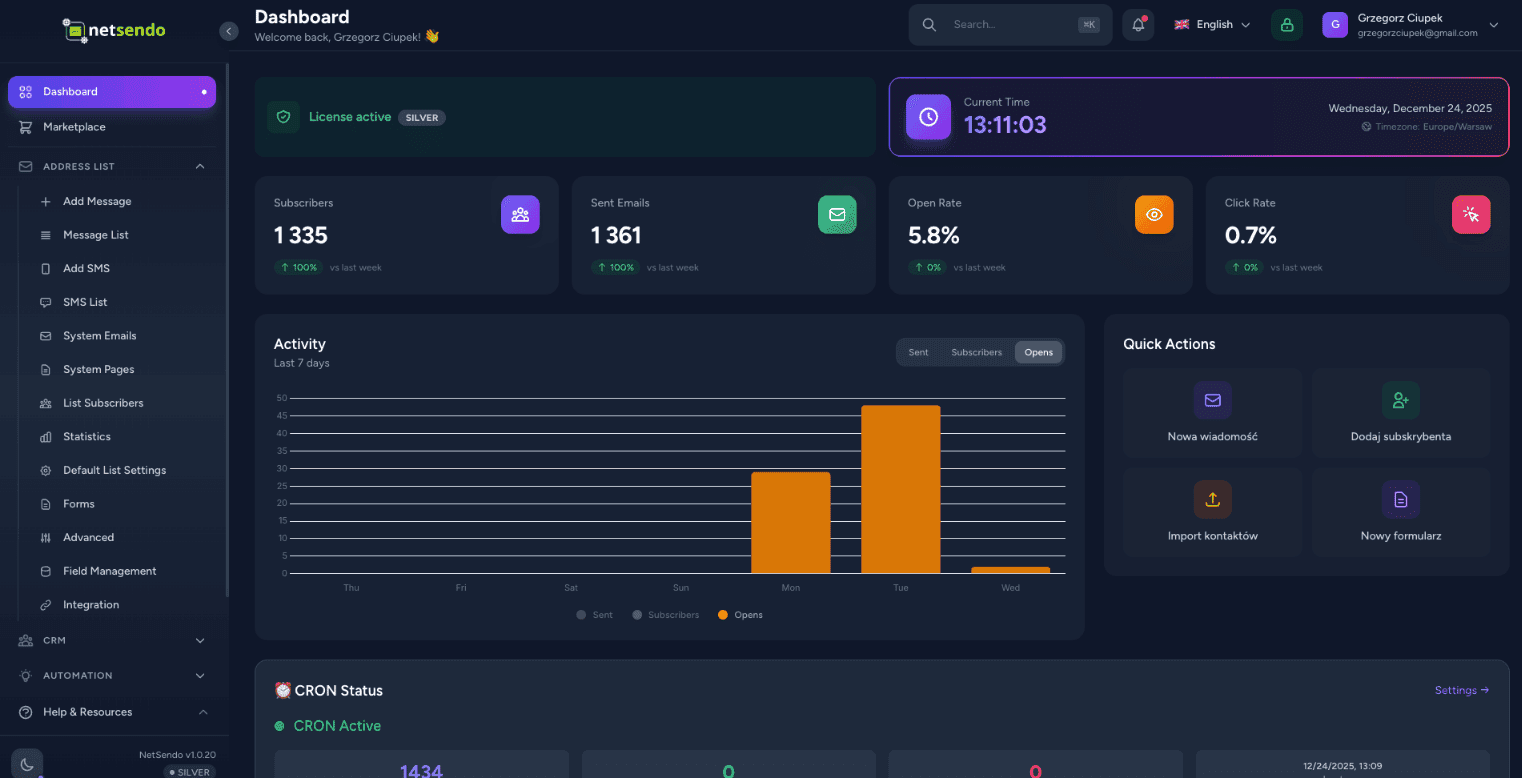
NetSendo Dashboard
NOWOŚĆ • Moduł AI

AI Campaign Architect

Strategiczny planer kampanii Email + SMS, który układa plan, logikę i prognozy — zanim wyślesz pierwszą wiadomość.

Wizard 4 kroki

Kontekst biznesu → Audience → Strategia AI → Prognoza i eksport

Blueprint kampanii

Timeline wiadomości, cele (edukacja/sprzedaż/reminder) i logika IF/THEN

Prognoza ROI

Benchmarki branżowe + suwaki, które przeliczają ROI w czasie rzeczywistym
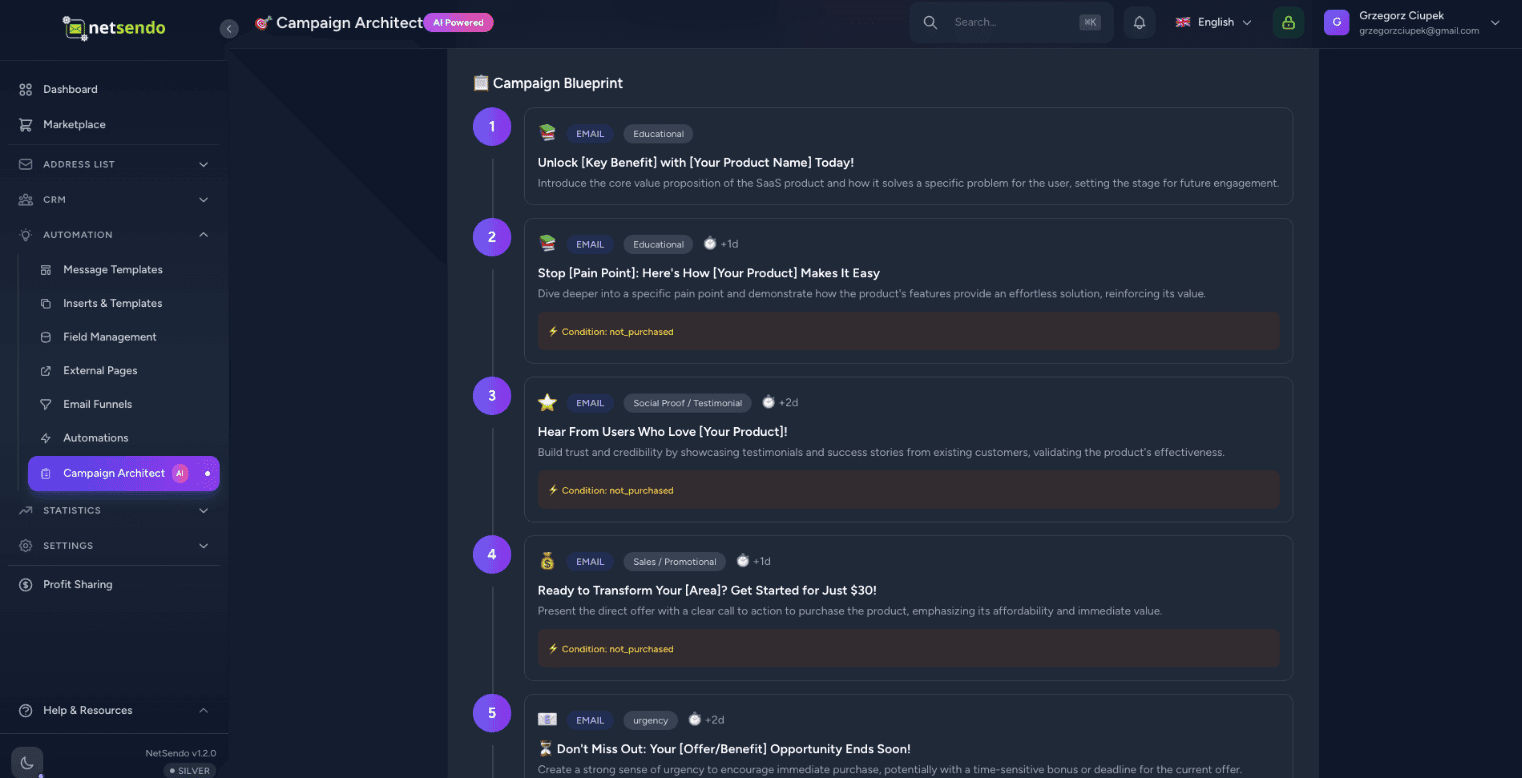
Rekomendowana liczba wiadomości i kanały (Email/SMS)
Harmonogram i timing
Segmentacja (leads vs customers, aktywni vs nieaktywni)
Logika zachowań (opened / clicked / purchased)
AI Campaign Architect Dashboard
Nowe tabele: campaign_plans, campaign_plan_steps
Eksport: Drafts / Scheduled
12 języków generowania
Tłumaczenia PL/EN

Dlaczego NetSendo?

Stworzone dla deweloperów, którzy chcą kontroli, prywatności i elastyczności bez rezygnowania z nowoczesnych funkcji.

Campaign Architect
Strategiczny planer AI. Projektuj flow kampanii, segmenty, logikę IF/THEN i prognozuj ROI.
Self-hosted / Docker
Zachowaj prywatność danych. Wdróż na własnych serwerach dzięki prostej konfiguracji Docker Compose.
Email i SMS Marketing
Jednolita platforma dla obu kanałów. Wysyłaj kampanie, newslettery i wiadomości transakcyjne.
Asystent AI
Generuj tematy i treści e-maili z AI. Obsługuje OpenAI, Anthropic i lokalne modele.
Webhooks i API
Wyzwalacze zdarzeń w czasie rzeczywistym. Buduj niestandardowe automatyzacje dzięki pełnemu dostępowi do API.
Open Source
Przejrzysty rozwój, dostępny kod źródłowy. Funkcje rozwijane przez społeczność z planami Silver i Gold.

Jak to działa

01

Wdróż w Dockerze

Uruchom docker compose up. NetSendo startuje w kilka sekund z wliczonym Postgres i Redis.

02

Dodaj skrzynkę

Podłącz swój serwer SMTP, Gmail lub dostawcę API jak SendGrid/Mailgun.

03

Zaplanuj i uruchom

Zaprojektuj strategię kampanii w Campaign Architect, eksportuj do kampanii i uruchom.

Tworzenie treści oparte na AI

Niech AI napisze twoje
kampanie w sekundy

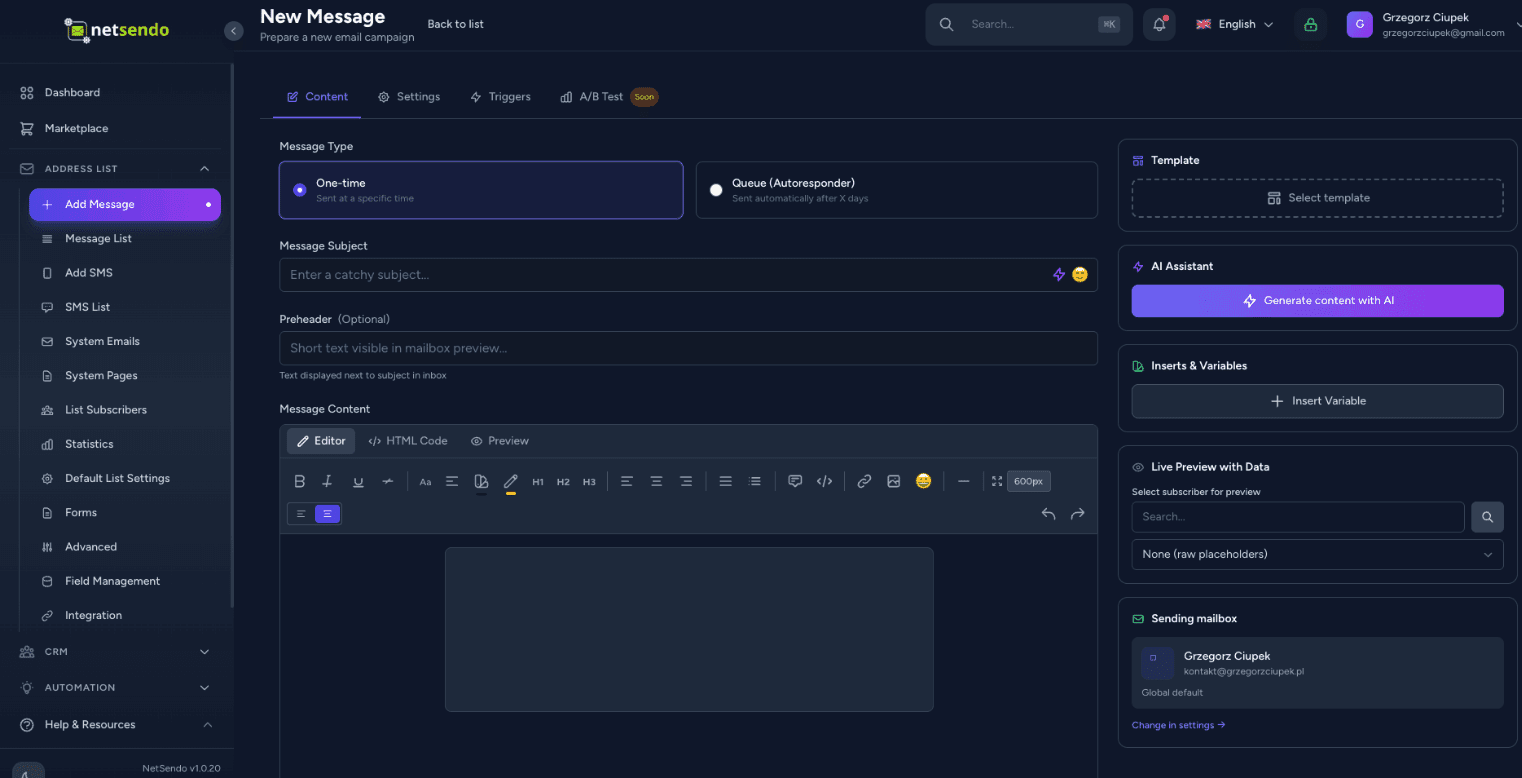
Przestań patrzeć na pusty ekran. Asystent NetSendo może generować angażujące tematy, pisać pełne treści e-maili, a nawet używać dyktowania głosowego.

Wsparcie wielu modeli

Użyj OpenAI GPT-4o, Anthropic Claude 3.5 lub Google Gemini. Twój klucz API, twoje zasady.

Dyktowanie głosowe

Po prostu wypowiedz swoje pomysły. AI transkrybuje i sformatuje je w profesjonalny newsletter.
AI Content Creation
┌─────────────────┐      STDIO       ┌─────────────────┐
│  Claude/Cursor  │ ◄────────────► │   MCP Server    │
│   (AI Client)   │                 │  (Docker/npx)   │
└─────────────────┘                 └────────┬────────┘
                                             │
                                        HTTP/S
                                             │
                                    ┌────────▼────────┐
                                    │    NetSendo     │
                                    │  (Your inst.)   │
                                    └─────────────────┘

Wspierani klienci AI

🤖Claude Desktop
💻Cursor IDE
📝VS Code

Przykładowe zapytanie

"Pokaż moje listy mailingowe i dodaj nowego subskrybenta jan@example.com do Newslettera"

Integracja AI Asystentów

Zarządzaj NetSendo
językiem naturalnym

Połącz Claude, Cursor lub VS Code ze swoją instancją NetSendo. Zadawaj pytania, zarządzaj subskrybentami i wysyłaj wiadomości — wszystko przez rozmowę z AI.

Język naturalny

Pytaj 'Ilu mam subskrybentów?' lub 'Wyślij e-maila do Jana'.

Bez kodu

Nie musisz znać API — AI zrobi to za Ciebie.

W czasie rzeczywistym

Bezpośrednie operacje na Twojej instancji NetSendo.

Zobacz dokumentację MCP
Wypróbuj sam

Sprawdź NetSendo na żywo

Nie wierz nam na słowo. Zaloguj się do naszej wersji demo i poznaj możliwości platformy z pierwszej ręki.

To jest publiczna wersja demo. Dane są resetowane co 24 godziny.

demo.netsendo.com
demo@netsendo.com
READ ONLY
demo1234
••••••••

Połącz ze swoimi narzędziami

NetSendo świetnie współpracuje z narzędziami, których już używasz. Orkiestruj workflowy z n8n i podłącz dowolny model AI.

Sprawdź integrację n8n
Calendly
Automatyzacja rezerwacji
Zoom
Wideokonferencje
Google Calendar
Synchronizacja kalendarza
Google Meet
Wideokonferencje
MCP
Integracja asystentów AI
n8n
Automatyzacja workflow
Stripe
Procesowanie płatności
Polar
Płatności dla developerów
WooCommerce
Integracja e-commerce
WordPress
Formularze i bramki treści
Shopify
Integracja e-commerce
SendGrid
API SendGrid
Twilio
Dostawca SMS
SMSAPI
Dostawca SMS
OpenAI
Generowanie AI

Ostatnie aktualizacje

Zobacz wszystkie wydania
v2.1.0Najnowsza
Notatki o wydaniu
  • Perplexity API key test failed with max_tokens must be at least 16 ([#27](https://github.com/NetSendo/NetSendo/issues/27)): testing a Perplexity API key under NetSendo Brain → Settings → Internet Research always returned Perplexity API error: max_tokens must be at least 16, so a valid key could never be verified. WebResearchService::testPerplexity() sent a minimal probe request with max_tokens: 10, but Perplexity's API now enforces a floor of 16 for that parameter and rejects any lower value before the key is even checked. The probe now requests max_tokens: 16 (the documented minimum — the "OK" reply the test expects fits comfortably), so a valid key returns success and only genuinely invalid keys report an error. Only the connection-test path was affected; actual deepResearch() calls already used max_tokens: 4000 and worked normally.
  • Automation "Add Tag" crashed with 1062 Duplicate entry when the subscriber already had the tag ([#24](https://github.com/NetSendo/NetSendo/issues/24)): Subscriber::addTag() guarded its insert with an in-memory $this->tags->contains(...) check and then did a raw attach(). When the tags relationship was stale — already loaded before the tag was attached by another code path, or out of sync with the database — the guard passed and the raw INSERT hit the subscriber_tag_subscriber_id_tag_id_unique constraint (SQLSTATE[23000]: Integrity constraint violation: 1062). The resulting QueryException aborted the automation action and, because it was thrown mid-chain, could stop subsequent actions/listeners (e.g. webhooks) from running. addTag() is now idempotent: it uses syncWithoutDetaching(), which checks the live pivot table before inserting, so re-adding an existing tag is a no-op instead of a duplicate-key insert; the rare concurrent double-attach race is additionally caught (UniqueConstraintViolationException) so the exception can never bubble up. The TagAdded event still fires exactly once, and only when the tag was genuinely newly attached — preserving the previous event semantics. This fixes the reported automation path and every other caller of addTag() (funnels, webinar attendance tags, Calendly, manual subscriber tagging), matching the idempotent syncWithoutDetaching() pattern already used in the webinar services.
  • Missing <html>/<body> structure in outgoing e-mails ([#22](https://github.com/NetSendo/NetSendo/issues/22)): messages composed in the GUI editor or sent through the API were delivered as bare HTML *fragments* — the source started straight with the preheader or a <div>, with no <!DOCTYPE html>, <html> or <body>. SpamAssassin flags this as HTML_MIME_NO_HTML_TAG ("HTML-only message, but there is no HTML tag", ≈ −0.6 deliverability points on Mail-Tester). A master HTML layout is now applied at the single send choke point — the new App\Helpers\EmailHtmlDocument::wrap() runs inside every mail provider's send() (SMTP, Gmail, SendGrid, NMI), so every outgoing message is guaranteed a valid document structure regardless of how its content was created (broadcasts, scheduled campaigns, API POST /emails, the "send test" action, and one-off CRM contact e-mails, which had the same defect). Content that is *already* a full document (it contains an <html> or <body> tag — hand-authored templates and the Blade-rendered system/webinar/CardIntel mailables) is detected and passed through untouched, so no message is ever double-wrapped. The wrapper emits a UTF-8 <head> (charset + Content-Type + viewport + x-apple-disable-message-reformatting), an <html lang> derived from the recipient's language / app locale, and an escaped <title> from the subject. Configurable via config/netsendo.php → email.wrap_html_document (env EMAIL_WRAP_HTML_DOCUMENT, default on) to restore the previous send-verbatim behaviour. Because the wrapper adds <body>/</body>, the existing preheader-after-<body> and open-pixel-before-</body> insertion in SendEmailJob now lands both inside the document body.
  • SMTP throttling / intelligent retry for transient failures ([#21](https://github.com/NetSendo/NetSendo/issues/21)): transient SMTP responses — most notably 421 Too many connections, but also greylisting and other temporary 4xx/rate-limit errors — were treated as hard failures: SendEmailJob marked the recipient as failed and called $this->fail() immediately, so on connection-limited providers a large broadcast could leave a significant share of recipients failed and require a manual "Retry failed". Two coordinated changes fix this:
  • Transient vs permanent classification + automatic re-queue: new BounceProcessingService::isTransientError() distinguishes transient throttling/connection-limit/greylisting errors from permanent 5xx/hard bounces. On a transient error SendEmailJob now releases the job back to the queue with an exponential backoff + jitter (~15–30s, then ~30–45s) and retries up to $tries (3) instead of failing — the queue entry stays queued, not failed. Permanent 5xx errors still fail immediately (and still feed inline bounce processing). The recipient is only marked failed after retries are exhausted.
  • Staggered dispatch (no more connection bursts): CronScheduleService::processQueue() previously dispatched a whole minute's allowance at once at the top of each cron tick, so the worker opened a burst of simultaneous SMTP sessions — exactly what trips the 421 limit. Sends are now spread across a configurable window (default 55s) via per-job ->delay(), computed from the effective per-minute rate (delay = slot × window ÷ rate) so, e.g., 10/min goes out at ~0s, 6s, 11s, … rather than all at second 0.
Pełny changelog
v2.0.12Poprzednia
Notatki o wydaniu
  • Brain — Performance-Driven Task Scoring (5th Dimension):
  • Integrated PerformanceLearner signals into TaskScorer, adding a performance_affinity scoring dimension (0–25 scale) that rewards tasks matching historically successful patterns (winning days, hours, campaign types, subject patterns). Total task score range now 0–125 (previously 0–100).
  • gatherScoringContext() now includes performance_signals from PerformanceLearner::getTuningSignals() for data-driven prioritization.
  • File: app/Services/Brain/TaskScorer.php
  • Brain — Strategy-Aware AI Analysis & Campaign Planning:
  • SituationAnalyzer now injects PERFORMANCE INSIGHTS (top-performing days/hours/types) and STRATEGY CONSTRAINTS (tone, excluded days, send limits, goal focus) into the AI analysis prompt. Added prompt instructions 9 & 10 requiring AI to respect user-defined constraints and leverage historical performance data.
Pełny changelog
v2.0.11Poprzednia
Notatki o wydaniu
  • Tags — Optional Description Field:
  • Added an optional description field to tags, allowing users to document the purpose and intended usage of each tag. This prevents confusion over time as the number of tags grows.
  • Database migration: Added nullable text column description to the tags table.
  • Tag model: Added description to the $fillable array.
  • TagController (web): Updated store() and update() validation and mass assignment to accept description (max 1000 characters).
  • TagResource (API): Added description to the API response payload for GET /api/v1/tags.
Pełny changelog

Często Zadawane Pytania