

Amazon SES SMTP setup for a self-hosted newsletter
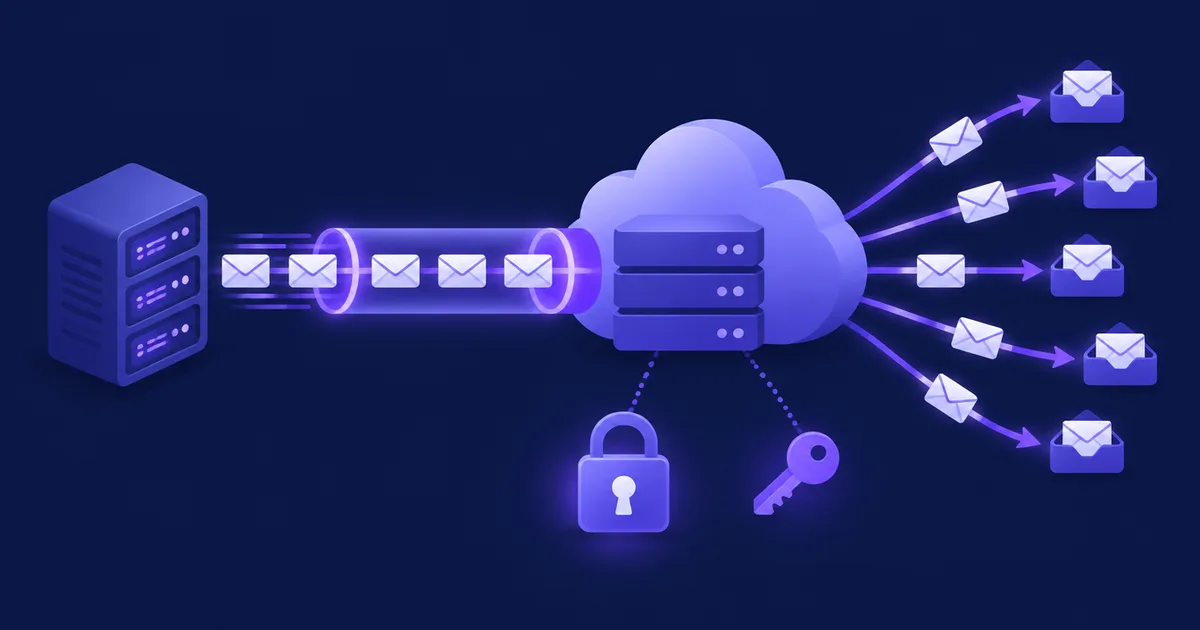
To send a self-hosted newsletter through Amazon SES over SMTP, you verify your domain in one AWS Region, publish the Easy DKIM and MAIL FROM records, ask AWS for production access, create SMTP credentials in that same Region, and enter email-smtp.<region>.amazonaws.com, port 587 with STARTTLS, and those credentials in your newsletter platform. Most failures come from mixing Regions, using IAM access keys instead of SMTP credentials, or skipping bounce handling.
What do you need before connecting Amazon SES over SMTP?
You need an AWS account, a domain whose DNS you control, one chosen AWS Region, and a sending application that speaks authenticated SMTP over TLS. Everything in SES — identities, sandbox status, quotas, suppression list and SMTP credentials — exists per Region, so pick the Region first and use it everywhere.
For a European audience the usual choices are Frankfurt (eu-central-1), Ireland (eu-west-1), Paris (eu-west-3) or Stockholm (eu-north-1). Check the SMTP endpoint list before you commit: according to the AWS endpoint reference, several Regions where SES itself runs, including Milan and Zurich, have no SMTP endpoint. In the examples below the Region is eu-central-1 and the domain is example.com.
| Setting | Value for SES | Notes |
|---|---|---|
| SMTP host | email-smtp.eu-central-1.amazonaws.com | Replace the Region; it must match the credentials |
| Port (STARTTLS) | 587 (also 25, 2587) | Encryption setting usually called “TLS” or “STARTTLS” |
| Port (TLS wrapper) | 465 (also 2465) | Encryption setting usually called “SSL” or “SMTPS” |
| Authentication | SMTP user name + SMTP password | Generated in SES → SMTP settings, shown once |
| Maximum message size | 40 MB | After base64 encoding, via SMTP or API v2 |
| Recipients per message | 50 | Newsletter platforms send one message per recipient anyway |
As of November 2026. Sources: Connecting to an SES SMTP endpoint, SES service quotas.
SES only accepts encrypted connections. If your server runs on EC2, port 25 is throttled by default, so use 587 or 465 rather than requesting the port 25 exception.
How do you get Amazon SES out of the sandbox?
You submit a production access request in the SES console (Account dashboard → Get set up → Request production access) or with the AWS CLI, and AWS gives an initial answer within 96 hours. Until then you can only send to verified addresses and the SES mailbox simulator.
The sandbox rules are strict: at most 200 messages per 24 hours, at most 1 message per second, recipients must be verified, and bulk suppression-list actions are disabled. Sandbox status is per Region, so production access in Frankfurt does not help you in Ireland.
The request asks for the mail type (Marketing or Transactional), your website URL, up to four contact addresses and a preferred language, and you must confirm that you only email people who asked for it and that you process bounces and complaints. AWS recommends verifying your domain before you ask, because a verified domain identity makes approval faster. A newsletter is marketing mail; choosing “Transactional” to look less risky only creates a mismatch that a reviewer can see.
aws sesv2 put-account-details \
  --production-access-enabled \
  --mail-type MARKETING \
  --website-url https://example.com \
  --additional-contact-email-addresses ops@example.com \
  --contact-language EN \
  --region eu-central-1

# Later: sandbox status, quota and enforcement status
aws sesv2 get-account --region eu-central-1
💡 Tip: Describe your list in the website you submit: a visible sign-up form with double opt-in, an unsubscribe link in every email and a privacy page. Reviewers judge the use case, and a page they can open answers most of their questions.
Which DNS records does SES need for your domain?
SES needs three Easy DKIM CNAME records to verify the domain and sign your mail; for full alignment add a custom MAIL FROM subdomain with one MX and one SPF record, plus a DMARC record on your From domain. With only the DKIM records your mail already passes DMARC through DKIM.
Easy DKIM
When you create a domain identity, SES generates three tokens and shows three CNAME records of the form token._domainkey.example.com → token.dkim.amazonses.com. SES then signs every message from that domain with a 2048-bit key by default, and the signature carries d=example.com, which aligns with your From address. DNS changes can take up to 72 hours to be detected. A verified domain lets you send from any address and subdomain on it without verifying each address (Easy DKIM).
Custom MAIL FROM
By default the envelope sender (Return-Path) is a subdomain of amazonses.com. SPF passes, but for amazonses.com, not for you, so it does not count toward DMARC. A custom MAIL FROM domain such as bounce.example.com fixes that. It must be a subdomain you use neither to send from nor to receive mail, and it needs exactly one MX record pointing to feedback-smtp.<region>.amazonses.com. For “Behavior on MX failure”, “Use default MAIL FROM domain” keeps mail flowing if the MX record breaks; “Reject message” stops sending with a MailFromDomainNotVerified error.
; Easy DKIM: three CNAME records, tokens come from the SES console
tok1._domainkey.example.com.   CNAME  tok1.dkim.amazonses.com.
tok2._domainkey.example.com.   CNAME  tok2.dkim.amazonses.com.
tok3._domainkey.example.com.   CNAME  tok3.dkim.amazonses.com.

; Custom MAIL FROM (envelope sender) on a dedicated subdomain
bounce.example.com.            MX     10 feedback-smtp.eu-central-1.amazonses.com.
bounce.example.com.            TXT    "v=spf1 include:amazonses.com ~all"

; DMARC for the From domain: start with monitoring
_dmarc.example.com.            TXT    "v=DMARC1; p=none; rua=mailto:dmarc-reports@example.com"
# Create the domain identity in the Region you will send from
aws sesv2 create-email-identity --email-identity example.com --region eu-central-1
# Use bounce.example.com as the MAIL FROM domain
aws sesv2 put-email-identity-mail-from-attributes \
--email-identity example.com \
--mail-from-domain bounce.example.com \
--behavior-on-mx-failure USE_DEFAULT_VALUE \
--region eu-central-1
# Check DKIM and MAIL FROM status
aws sesv2 get-email-identity --email-identity example.com --region eu-central-1| Header / check | Without custom MAIL FROM | With bounce.example.com |
|---|---|---|
| From | news@example.com | news@example.com |
| Return-Path (envelope) | …@…amazonses.com | …@bounce.example.com |
| SPF aligned with From | ✗ No | ✓ Yes (relaxed) |
| DKIM d= aligned with From | ✓ Yes (Easy DKIM) | ✓ Yes (Easy DKIM) |
| DMARC result | ✓ Pass via DKIM | ✓ Pass via DKIM and SPF |
As of November 2026, based on the SES MAIL FROM and DMARC documentation.
Gmail's sender guidelines require SPF, DKIM and a DMARC record from anyone sending more than 5,000 messages a day to Gmail addresses, with the From domain aligned with SPF or DKIM, one-click unsubscribe for marketing mail and a spam rate kept under 0.3%. SES with Easy DKIM covers the authentication part; unsubscribe headers and list quality are your platform's job. If you already publish SPF on the root domain for another provider, you do not need to add SES there: the SES SPF record lives on the MAIL FROM subdomain. For the wider picture, see our deliverability guide for self-hosted senders.
SMTP credentials vs IAM access keys: which one goes into your app?
Your newsletter platform needs SES SMTP credentials: an SMTP user name and an SMTP password created in SES → SMTP settings → Create SMTP credentials. An IAM access key ID and secret access key typed into an SMTP form fail with 535 Authentication Credentials Invalid.
Behind the scenes the console creates an IAM user in the group AWSSESSendingGroupDoNotRename, which allows ses:SendRawEmail. The password is shown once; download the CSV or store it in a password manager right away. To rotate it, delete the IAM user and create new credentials. The SES credentials guide stresses two points that cause most login failures: the credentials are unique to each Region, and the SMTP password is not the secret access key.
You can derive an SMTP password from an existing IAM user's secret key with the HMAC-SHA256 algorithm AWS publishes (it includes a Python script); the SMTP user name is then the access key ID. Temporary credentials (STS, roles) do not work for SMTP. The minimal policy for a dedicated sending user looks like this:
{
  "Version": "2012-10-17",
  "Statement": [
    {
      "Effect": "Allow",
      "Action": "ses:SendRawEmail",
      "Resource": "*"
    }
  ]
}
If you want tighter scope, replace "*" with the ARN of your domain identity. Keep one SMTP user per application, so you can revoke a leaked password without touching anything else.
Note: In July 2026 AWS added a guided SMTP setup through Mail Manager that creates an endpoint and downloadable credentials. AWS positions it for transactional mail and the announcement gives no pricing, so the classic endpoint described here remains the straightforward choice for a newsletter.
How should you handle bounces and complaints from SES?
Keep the SES account-level suppression list on for bounces and complaints, and make sure your newsletter platform also receives every bounce and complaint, either through email feedback forwarding to a mailbox it reads or through Amazon SNS notifications to code you run. AWS places an account under review at a 5% bounce rate or a 0.1% complaint rate.
AWS recommends staying below 2% bounces and 0.1% complaints. Only hard bounces to domains you have not verified count, and SES computes the rate over a “representative volume”, not a calendar window, so you cannot reproduce it exactly from your own numbers: watch Reputation.BounceRate and Reputation.ComplaintRate in the console or CloudWatch.
The three feedback paths
- Email feedback forwarding is on by default. With SMTP, SES forwards bounce and complaint notifications to the address in the
Return-Pathheader, or to the MAIL FROM address if there is none (feedback forwarding destinations). That address must be on your verified domain. This is the path that works with platforms that read a bounce mailbox over IMAP. - Amazon SNS sends JSON notifications (bounce, complaint, delivery) to a topic per identity. You can subscribe an HTTPS endpoint, but it must confirm the subscription and understand the SES JSON format, so use it when your platform documents SES/SNS support or you write a small receiver.
- Event publishing through configuration sets sends richer events to SNS, CloudWatch or Firehose; useful at higher volume, but every message must carry the configuration set.
The account-level suppression list is a safety net, not a replacement. SES keeps an address there until you remove it, only hard bounces get added, and Gmail does not send complaint data to SES, so Gmail users who press “Report spam” never appear there. Your own list must still mark those subscribers as bounced or unsubscribed, otherwise every send to them counts against your daily quota.
# Suppress addresses that hard-bounce or complain (account level, per Region)
aws sesv2 put-account-suppression-attributes \
  --suppressed-reasons BOUNCE COMPLAINT --region eu-central-1

# What is on the list?
aws sesv2 list-suppressed-destinations --region eu-central-1
Bounce classification and when to retry are covered in our bounce management guide.
How fast can you send, and what does it cost?
After production access every Region has two limits — a maximum number of recipients per rolling 24 hours and a maximum send rate per second — and outbound mail costs $0.10 per 1,000 emails. The values you get depend on your request and use case; you can see them in the console or with aws sesv2 get-account.
Quotas count recipients, not messages: one email to ten addresses uses ten. The send rate may be exceeded in short bursts but not for long. When you hit a limit, SMTP returns 454 Throttling failure: Maximum sending rate exceeded or 454 Throttling failure: Daily message quota exceeded, which are temporary errors to retry with a backoff. The current SES quota documentation describes increases as something you request, either together with production access or later through a Service Quotas or Support case, explaining your volume, list source and bounce handling. Plan the request a few days before a large send, not the evening before.
| Item | Price (USD) | When it applies |
|---|---|---|
| Outbound email | $0.10 per 1,000 emails | Always |
| Attachment data | $0.12 per GB | Only if you attach files |
| Dedicated IP (standard) | $24.95 per IP per month | Optional |
| Dedicated IPs (managed) | $15 per month + $0.08 per 1,000 emails (first 10M) | Optional |
| Virtual Deliverability Manager | $0.07 per 1,000 emails (first 10M) | Optional |
As of November 2026, list prices from the Amazon SES pricing page. New AWS customers may also receive free-plan credits; check the page for the current terms.
Worked example
A list of 10,000 confirmed subscribers receiving one newsletter a week is about 4.33 sends a month, roughly 43,300 emails. At $0.10 per 1,000 that is about $4.33 a month on a shared IP, with no attachments. Adding one standard dedicated IP brings it to about $29.28; at this volume a dedicated IP is rarely worth it, because it needs steady volume to build its own reputation. To compare this with SaaS plans at 10k, 50k and 100k contacts, see what it really costs to email 10k, 50k and 100k contacts.
How do you connect SES to a self-hosted platform and send a test?
Enter the Regional SMTP host, port 587 with STARTTLS (or 465 with TLS), the SMTP user name and password, and a From address on your verified domain; then send a test to the SES mailbox simulator before you send to real people. Test the connection from the server that will send, not from your laptop.
- Check the network path
From the server, confirm that the port is open and that SES offers STARTTLS. A firewall that blocks outbound 587 is a common cause of timeouts on new VPS hosts.
- Authenticate once outside the app
A command-line test separates credential problems from application problems.
success@simulator.amazonses.comaccepts mail without affecting your reputation;bounce@simulator.amazonses.comandcomplaint@simulator.amazonses.comlet you test your feedback handling. - Configure the platform
Use the same host, port and credentials, set the From address and name, and set a sending speed below your SES maximum send rate.
- Send to yourself and read the headers
In Gmail open “Show original” and check
spf=pass,dkim=passwithheader.d=example.comanddmarc=pass.
# Port reachable and STARTTLS offered? (type QUIT to leave)
openssl s_client -crlf -quiet -starttls smtp \
  -connect email-smtp.eu-central-1.amazonaws.com:587

# Full authenticated test with swaks
swaks --server email-smtp.eu-central-1.amazonaws.com --port 587 --tls \
  --auth LOGIN --auth-user "$SES_SMTP_USER" --auth-password "$SES_SMTP_PASS" \
  --from newsletter@example.com --to success@simulator.amazonses.com \
  --header "Subject: SES SMTP test"
Doing it in NetSendo
NetSendo connects Amazon SES as a regular SMTP mailbox under Settings → Mailboxes: SMTP host, port (587 by default), encryption (TLS for STARTTLS on 587, SSL for 465), user name and password, plus the From address, From name, an optional Reply-To, the message types the mailbox may send (broadcasts, autoresponders, system emails) and an optional daily limit. The connection test sends a short “Connection Test” email to the mailbox's From address, which is already verified in SES, so it also works in the sandbox. The configuration docs list the mailbox types, and the quick start covers installing the instance itself.
NetSendo sets no sending limits of its own, so SES quotas are the ones that count. Two settings keep you inside them: the per-list per-minute limit in the list's CRON tab (keep it below your SES send rate × 60), and NetSendo's handling of temporary SMTP errors — 4xx responses such as throttling are retried with a backoff, while permanent 5xx errors fail at once and go to bounce processing, as described in our post on SMTP throttling retries. For bounces, enable Bounce Mailbox Monitoring on the mailbox with an IMAP inbox on your verified domain: NetSendo then sets that address as the envelope sender, and SES's email feedback forwarding delivers the notifications there. Send a test to bounce@simulator.amazonses.com and check that the subscriber is marked as bounced before you rely on it.
Common Amazon SES SMTP errors and how to fix them
Most SES SMTP errors point to one of four causes: an unverified identity, the wrong type of credentials, a Region mismatch or a quota limit. Codes starting with 4 are temporary and should be retried; codes starting with 5 need a configuration fix first.
| Response | Cause | Fix |
|---|---|---|
554 Message rejected: Email address is not verified. The following identities failed the check in region … | From/Return-Path not verified in that Region, or, in the sandbox, an unverified recipient | Verify the domain in the Region named in the error; in the sandbox verify the recipient or request production access |
535 Authentication Credentials Invalid | IAM access key used as SMTP login, a typo, or credentials from another Region | Create SMTP credentials in SES → SMTP settings for the Region of your host name |
530 Authentication required | The client did not authenticate | Turn on SMTP authentication in the app |
454 Throttling failure: Maximum sending rate exceeded | More messages per second than your send rate | Lower the sending speed; retry with backoff |
454 Throttling failure: Daily message quota exceeded | Rolling 24-hour quota used up | Wait or request a higher quota; stop sending to suppressed addresses |
554 Access denied: User … is not authorized to perform ses:SendRawEmail | The SMTP user lost its policy or the policy is scoped to another identity | Attach ses:SendRawEmail through the sending group |
421 Too many concurrent SMTP connections | Too many parallel SMTP sessions | Fewer queue workers or connections; retry |
MailFromDomainNotVerified | MAIL FROM MX record missing with “Reject message” behaviour | Publish exactly one MX record for the MAIL FROM subdomain |
As of November 2026. Response texts from Amazon SES SMTP issues.
Two problems don't show up as SMTP codes at all. Connections that hang until a timeout usually mean a blocked outbound port or, more rarely, a network MTU above 1500 bytes. Long-lived SMTP connections also break when SES replaces the instances behind its load balancer, so a sender should reconnect after a fixed number of messages rather than keep one session open for hours.
🎯 Expert tips
Put the Region in the SMTP host, the identity, the CLI profile and the credentials file name. Region mismatch explains a large share of “verified but rejected” and “credentials invalid” errors.
Sending newsletters from news.example.com keeps their reputation apart from invoices and password resets on the root domain.
Move to quarantine or reject only when the aggregate reports show every legitimate source passing.
A CloudWatch alarm on Reputation.BounceRate at 2% and Reputation.ComplaintRate at 0.08% gives you time to act before the review thresholds.
An old list imported straight into a new SES account is the fastest route to a review. Send first to recently engaged subscribers.
Frequently asked questions
Can I use my AWS access key and secret key as the SMTP login for Amazon SES?
No. SES needs SMTP credentials created under SES → SMTP settings, or an SMTP password derived from the secret key with the algorithm AWS publishes. Pasting the secret access key as the password returns 535 Authentication Credentials Invalid.
Which port should I use for the Amazon SES SMTP interface?
Use 587 with STARTTLS or 465 with TLS. Ports 25, 2587 and 2465 also work, but port 25 is throttled by default on EC2.
How long does it take to get Amazon SES out of the sandbox?
AWS gives an initial response to a production access request within 96 hours. It can take longer if the reviewer asks for more information about your list and bounce handling.
Do I need a custom MAIL FROM domain if I already use Easy DKIM?
Not for DMARC to pass, because the Easy DKIM signature already aligns with your From domain. A custom MAIL FROM adds SPF alignment and puts your own domain in the Return-Path.
How much does Amazon SES cost for a newsletter of 10,000 subscribers?
At $0.10 per 1,000 emails, one weekly newsletter to 10,000 subscribers (about 43,300 emails a month) costs about $4.33 a month, without attachments or dedicated IPs.
Why does SES say my email address is not verified when the domain is verified?
The identity is verified in a different Region from the SMTP endpoint you connect to, or your account is still in the sandbox and the recipient is not verified. The error message names the Region it checked.
Sources
- Amazon SES: Obtaining SMTP credentials
- Amazon SES: Request production access
- Amazon SES: Using a custom MAIL FROM domain
- Amazon SES: Sending review process FAQs
- Amazon SES: SMTP issues and response codes
- Amazon SES endpoints and quotas
- Amazon SES pricing
- Google: Email sender guidelines
Run your newsletter on your own server
NetSendo connects Amazon SES as an SMTP mailbox and keeps your subscriber data on your own infrastructure.