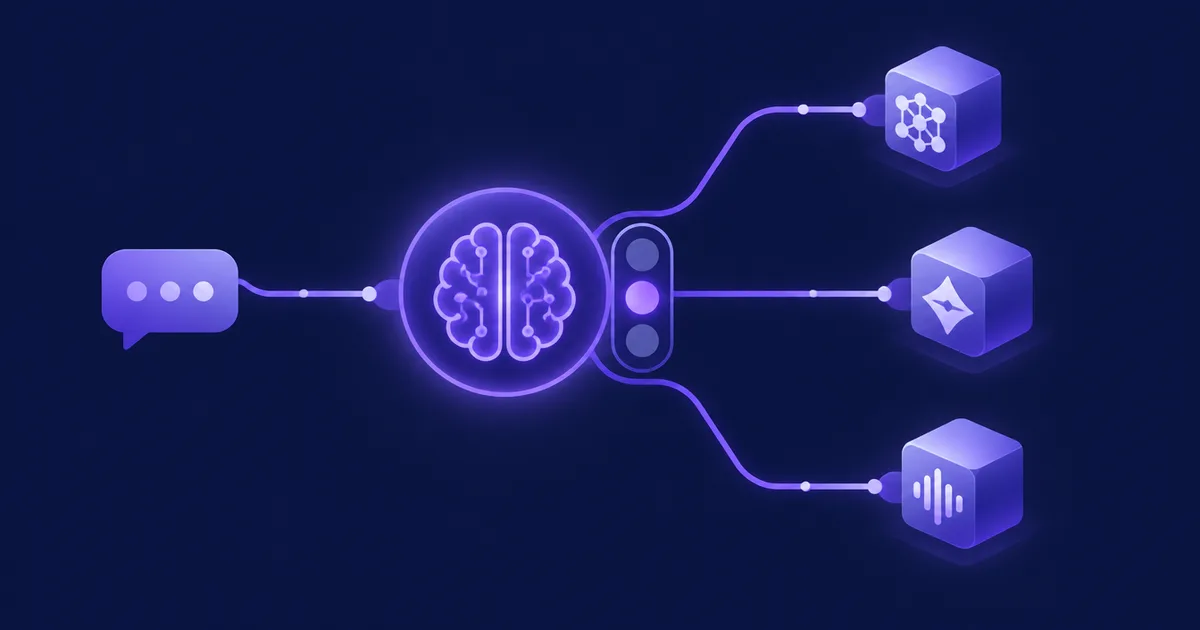

NetSendo v2.8.1: Brain Token Limit Now Resets Daily
Your AI assistant should be there when you need it. In NetSendo 2.8.0, it could go quiet and stay that way. Once Brain reached its daily AI token limit, the web chat and Telegram bot kept replying "Daily AI token limit reached. Try again tomorrow". They gave the same answer the next day and every day after, even when no tokens had been used.
NetSendo v2.8.1 is a small patch release that fixes this. The daily token count now resets the way it should. Brain starts answering again the day after it hits the limit, and your status screens show the real count for today.
/status and the Monitor now show today's usage. To upgrade, run docker compose pull && docker compose up -d. There are no migrations and no config changes.
🚀 What's New in v2.8.1
The bug: a counter that never reset
Brain tracks how many AI tokens it uses each day and stops when it reaches the daily limit. In 2.8.0, the counter only reset at the moment tokens were charged. Once you were over the limit, Brain made no AI calls, so nothing was charged. Because nothing was charged, the reset never happened.
Think of a gym turnstile that only resets its daily count when someone walks through. Once it's full, it locks and nobody can get in. With nobody walking through, the count never resets, so it stays locked. The count from your last active day stayed in place for good, and the panel has no field for raising the limit to get around it.
The fix: tokens from earlier days don't count
Brain now gets the day's usage from AiBrainSettings::tokensUsedToday(). If the stored count is from an earlier day, it is ignored and today's usage starts at zero. The limit check no longer depends on a charge happening first.
Here is a simplified example of the idea (not the actual source code):
// Simplified illustration of the new behaviour
public function tokensUsedToday(): int
{
    // A count stored on an earlier day no longer applies
    if ($this->tokens_date !== today()) {
        return 0;
    }
    return $this->tokens_used;
}Daily Reset
Brain starts answering again the day after it reaches the limit.
Web & Telegram
The fix covers both the web chat and the Telegram bot.
Accurate Status
Telegram /status and the Monitor show today's token count.
Tested
The new BrainTokenLimitTest covers this behaviour.
ℹ️ Note: This is a bug fix only. The daily limit still works the same way. The only change is that it now resets each day.
💼 Benefits & Use Cases
- Brain is no longer locked after a busy day
- Usage numbers are accurate in Telegram and the Monitor
- No need to edit the database or restart anything
- Upgrade with no migrations
E-commerce Campaign Peaks
On a big promotion day, such as preparing abandoned cart or post-purchase sequences, your team may use Brain heavily and reach the limit. Now that's just a pause until tomorrow:
- Brain starts answering again the next day
- You can check today's usage at any time before the next campaign
SaaS Teams on Telegram
If you ask Brain about onboarding or churn-prevention campaigns from your phone, the Telegram bot is back to working normally:
/statusshows today's usage instead of an old total- You won't get a misleading "try again tomorrow" that never clears
Agencies Monitoring Instances
If you run NetSendo for several clients, the Monitor now shows each instance's token use for today. That makes it easier to tell a real usage spike apart from a stale number.
🛠️ Step-by-Step Upgrade Guide
- Back up (as always)
There are no migrations in this release. It's still a good idea to make a quick database backup before any upgrade.
- Pull the new images
Go to your NetSendo directory and run the commands below.
docker compose pull && docker compose up -d - No config changes needed
Your configuration files stay the same as in 2.8.0, and there's nothing to migrate.
- Verify in Telegram
Send
/statusto your Brain bot. The token count should show today's usage only. - Check the Monitor
Open the Monitor in your dashboard and confirm it also shows today's count.
- Test the chat
If Brain was locked before, send it a message in the web chat. It should answer normally again.
⚠️ Common pitfall: If Brain still refuses to answer after the upgrade, check that the containers actually restarted with the new images. Run docker compose ps, and check the version shown in your dashboard.
🎯 Expert Tips
Now that /status shows accurate numbers, check it during heavy content work. That way you can plan your bigger Brain tasks before you reach the limit.
Group similar requests, like several subject line variants, into one prompt. This saves tokens compared with many short back-and-forth messages.
For agencies and multi-instance setups, the Monitor's daily count helps you spot clients whose usage is growing.
Patch releases without migrations carry little risk. Applying them quickly keeps your self-hosted instance stable and secure.
✅ Conclusion
NetSendo v2.8.1 fixes one frustrating bug. Brain no longer stays locked after reaching its daily token limit. The web chat and Telegram bot start answering again the next day, and /status and the Monitor show accurate numbers. Upgrading takes one command, with no migrations and no config changes.
You host it yourself, so your data, your AI usage and your upgrade schedule are under your control.
Upgrade to v2.8.1 Today
Get the fix, explore the docs and connect NetSendo to your stack:
Enjoying NetSendo? Star us on GitHub ⭐ and see the full v2.8.1 release notes.