NetSendo v2.2.0: One-Click Unsubscribe, AI Agents & More
Since 2024, Gmail and Yahoo have required bulk senders to support one-click unsubscribe. Spam filters also mark down emails that contain only HTML. If your platform ignores either rule, your campaigns land in spam no matter how good the content is.
NetSendo v2.2.0 deals with both. It also lets AI agents configure almost the whole platform over the API and MCP, records subscriber replies in your CRM, and rebuilds the funnel engine so funnels do what the builder shows. This is a large release, so this article covers the main changes and what you need to do when you upgrade.
List-Unsubscribe headers, tracking switches per mailbox and per message, IMAP reply detection, 140 MCP tools (up from 77), and funnels that can be built over the API with real A/B branching. It moves to MySQL 8.4 LTS, Laravel 13, Inertia 3 and Node 24, and fixes SMS sending, funnel triggers, listeners that ran twice and a stored XSS bug. Back up your database before upgrading.🚀 What's New in v2.2.0
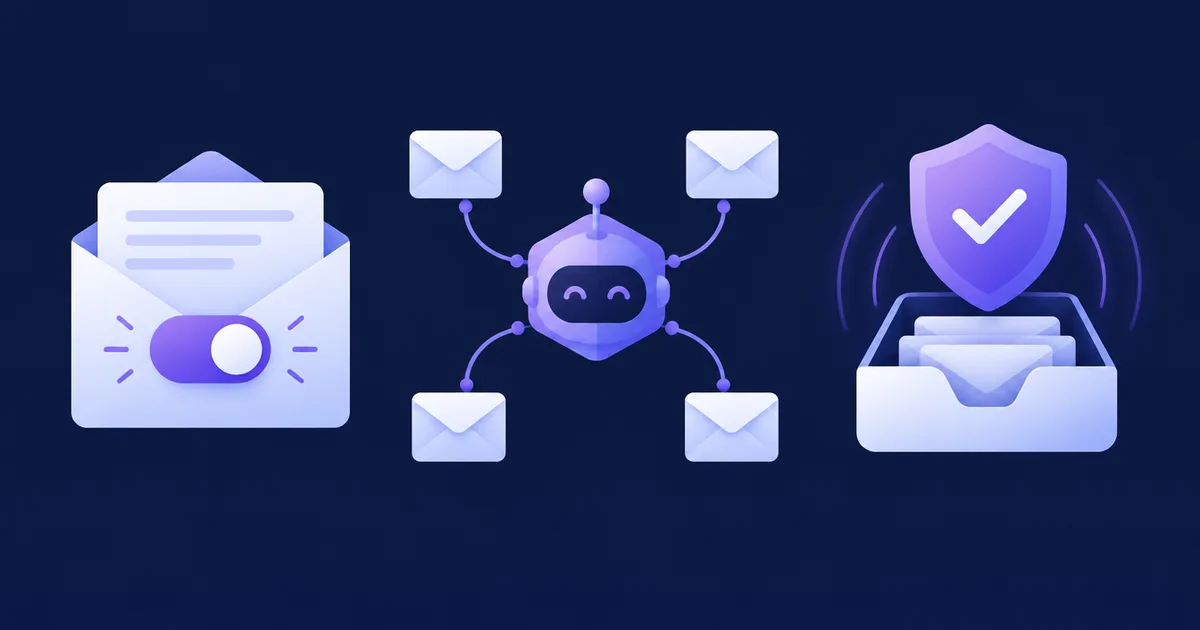
Plain-Text Parts
Every email is sent as multipart/alternative, so SpamAssassin no longer flags it as MIME_HTML_ONLY.
One-Click Unsubscribe
RFC 8058 headers and POST endpoints, as Gmail and Yahoo require.
140 MCP Tools
AI agents can manage templates, automations, forms, webhooks and system emails.
Reply Detection
Subscriber replies are added to the CRM history, trigger automations and add lead-scoring points.
Every Email Now Has a Plain-Text Version
Before this release, SendGrid, SMTP, Gmail and NMI all sent HTML only. Now each email carries a text/plain part next to the HTML. You can write your own plain text in the editor (Plain-text version) or through the API's plain_text field. If you don't, the new EmailPlainText helper generates it from the HTML.
The generator keeps paragraphs, lists, headings, image alt texts and links (written as label (https://…)). It drops hidden preheaders, tracking pixels and styles. It runs before links are rewritten for tracking, so the plain text shows the real link targets.
POST /api/v1/email/send
{
  "email": "jane@example.com",
  "subject": "Your order shipped",
  "content": "<p>Hi [[fname]]…</p>",
  "plain_text": "Hi [[fname]], your order is on its way.",
  "tracking_enabled": false
}
RFC 8058 One-Click Unsubscribe
The signed unsubscribe URLs now accept a POST with the body List-Unsubscribe=One-Click, which unsubscribes the person straight away. That fires SubscriberUnsubscribed (source one_click), so your automations and webhooks run as usual. Broadcasts and autoresponders sent to at least one list get both headers automatically:
List-Unsubscribe: <https://mail.example.com/unsubscribe/…signed…>
List-Unsubscribe-Post: List-Unsubscribe=One-Click
A List-Unsubscribe header you set yourself still takes priority. To turn the automatic headers off, set EMAIL_LIST_UNSUBSCRIBE=false.
Tracking Switches Per Mailbox and Per Message
You can now turn click and open tracking off for a whole mailbox, or for a single message. With tracking off, links stay exactly as written, no pixel is added, and SendGrid is told not to track the message either. This is useful for transactional mail, where privacy and deliverability matter more than statistics.
AI Agents Can Configure NetSendo
Templates, system emails and pages, automation rules, forms, list sending schedules, tags, custom fields and webhooks now all have API endpoints. The MCP client (@netsendo/mcp-client@1.6.0) registers 140 tools, up from 77. Your existing API keys keep working because the new endpoints reuse the current permission scopes. Deleting a record that has data attached returns 409 until you send confirm=true.
Funnels You Can Build and Rely On
Funnels can now be built, changed and started entirely over the API, including steps on the yes/no paths of a condition and the new POST /funnels/{id}/subscribers enrollment endpoint. A/B split steps now give each variant its own path, and once a winner is declared, new subscribers follow the winner's path.
Reply Detection
To turn it on, enter the IMAP login of your reply inbox under Settings → Mailboxes → Reply detection. NetSendo checks that inbox every five minutes. It opens the folder read-only, so nothing is marked as read, moved or deleted. It also skips auto-replies and out-of-office messages. Each real reply is added to the contact's CRM history, triggers the CRM: Contact replied automation and applies the Email Replied scoring rule (+25 points by default).
💼 Benefits & Use Cases
E-commerce: Better Inbox Placement
Abandoned-cart and post-purchase sequences now go out with a plain-text part and one-click unsubscribe headers, the two things Gmail checks first. Turn tracking off for order confirmations so they look like ordinary personal email.
SaaS: Onboarding That Reacts to Replies
When a trial user replies to your onboarding email, reply detection can create a CRM task, notify your success team and raise the lead score. An A/B split in the funnel then sends each variant down its own follow-up path.
Agencies: Client Setup by AI Agents
Connect Claude or another MCP-compatible assistant and ask it to create a client's list, form, templates, welcome automation and funnel. Each API key only sees its own account, so client data stays separate.
🛠️ Step-by-Step Upgrade Guide
- Back up your database
The move to MySQL 8.4 can't be undone, because 8.4 data won't start on 8.0. Take a full backup first.
- Update the
dbserviceChange the image and the
command:together. MySQL 8.4 won't start with the old--default-authentication-pluginflag.db: image: mysql:8.4 command: --mysql-native-password=ON --authentication-policy=mysql_native_password,, - Fix the queue worker
docker compose pulldoesn't change your existingdocker-compose.yml. Edit the queue command yourself so unsubscribe confirmations and new-subscriber notifications are actually sent:queue: command: php artisan queue:work --queue=default,notifications - Pull and restart
docker compose pull && docker compose up -dMySQL upgrades its data directory on the first start, which takes a moment.
- Review behaviour changes
Check your active funnels: from now on, list, form and tag triggers enroll new subscribers. Also check per-list CRON settings, list header settings and system emails you switched off for a list. All of these are now enforced.
⚠️ Important: If you wrote a customMailProviderInterfaceimplementation, add the new optional?string $textContentand?bool $trackingEnabledparameters tosend()before you upgrade.
🔧 Key Fixes and Platform Updates
- SMS sending works: every SMS job used to fail because it called a method that doesn't exist. The
sms.sentandsms.failedwebhooks now fire too. - No more duplicate listeners: 22 event–listener pairs were registered twice, which sent duplicate notifications and gave double lead-scoring points. CRM automation rules no longer run two or three times per event.
- Funnel engine: funnel conditions, tag actions, the unsubscribe action, notifications, SMS steps, wait until steps, reminders and pause/resume all work now.
- Inactive subscribers are no longer planned as recipients or counted in audience estimates.
- Account isolation: automations and panel settings can no longer affect other accounts on the same instance.
- Security: Brain chat no longer runs HTML from replies (stored XSS),
/docs/apinow requires a login, and patched dependencies close advisories including the critical CVE-2026-44262. - Stack: Laravel 13, Inertia 3, MySQL 8.4 LTS, Node 24 LTS, plus Dependabot and a weekly dependency audit workflow.
🎯 Expert Tips
The generated plain text is good, but a short version you write yourself often reads better in text-only clients and smartwatch notifications.
Point reply detection at the Reply-To inbox, not the bounce mailbox, and use an IMAP app password with read-only access where your provider allows it.
Give MCP keys only the scopes they need, such as lists:* or funnels:*. Destructive actions still need confirm=true, but limited scopes are your first line of defence.
Use curl -X POST -d 'List-Unsubscribe=One-Click' against a test subscriber's URL. It should return 200, and sending it again should change nothing.
If you use QUEUE_CONNECTION=database, check for old jobs on the notifications queue before you start the new worker, so subscribers don't get a flood of old emails.
🎉 Conclusion
v2.2.0 is one of NetSendo's biggest releases. Your emails now meet Gmail and Yahoo's sender requirements, AI agents can configure the platform for you, and funnels work the way the builder shows them. Because NetSendo is self-hosted, you get all of this with unlimited sending and full ownership of your data.
Read the documentation, browse the integrations, or download NetSendo to get started.
Ready to Upgrade?
Back up your database, update your docker-compose.yml and get v2.2.0 running today.