
NetSendo v2.3.1: Faster Cloud Updates After Each Release
When you run your marketing on a hosted platform, the time between "a fix is released" and "the fix is running on my instance" matters. This is especially true when the fix closes a security hole. Until now, NetSendo Cloud instances found new versions through the hosting provider's nightly registry check. So a release could sit unused for up to a day before the update process even saw it.
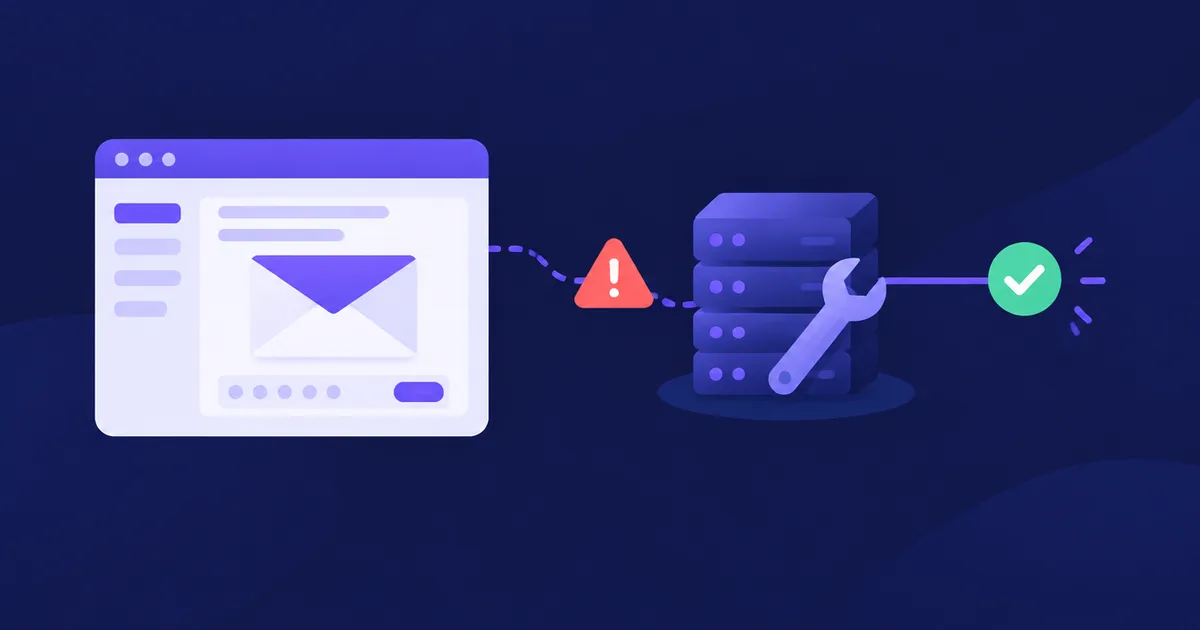
NetSendo v2.3.1 removes that wait. When a new version's Docker image is published, the release pipeline sends a signed notice to the NetSendo Cloud catalog right away. Hosted instances learn about the new version immediately, and urgent security releases are installed straight away.
docker-publish.yml) now sends a signed notice to Aderlo, the company that hosts NetSendo Cloud. Normal releases go out to hosted instances one group at a time, at night. Releases whose notes include a ### Security section are installed at once. The signing key can only refresh the catalog. Self-hosted installations are not affected.
🚀 What's New in v2.3.1
From "we'll check tonight" to "here's the new version"
Think of the old process like checking your mailbox once a night. A letter might arrive in the morning, but nobody opens the box until evening. The new process works like a doorbell. As soon as a release is ready, Aderlo's catalog is told about it.
Here's how it works:
- A new version tag (
vX.Y.Z) is pushed to the NetSendo repository. - The workflow in
.github/workflows/docker-publish.ymlbuilds and publishes the Docker image. - After the image is published, the workflow sends a signed call to Aderlo's release catalog.
- The catalog records the new version, and NetSendo Cloud instances are scheduled for the update.
Immediate Release Notice
The Cloud catalog learns about a new version as soon as its image is published.
Staged Night Rollout
Normal updates go out to hosted instances one group at a time, at night.
Security Fast Lane
Releases whose notes include a ### Security section are installed at once.
Limited-Scope Key
ADERLO_RELEASE_KEY can only refresh the catalog. It can't do anything else.
Two rollout paths
Once the catalog knows about a release, the update takes one of two paths:
- Standard releases are installed on hosted instances one group at a time, at night. This keeps disruption low and limits the impact if something unexpected comes up.
- Security releases are releases whose notes include a
### Securitysection. They're installed at once, without waiting for the night window.
Here's an example of release notes that would use the fast lane:
## v2.3.2

### Security

- Fixed an authorization check in ...

### Fixed

- ...
⚠️ Important: A### Securitysection causes immediate installation on NetSendo Cloud. Use it only for vulnerability fixes. Put hardening ideas, dependency bumps without a known vulnerability, and general improvements under### Changedor### Fixed.
A key with one job
The call to Aderlo is signed with a secret stored as ADERLO_RELEASE_KEY in the repository's GitHub Actions secrets. This key is limited on purpose: it can only refresh the catalog. It can't access customer instances or customer data. This follows the principle of least privilege. If a credential leaks, it should do as little damage as possible.
ℹ️ Note: This change applies only to NetSendo Cloud, which Aderlo hosts. Self-hosted installations are not affected. You still decide when to pull and deploy new versions.
💼 Benefits & Use Cases
E-commerce on NetSendo Cloud
Your abandoned-cart and post-purchase sequences run all day and night. With v2.3.1:
- Security fixes reach your instance as soon as they're released, not the next night.
- Regular updates are installed at night, away from peak shopping hours.
- Your instance no longer waits for a nightly registry check to find new versions.
SaaS Teams Using Hosted NetSendo
Onboarding and churn-prevention flows depend on a stable platform. Updating one group at a time means fewer instances are affected at once if a release has a problem. The immediate security path also shortens the exposure window when a vulnerability is fixed.
Agencies Mixing Cloud and Self-Hosted
If you manage some clients on NetSendo Cloud and others on your own servers:
- Cloud clients get updates automatically, using the staged and security-first rules above.
- Self-hosted clients keep your existing update schedule. Nothing changes there.
- When you see a
### Securitysection in the release notes, update your self-hosted clients first.
🛠️ Step-by-Step: What You Need to Do
If you use NetSendo Cloud
- Nothing to configure
Updates are scheduled automatically once a release image is published.
- Expect night-time updates
Standard releases arrive during the night window, one group of instances at a time.
- Watch the release notes
Read the GitHub releases to see what changed. Security releases may arrive outside the night window.
If you self-host NetSendo
Your setup doesn't change. Pull new versions when you're ready, for example:
docker compose pull
docker compose up -d
Check our documentation for the full upgrade procedure for your deployment.
If you contribute to or maintain NetSendo
- Tag releases as
vX.Y.ZThe Cloud notice is sent after the image for a version tag is published.
- Reserve
### Securityfor vulnerabilitiesThis heading means "install everywhere right now." Don't use it for other changes.
- Treat
ADERLO_RELEASE_KEYas a secretKeep it in GitHub Actions secrets only. Never print it in logs or commit it to the repository.
💡 Common pitfall: Adding a ### Security heading "just in case" skips the staged night rollout for every hosted instance. If you're not sure whether a change fixes a vulnerability, leave it in the standard flow.
🎯 Expert Tips
Self-hosters should subscribe to release notifications. Cloud instances now hear about new versions right away, and you can too.
On your own servers, install releases with a ### Security section right away. Schedule regular releases for a quiet, low-traffic window.
Agencies running many self-hosted instances can copy the group-at-a-time model. Update one test client first, then the rest.
Like ADERLO_RELEASE_KEY, each secret in your own CI/CD pipelines should be able to do one thing only.
🏁 Conclusion
v2.3.1 is a small change to the release pipeline, but it helps every NetSendo Cloud customer. New versions no longer wait for a nightly registry check. Regular updates go out to hosted instances one group at a time, at night, and security fixes are installed at once. The signing key can only refresh the catalog, and self-hosted installations keep working as before.
Self-hosted users still decide when to update, and Cloud users now get updates sooner.
Stay Up to Date with NetSendo
Read the upgrade guide, explore integrations, or run NetSendo on your own infrastructure with Docker:
Like the project? Give NetSendo a ⭐ on GitHub.