
NetSendo v2.10.0: Connect Claude & AI Apps via Remote MCP
AI assistants can now do real work, but connecting them to your marketing stack has been awkward. You had to create an API key, paste it into a config file, install Node.js locally and hope the key didn't leak. For a self-hosted platform that's built around data ownership, that wasn't good enough.
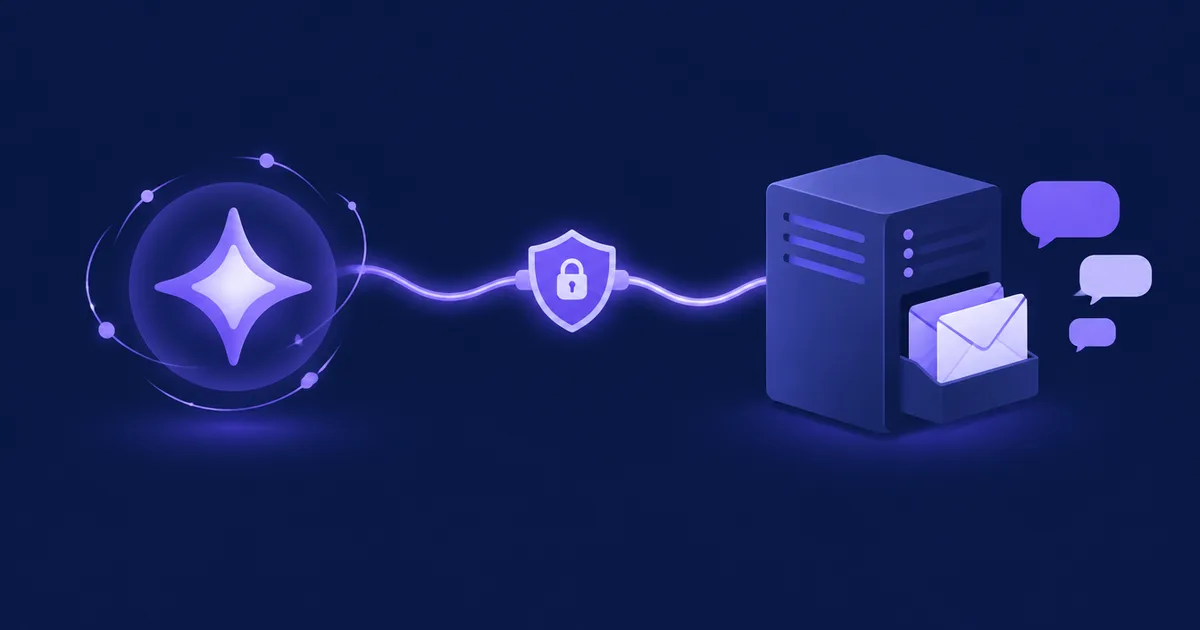
NetSendo v2.10.0 fixes this. Every installation now serves its own remote MCP endpoint at https://<your-domain>/mcp. Paste that address into Claude, ChatGPT, Cursor, Hermes Agent or another MCP host, sign in to NetSendo and pick which permissions to grant. The assistant then works with your lists, subscribers and messages through the same 140 tools as the npm MCP client.
🚀 What's New in v2.10.0
Remote MCP Endpoint
One address, /mcp, built into every installation. No new container.
OAuth Sign-In
No API key to create or paste. You approve the app in your browser.
Per-User Access
A connected app sees only the data of the user who approved it.
Faster Panel
The panel loads one language instead of four, and built assets are pre-compressed.
The AI Connector: Like a "Sign in with…" Button for Your Assistant
You've probably used "Sign in with Google" on a website. The AI connector works the same way in reverse: the AI app asks to sign in to your NetSendo. When you add the connector, the app redirects you to your installation. You log in, see what the app wants to do, and approve it.
The sign-in screen shows:
- The app's name and identity status: confirmed (Claude's published identity is), self-declared, or a warning if the app is published on one site but returns to another
- Which NetSendo account is signed in, so you don't approve the wrong one
- Requested permissions with checkboxes, such as
lists:read,subscribers:writeandmessages:write. You can grant fewer than the app asks for.
Settings → AI Connector
This new page shows your installation's connector address, the list of connected apps with a Disconnect button (it takes effect on the next request), and step-by-step instructions for Claude, Claude Code, Hermes Agent, ChatGPT, Cursor, VS Code, Gemini CLI and hosts that only run local commands. The instructions are available in Polish, English, German and Spanish.
For example, in Claude Code:
claude mcp add --transport http netsendo https://your-domain.com/mcpBuilt on the Standards MCP Hosts Expect
- OAuth authorization code flow with PKCE
- Client ID Metadata Documents and dynamic client registration
- Refresh tokens that are replaced on every use, plus token revocation
- Discovery documents under
/.well-known/ - One-hour access tokens. Apps unused for 90 days must sign in again.
- Only hashes of tokens are stored
ℹ️ Note: If a host can't do OAuth sign-in, it can call/mcpwith a regular NetSendo API key in theAuthorization: Bearerheader. API keys, the REST API and the local@netsendo/mcp-clientwork as before.
{
  "mcpServers": {
    "netsendo": {
      "url": "https://your-domain.com/mcp",
      "headers": { "Authorization": "Bearer YOUR_NETSENDO_API_KEY" }
    }
  }
}
The exact config format depends on the host. Check your AI app's documentation.
Fair Use Limits
No single app can monopolize your server. Each app may send 120 requests per minute and run two tool calls at once, with a cap of three concurrent calls across all apps. A call over the limit gets a "busy, call again" response, and the assistant retries on its own. You can change these limits in .env.
💼 Benefits & Use Cases
E-commerce: Campaigns by Conversation
Ask Claude to "draft a post-purchase follow-up for last week's buyers and save it as a draft." With lists:read and messages:write, the assistant can:
- Look up the right list
- Write and save the message
- Leave sending to you, if you didn't grant broader permissions
SaaS: Churn Checks in Your IDE
Developers in Cursor or VS Code can query subscriber data, check onboarding list sizes or add test contacts without leaving the editor or installing Node.js packages.
Agencies: Safe Team Access
A connected app acts as the user who approved it. When a team member connects their assistant, it sees only their data and never the account owner's. The owner can see and disconnect team members' apps at any time.
🛠️ Step-by-Step Guide
- Update NetSendo
docker compose pull && docker compose up -dThe migration adds four tables:
connector_clients,connector_connections,connector_tokensandconnector_auth_codes. A dailyconnector:prunetask removes expired codes, tokens and connections. - Check that your installation is reachable over public HTTPS
Cloud apps like Claude connect from their provider's servers, so
localhostor a VPN-only address won't work. The bundled nginx config needs no changes. - Open Settings → AI connector
Copy your
/mcpaddress and follow the instructions for your AI app. - Approve the app
On the sign-in screen, check the identity status and the signed-in account, then untick any permissions the app doesn't need.
- Optional: enable compressed assets
Get the new
docker/nginx/default.confand restart the webserver container:docker compose restart webserver
⚠️ Important: The connector is on after the update. It answers at/mcp,/oauth/*and/.well-known/oauth-*, but does nothing until someone signs in and approves an app. To turn it off, set the following and restart the containers:MCP_CONNECTOR_ENABLED=false
Common Pitfalls
- Claude can't connect: Your installation probably isn't reachable from the internet over HTTPS, or a reverse proxy is blocking
/.well-known/. Seedocs/MCP_CONNECTOR.mdfor proxy notes and troubleshooting. - Custom Docker images: Add the two new steps from
docker/php/Dockerfile. One builds the MCP tools under/opt/netsendo-mcp, and the other creates the.gzfiles of built assets. - Assets still uncompressed: If a proxy talks HTTP/1.0 to NetSendo's nginx, replace
default.confor let the proxy compress the assets itself.
⚡ Performance: A Much Lighter Panel
- The first load is about a quarter of its old size. Previously, every page bundled all four interface languages into a 1.85 MB start-up script. Now it's 0.42 MB of script plus about 0.36 MB of texts for the active language only. English, the fallback language, is fetched only when a text is actually missing.
- Guests no longer prefetch the whole panel. Prefetching 286 files (7.7 MB) now happens only for signed-in users. The sign-in page went from about 250 requests and 9 MB to 15 requests and 1.2 MB.
- Pre-compressed assets: Every built script and style ships with a ready
.gzfile. Files under/build/assets/are cached for a year as immutable.
Other Changes
- The application image now includes the MCP tools (
/opt/netsendo-mcp) and runs them with the Node.js that's already in the image. mcp/distwas rebuilt from the current source, sosend_smsnow passes the SMS text correctly. The npm package@netsendo/mcp-client1.6.0 is unchanged by this release.- The page's
langattribute now updates when you switch languages.
🎯 Expert Tips
Start with read-only permissions. Add messages:write only when you actually want the assistant to create content.
If the sign-in screen warns that an app is published on one site but returns to another, don't approve it until you've checked where it came from.
As account owner, review team members' connections in Settings → AI connector. Disconnecting takes effect on the next request.
On a modest VPS, lower the concurrency limits in .env so AI tool calls never compete with your sending queue.
Use the Bearer API key fallback only for hosts that can't sign in. OAuth tokens expire, rotate and can be revoked per app.
🎉 Conclusion
NetSendo v2.10.0 connects your self-hosted marketing platform to modern AI assistants, and you keep control. There are no keys to copy, each app gets only the permissions you choose, each user's data stays separate, and your data stays on your server. The panel is also much faster to load.
Ready to Connect Your AI Assistant?
Update to v2.10.0 and connect Claude in under a minute.
Enjoying NetSendo? Give us a ⭐ on GitHub. You can read the full changelog in the v2.10.0 release notes.