How to build an email list from scratch: forms, lead magnets, consent
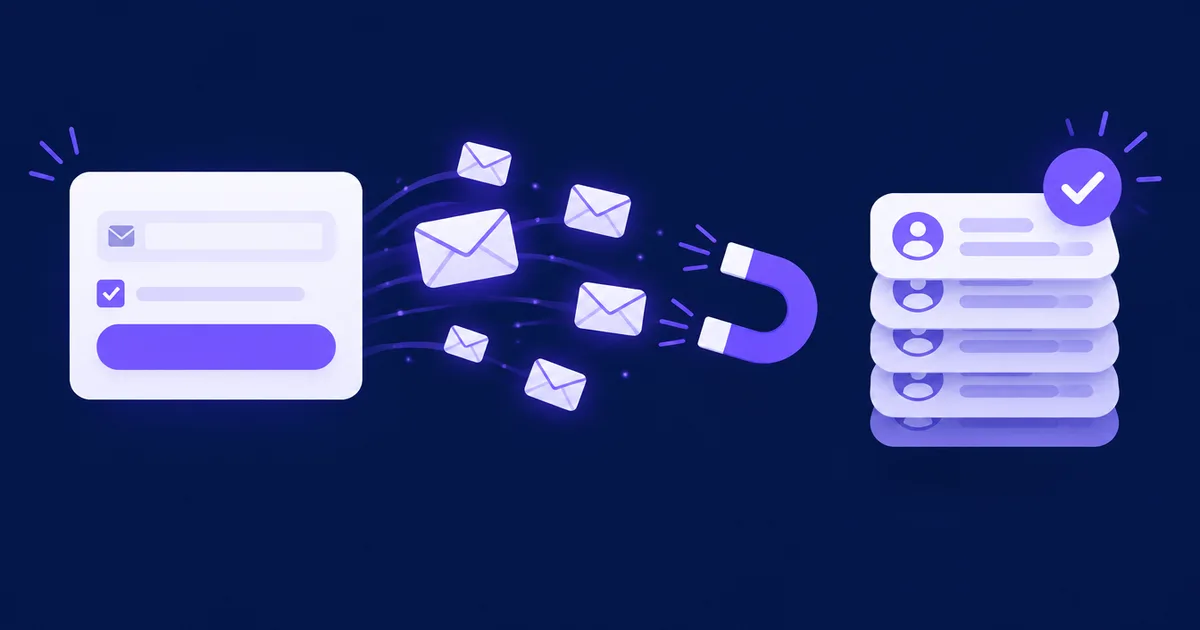
To build an email list from scratch, put a signup form where interested people already are, give them a concrete reason to subscribe, ask for consent in plain words and confirm the address before you send any marketing. Buying or scraping addresses is not a shortcut: in the EU it breaks the consent rules, and mailbox providers ask senders not to do it.
Can you buy an email list instead of building one?
No. A bought, rented or scraped list is made of people who never asked to hear from you, so in most of Europe you may not send them marketing email at all, and in practice many of them will report it as spam.
In the EU, marketing email to individuals needs their prior consent. The rule comes from the ePrivacy directive and lives in national law, so each country words it a little differently. The table compares four of them.
| Country | Rule | Prior consent for marketing email | Exception for existing customers |
|---|---|---|---|
| Poland | Prawo komunikacji elektronicznej, art. 398 | ✓ Required; giving your address for commercial information counts as consent (art. 398(2)) | ✗ Art. 398 contains none |
| Germany | UWG § 7(2) no. 2 | ✓ "Prior express consent" | ~ § 7(3): address received in a sale, own similar products, customer told they can object at any time |
| Spain | LSSI, art. 21 | ✓ Requested or expressly authorised | ~ Art. 21(2): prior contract, similar products, free and simple opt-out |
| United States | CAN-SPAM Act | ✗ No opt-in requirement | Not needed; opt-outs must be honoured within 10 business days and every email needs a valid postal address |
As of November 2026. A summary of the texts linked in the table; this is not legal advice.
The second problem is deliverability. Google's email sender guidelines tell senders not to buy addresses from other companies and not to send to people who did not sign up, and they require every sender to keep the spam rate shown in Postmaster Tools below 0.3% (with 0.1% as the recommended level). A list of strangers reaches those complaint levels fast, and the damage stays with your domain after you stop using the list. The same goes for "free" lists found online: you have no record of who agreed to what, and no way to know which addresses still exist.
What makes a signup legal?
In the EU, a signup is valid consent when the person actively agrees to a specific purpose after you have told them who you are and what you will send, and when you can prove it later.
The GDPR defines consent in Article 4(11) as a "freely given, specific, informed and unambiguous indication" of the person's wishes, given "by a statement or by a clear affirmative action". Recital 32 adds that silence, pre-ticked boxes and inactivity are not consent. Article 7 sets three practical duties: you must be able to demonstrate consent (7(1)), a consent request mixed with other terms must be clearly distinguishable from them (7(2)), and withdrawing must be as easy as giving it (7(3)).
On a real form that means:
- The purpose is written next to the button: "Send me the checklist and the newsletter every Tuesday", not "Submit".
- If there is a checkbox, it starts empty and is separate from your terms of sale.
- The form names your business and links your privacy policy.
- Every email has an unsubscribe link that works in one step.
📋 What to keep as proof of each signup
- Date and time of the signup and, with double opt-in, of the confirmation click
- Which form or page it came from, and the wording that form showed at the time
- The purposes the person agreed to (newsletter, offers, lead magnet)
- Later changes: unsubscribes and preference updates
⚠️ Note: Collect only what you will use. Article 5(1)(c) GDPR (data minimisation) is a good reason to ask for an email address and, at most, a first name. This is not legal advice; check the rules of the countries you send to.
Where should signup forms go?
Put forms where people already show interest in your topic: at the end of your most-read articles, on a landing page for your lead magnet, in the footer, and at checkout as an optional, unticked checkbox.
- End of blog posts. Readers who reached the end are the most interested ones. Match the offer to the post: a checklist under a how-to, a template under a comparison.
- A dedicated landing page. One offer, one field, one button. It is also the page you link from social profiles, ads and printed QR codes.
- Footer or sidebar. Always visible, rarely used, but it costs nothing.
- Checkout and account signup. A separate, unticked checkbox for marketing, never bundled with accepting the terms.
- Popups and slide-ins. Show them after the reader has engaged with the page, make them easy to close, and never cover the content on mobile the moment the page opens.
- Offline. At a shop counter, a fair or a workshop, a QR code to the landing page records consent the same way as the website does. A paper sheet needs the same wording and has to be typed in by hand.
Protect public forms from bots with a hidden honeypot field or a challenge, and test each form every month by signing up with a fresh address: a broken form loses subscribers silently.
Single or double opt-in?
Use double opt-in for public web forms: the person clicks a link in a confirmation email before joining the list, which proves they own the address and keeps typos, bots and malicious signups out.
✅ Advantages
- A record that the owner of the address asked for your emails, which is what Article 7(1) GDPR asks you to be able to show
- No mistyped addresses, so fewer bounces
- Nobody can subscribe someone else as a prank or an attack
❌ Considerations
- Some people never click the confirmation link, so the list grows more slowly
- The confirmation email must reach the inbox, so your domain has to be authenticated first
Keep the confirmation email short: a clear subject such as "Confirm your subscription to [brand]", one sentence on what they will get, one button, and nothing else. Send it immediately. Before you start, authenticate your sending domain; our guide to SPF, DKIM and DMARC walks through the records, and the deliverability guide for self-hosted senders covers the rest of the setup.
Which lead magnet should you offer?
Offer something small that solves one problem your future customers have today and leads naturally to what you sell. Short, specific and usable at once works better than a long e-book nobody finishes.
| Business | Lead magnet | How it is delivered |
|---|---|---|
| Online shop | Size guide or product care guide | Download on the confirmation page |
| Beauty salon | Seasonal skin-care routine with a booking link | Welcome email |
| Photographer | Checklist: how to prepare for a portrait session | PDF in the welcome email |
| Accountant | Calendar of the year's tax deadlines | Calendar file and PDF |
| Language school | Seven-day mini course by email | Autoresponder sequence |
| Software company | Ready-made template or configuration file | Download |
| Coach or consultant | Self-assessment quiz with a personal result | Result by email |
| Restaurant or café | Monthly menu and event invitations | Newsletter |
| B2B services | Cost calculator or comparison sheet | Spreadsheet |
| Trainer or event organiser | Recording of a past webinar or talk | Video link in the welcome email |
Discount codes also grow lists, but they attract people who wait for the next discount; use them when your business runs on repeat purchases.
Say on the form what people receive besides the freebie. If the lead magnet also subscribes them to your newsletter, the button and the text next to it must say so. Article 7(4) GDPR asks whether a service is made conditional on consent it does not need, so "the checklist only if you take the newsletter" is a question to check with your adviser.
How do Facebook and Instagram Lead Ads feed the list?
Lead Ads collect the address inside Facebook or Instagram; to get it into your list, you read new leads from Meta through a webhook or the Graph API, or export them as CSV, and pass them to your email platform.
Meta's documentation lists three ways to get leads: webhooks that notify you when a lead is created, bulk reads from the form's or the ad's leads edge, and a CSV export. Without code, an automation tool does the webhook part. In n8n, the Facebook Lead Ads Trigger node starts a workflow on each new lead, and a second node adds the person to your list.
- Write the consent into the ad form
Add a custom disclaimer or an optional question that says what the person will receive by email, in the same words as on your website.
- Connect the trigger
In n8n, connect the Facebook Lead Ads credential, add the trigger and pick the page and the form.
- Map the fields
Pass the email, the first name and a tag with the campaign name, so you know later where each subscriber came from.
- Add the subscriber
Create the subscriber on the right list with your email platform's node or API.
- Send a welcome email within minutes
The lead remembers your ad now, not tomorrow. Deliver what the ad promised and repeat what they signed up for.
Contacts added this way skip the double opt-in of your website forms, so the first email should restate the purpose and make unsubscribing easy.
What should the first emails say?
The first email should arrive at once, deliver what you promised and tell people what you will send and how often; the next two build trust before you sell.
| Day after signup | Goal | |
|---|---|---|
| 0 | Welcome and the lead magnet | Deliver, set expectations (topics, frequency), invite a reply |
| 2 | Your most useful piece of content | Show the value of staying subscribed |
| 5 | A short story or customer case with a soft offer | First step toward a purchase |
Every email needs a working unsubscribe link and, under CAN-SPAM, your postal address. Gmail requires one-click unsubscribe from senders of more than 5,000 messages a day; our article on one-click unsubscribe (RFC 8058) shows the headers.
How do you measure list growth?
Track how many visitors sign up, how many confirm and how many stay; the size of the list alone hides every problem.
- Signup conversion rate = signups ÷ unique visitors of the page × 100%. Measure it per form and per page.
- Confirmation rate = confirmed ÷ signups × 100%. A sudden drop usually means the confirmation email lands in spam.
- Net growth per month = new confirmed subscribers − unsubscribes − hard bounces − spam complaints.
- Complaint rate from Google Postmaster Tools: below 0.3%, ideally around 0.1%, per Google's guidelines.
Do not judge the list by open rates: Apple Mail Privacy Protection loads images for its users, so many opens are not people. Our article on what open rates still tell you explains which signals to use instead, and the list hygiene guide covers removing addresses that stopped engaging.
📋 Checklist for your first 100 subscribers
- Sending domain authenticated (SPF, DKIM, DMARC)
- One lead magnet and one landing page with a single field
- Form under your three most-read articles
- Double opt-in on, confirmation email tested in Gmail and Outlook
- Welcome email on day 0 and two follow-ups
- Unsubscribe link and postal address in the footer
- Monthly test signup with a fresh address
How do you set this up in NetSendo?
NetSendo runs on your own server and has everything above on its free SILVER licence: email lists, signup forms, double opt-in and autoresponder sequences. The steps follow the NetSendo documentation.
- Create the list
Under Contact Lists → Email Lists, then turn on Double Opt-in on the list's Settings → Subscription tab.
- Build the form
Under Address List → Forms → New Form, choose the Target List, keep Honeypot ticked, set the status to Active and save. Get code gives you HTML, JavaScript or an iFrame to paste into your site.
- Choose the thank-you page
Enter your own page in Redirect URL, for example the page with the lead magnet, or leave it empty to use the list's pages under Address List → System Pages.
- Write the welcome series
Address List → Add Email Message, type Queue (Autoresponder), with Sending day 0, 2 and 5. On a double opt-in list, the series starts when the subscriber confirms.
- Connect Lead Ads or your CRM
Use the n8n community node
n8n-nodes-netsendo(see the n8n integration) or the REST API. Contacts added through the API join as active, without the double opt-in email.
NetSendo sets no subscriber or sending limits of its own; how much you can send depends on your sending provider.
🎯 Expert tips
"Send me the checklist" tells people what happens next; "Submit" does not.
When you know which page or ad brought each subscriber, you know where to put more effort.
Consent is proven by what the person saw at the time. Note the date whenever you change the text.
Addresses from invoices, business cards or an old shop need a legal basis for marketing in your country before they go on a newsletter list.
Frequently asked questions
Is it legal to buy an email list?
In the EU, sending marketing email to bought addresses generally breaks national consent rules such as art. 398 of Poland's PKE, § 7 UWG in Germany and art. 21 LSSI in Spain. In the US, CAN-SPAM has no opt-in requirement, but Gmail's sender guidelines ask senders not to buy addresses. This is not legal advice.
Does the GDPR require double opt-in?
The GDPR does not name double opt-in, but Article 7(1) requires you to be able to show that a person consented. Double opt-in is a simple way to record that the owner of the address asked for your emails.
How many fields should a signup form have?
Only the ones you will use: the email address, and a first name if you personalise emails. Article 5(1)(c) GDPR asks you to collect no more data than you need.
Can I add my existing customers to a newsletter?
It depends on the country. Germany and Spain allow email about your own similar products to customers who bought from you, if they were told they can object at any time; art. 398 of Poland's PKE has no such exception. Asking at checkout with an unticked checkbox works everywhere.
When should the welcome email be sent?
Right after the signup, or right after the confirmation click on a double opt-in list. It delivers the lead magnet and says what you will send and how often.
Sources
- Regulation (EU) 2016/679 (GDPR): Articles 4, 5 and 7, Recital 32
- FTC: CAN-SPAM Act, a compliance guide for business
- Google Workspace: Email sender guidelines
- Meta for Developers: Retrieving Lead Ads leads
- n8n docs: Facebook Lead Ads Trigger node
- Poland: Prawo komunikacji elektronicznej, Dz.U. 2024 poz. 1221 (art. 398)
- Germany: Gesetz gegen den unlauteren Wettbewerb, § 7
- Spain: Ley 34/2002 (LSSI), artículo 21
Build your list on your own server
NetSendo gives you forms, double opt-in and welcome sequences with no per-contact fees.