Welcome email sequence: how many emails, timing, examples
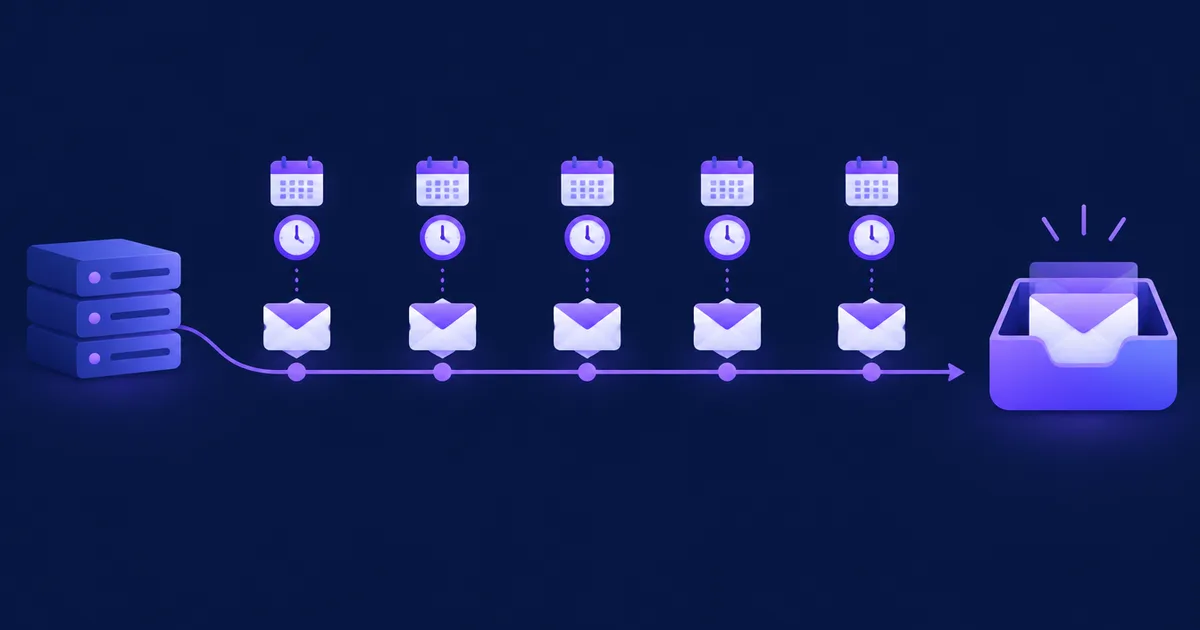
A welcome email sequence for a small business usually works best as four or five emails over about ten days: the first one immediately after the subscriber confirms, then one email every two to three days, each with a single job. There is no research-backed "right" number, so count the jobs the sequence has to do (deliver what was promised, introduce you, show your best material, make one offer) and stop each subscriber's sequence as soon as they buy, reply or unsubscribe.
How many emails should a welcome sequence have?
Use as many emails as the sequence has distinct jobs, which for most small businesses and creators is four or five. Vendor blogs quote anything from three to seven, but none of those numbers comes from a controlled study you can check, so treat them as opinions.
A more useful way to decide is to list what a new subscriber needs from you in their first two weeks and give each item its own email:
- Deliver the promise. The lead magnet, discount code, course access or "here is what you will get" from the signup form.
- Introduce yourself. Who is behind the emails, why they should trust you, what you send and how often.
- Show your best material. The two or three articles, videos or products that existing customers value most.
- Handle the main objection. Price, time, "is this for me?", or a comparison with the obvious alternative.
- Make one offer. A product, a call booking or a trial, with a clear reason to act now that is true.
If you only have two of these jobs (for example a newsletter with no product yet), two emails are enough. If you sell something complex, such as software that needs setup, the onboarding steps add emails and the sequence becomes an onboarding series. Length follows content, not a benchmark.
A short series of automated emails sent to every new subscriber, timed from the moment they join (or confirm) a list. In most tools it is built as an autoresponder: messages with a day offset from signup.
What should the first welcome email contain?
The first email should arrive within minutes of the signup or confirmation and deliver exactly what the form promised. People who just subscribed are waiting for it; a welcome that arrives hours later competes with everything else in the inbox and may not be recognised.
Keep email 1 short and functional:
📋 Checklist
- A subject line that matches the form ("Your checklist is inside", not "Welcome to the family!"). See our guide to subject lines and preheaders.
- The promised item as one prominent link or attachment-free download.
- One sentence on what comes next: how many emails, roughly how often, and what they are about.
- A real sender name and a reply address that a person reads. Ask a simple question the reader can answer in one line.
- A reminder of where and when they signed up, plus your company identity in the footer.
- A visible unsubscribe link in the body and a one-click List-Unsubscribe header.
Do not put a hard sell in email 1. Subscribers who signed up for a checklist and get a sales page instead are the ones who press "Report spam", and complaints in the first days hurt the reputation of the domain that sends all your other mail.
💡 Tip: Asking for a reply in the first email ("What are you hoping to fix this month?") gives you real research data and, for many mailbox providers, a reply is a strong signal that the sender is wanted.
What does a five-email welcome sequence look like, day by day?
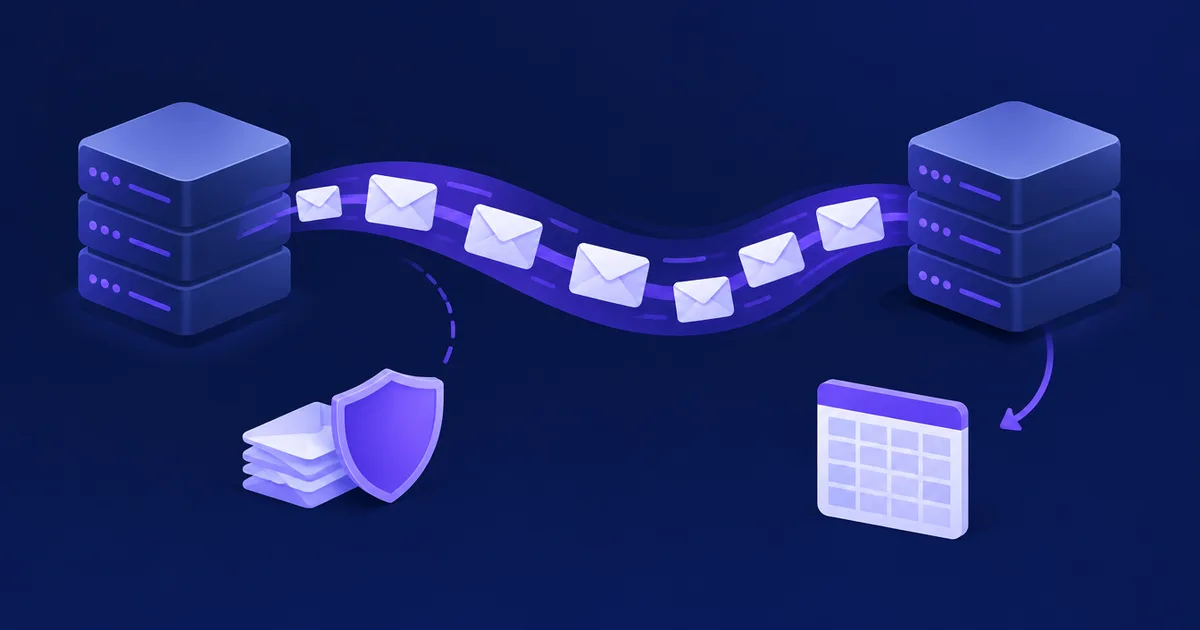
A practical default is days 0, 2, 4, 7 and 10, with one goal and one main call to action per email. The gaps of two to three days give the reader time to act on each email without the series feeling like a flood.
| Day offset (days after confirmation) | Goal | Main call to action | Skip or stop if | |
|---|---|---|---|---|
| 1. Deliver | 0 (immediately) | Hand over the promise, set expectations | Download / open the resource | Unsubscribed |
| 2. Introduce | 2 | Who you are, why you are credible | Reply with one answer | Unsubscribed |
| 3. Best of | 4 | Show the three most useful resources | Read one article or watch one video | Unsubscribed |
| 4. Objection | 7 | Answer the main doubt about your offer | See how it works (case, demo, FAQ) | Purchased, unsubscribed |
| 5. Offer | 10 | One clear offer with a true deadline, if any | Buy, book a call or start a trial | Purchased, unsubscribed |
Template, not a benchmark. As of November 2026 there is no public, peer-reviewed study that shows one schedule outperforming another across industries; test your own.
Signup hour or a fixed hour?
Email 1 should go out at the signup moment. For later steps you have two options: send at the same hour of day the person joined (someone who signed up at 21:40 probably reads email at that time), or send at a fixed hour in the subscriber's time zone, such as 09:00. Fixed hours are easier to reason about and keep emails out of the night. Avoid UTC-only fixed hours if your list spans several time zones.
Weekends and sending windows
For B2B lists, a step that lands on Saturday often waits until Monday anyway. If your tool supports a sending window (allowed days and hours), use it rather than shifting day offsets by hand, and remember that a step held back by a window is delivered at the next allowed time, which can bunch two steps together after a weekend.
Is the double opt-in confirmation email the welcome email?
No. The confirmation email has one job: get a click on the confirmation link. The welcome sequence starts after that click, so email 1 of the sequence is the first message the subscriber receives as a confirmed member of the list.
Keep the confirmation email plain, short and free of offers, so nothing distracts from the link. Google's sender guidelines ask senders to "confirm each recipient's email address before subscribing them" (Google: Email sender guidelines), and double opt-in is the common way to do that. It also gives you a time-stamped record of consent.
Two practical traps:
- Two welcomes at once. Many tools send a built-in "subscription confirmed" or "welcome" system email after confirmation. If your sequence also sends email 1 at day 0, the subscriber gets two emails within a minute. Either switch the system email off or make it a one-line confirmation page and let the sequence do the welcoming.
- Late confirmations. Some people confirm a day or more after filling in the form. Check whether your tool counts day offsets from the signup or from the confirmation; if it counts from the signup, a late confirmer can receive several due steps at once.
For how to collect those confirmations in the first place, see how to build an email list from scratch.
When should a subscriber leave the welcome sequence?
A subscriber should leave the sequence, or skip its remaining sales steps, when they unsubscribe, buy what the sequence is selling, reply in a way that needs a personal answer, or reach the step's goal another way. Sending "Still thinking about it?" to someone who paid yesterday is the most common welcome-sequence mistake.
| Event | What to do | Typical implementation |
|---|---|---|
| Unsubscribe or hard bounce | Stop everything | Handled by the platform; verify it in a test |
| Purchase | Stop offer emails, move to a customer onboarding series | Tag or list from your shop integration, excluded from steps 4 and 5 |
| Reply | Pause automated sales steps until a person has answered | Manual tag, or a helpdesk/CRM rule that adds one |
| Click on the step's goal link | Optionally skip the reminder that follows | Condition step "clicked link X" in a branching automation |
Exits are only reliable if they are checked again right before each email, not only at entry. Klaviyo, for example, documents that its flow profile filters are re-checked before each message and that people who no longer match are skipped (Klaviyo Help: Getting started with flows, checked November 2026). Whatever tool you use, test the exit with a real purchase on a test contact.
Avoiding overlap with broadcasts
New subscribers are usually also on your newsletter list, so in their first week they can receive the welcome steps and your regular campaign on the same day. Either exclude people who joined in the last 10 to 14 days from broadcasts, or accept the overlap and make sure the welcome steps never repeat the newsletter's offer. The difference between those two kinds of mail is explained in newsletter vs mailing vs autoresponder.
How do you measure a welcome sequence without open rates?
Measure each step by clicks on its main link, replies, conversions within a set window and unsubscribes, because open rates are no longer reliable. Apple Mail Privacy Protection loads images, including tracking pixels, for users who enable it, so many opens are recorded whether or not anyone read the email; we explain the details in what open rates still tell you.
Use these per-step numbers:
- Click rate on the main link (unique clickers ÷ delivered). Falling clicks from step to step are normal; a sudden drop points to a weak email.
- Replies, counted by hand at first. They show whether the introduction email works.
- Conversions within 14 or 30 days of signup, attributed to the subscriber, not to the last email.
- Unsubscribes and spam complaints per step. Google asks senders to keep the spam rate shown in Postmaster Tools below 0.10% and never reach 0.30% (Google: Email sender guidelines). A step that produces most of your complaints needs rewriting or removing.
Security scanners at corporate mail servers can also click links automatically, so very fast clicks seconds after delivery, on every link, are not human. Treat clicks as a relative signal between steps, and conversions as the real outcome.
What must a welcome email include in the EU?
A welcome email to EU subscribers must make the sender clearly identifiable, must not hide its commercial character, and needs a working way to opt out; the consent behind it must be provable. This is not legal advice; the rules below are summarised from the texts.
- Sender identity. The e-Commerce Directive requires commercial communications to be clearly identifiable and the person on whose behalf they are made to be identifiable (Directive 2000/31/EC, Art. 6). The ePrivacy Directive prohibits direct-marketing emails that disguise or conceal the sender's identity or lack a valid address for opt-out requests (Directive 2002/58/EC, Art. 13). Put the company name and address in the footer.
- Consent you can prove. Where processing is based on consent, the controller must be able to demonstrate it (GDPR Art. 7(1)). Store the form, the time, the IP address and the confirmation click. Repeating in email 1 what the subscriber agreed to receive ("You signed up on example.com on 27 November for our weekly tips") is not legally required, but it reduces confusion and complaints.
- Information duties. GDPR Art. 13 requires information at the time of collection, on the form or a linked privacy notice; the welcome email can link the same notice again.
- Unsubscribe. A visible link in the body and a one-click List-Unsubscribe header (RFC 8058), which Google requires for marketing and subscribed messages.
National rules add detail: in Poland the Telecommunications Law (Prawo komunikacji elektronicznej) governs consent for direct marketing, in Germany § 7 UWG and § 6 DDG apply, and in Spain articles 20 and 21 of the LSSI. Our guide to GDPR-friendly newsletter software you host yourself covers data location, processors and retention.
How do you build a welcome sequence in NetSendo?
In NetSendo a welcome sequence is a set of queue (autoresponder) messages on one list, each with a Sending day (since signup) of 0, 2, 4 and so on. The step-by-step instructions are in the welcome sequence how-to; the points below are the ones that matter for this article.
- Create the steps
Under Address List → Add Email Message, choose Queue (Autoresponder), tick the list and set the sending day. For timing, choose either the signup hour or a fixed hour; a fixed hour is UTC unless you tick Send in subscriber's timezone. Each step is a separate message, activated with Activate (Save).
- Decide on the system welcome
On a double opt-in list the series starts when the subscriber clicks the confirmation link. NetSendo also has system emails under Address List → System Emails: the confirmation email with the activation link, a message after confirmation, and a welcome for single opt-in lists. If your day-0 step does the welcoming, keep the system message minimal or switch it off so people do not get two emails at once.
- Add exits
Each step has its own Don't send to subscribers from lists and Narrow by custom fields settings. Move or copy buyers to a "Customers" list (with an automation action, a funnel action or the REST API) and exclude that list on the offer steps.
- Use a funnel for branching
For "if they clicked, skip the reminder", use Automation → Email Funnels. A funnel can start on list signup (on a double opt-in list, at confirmation) and has delay, "wait until" (a date, a day of the week or business hours), condition (opened, clicked, link clicked, tag exists, field value), action and goal steps. A goal step records a conversion but does not stop the funnel, so put a condition such as "tag exists: customer" before each sales email.
- Set a sending window
Each list can override the global sending schedule with its own allowed days, hours and volume per minute, which keeps welcome steps out of the night or the weekend.
People already on the list when you activate a step do not get the steps whose time has passed; they show as Missed and can be sent manually. NetSendo also adds a one-click List-Unsubscribe header to list mailings; a plain GET on the link does not unsubscribe anyone, so link scanners cannot remove subscribers. You can also build the whole series from an AI assistant through the NetSendo MCP server. Installation is covered in the quick start; queue messages work on every plan, including the free SILVER licence (plans).
🎯 Expert tips
Draft all five emails in one file before building anything. Reading them in order shows repetition and missing steps far better than editing them one by one in a tool.
Go through the form, confirm, and receive the full sequence on a Gmail and an Outlook address. You will catch broken personalisation, duplicate welcomes and bad timing before subscribers do.
If the form makes the first name optional, write greetings that still read naturally when it is empty ("Hi," rather than "Hi ,").
Links break, offers end and your best articles change. Put a recurring reminder in the calendar to re-read the sequence and check every link.
Frequently asked questions
How many emails should be in a welcome series?
Use as many as the series has distinct jobs: deliver the promise, introduce yourself, share your best material, handle the main objection, make one offer. For most small businesses that is four or five emails; no controlled study proves a better number.
When should I send the first welcome email?
Within minutes of the signup or, on a double opt-in list, of the confirmation click. New subscribers are waiting for it, and a late welcome is easily missed.
How far apart should welcome emails be?
Two to three days apart is a practical default, for example days 0, 2, 4, 7 and 10. Use a fixed hour in the subscriber's time zone or the hour they signed up, and avoid nights.
Is the double opt-in confirmation email a welcome email?
No. It only asks for a click on the confirmation link. The welcome sequence starts after that click, so do not put offers in the confirmation email.
Should new subscribers also get my regular newsletter?
Either exclude people who joined in the last 10 to 14 days from broadcasts or accept the overlap and make sure the welcome emails never repeat the newsletter's offer.
How do I measure a welcome sequence?
Track clicks on each email's main link, replies, conversions within 14 or 30 days of signup, and unsubscribes and spam complaints per step. Open rates are inflated by Apple Mail Privacy Protection.
Sources
- Google: Email sender guidelines
- RFC 8058: Signaling one-click functionality for list email headers
- Regulation (EU) 2016/679 (GDPR)
- Directive 2002/58/EC (ePrivacy Directive)
- Directive 2000/31/EC (e-Commerce Directive)
- Klaviyo Help: Getting started with flows
- NetSendo docs: Set up a welcome email sequence
Run your welcome sequence on your own server
NetSendo sends autoresponders and funnels from your own installation, with the sending provider you choose.