Newsletter vs mailing vs autoresponder: email types explained
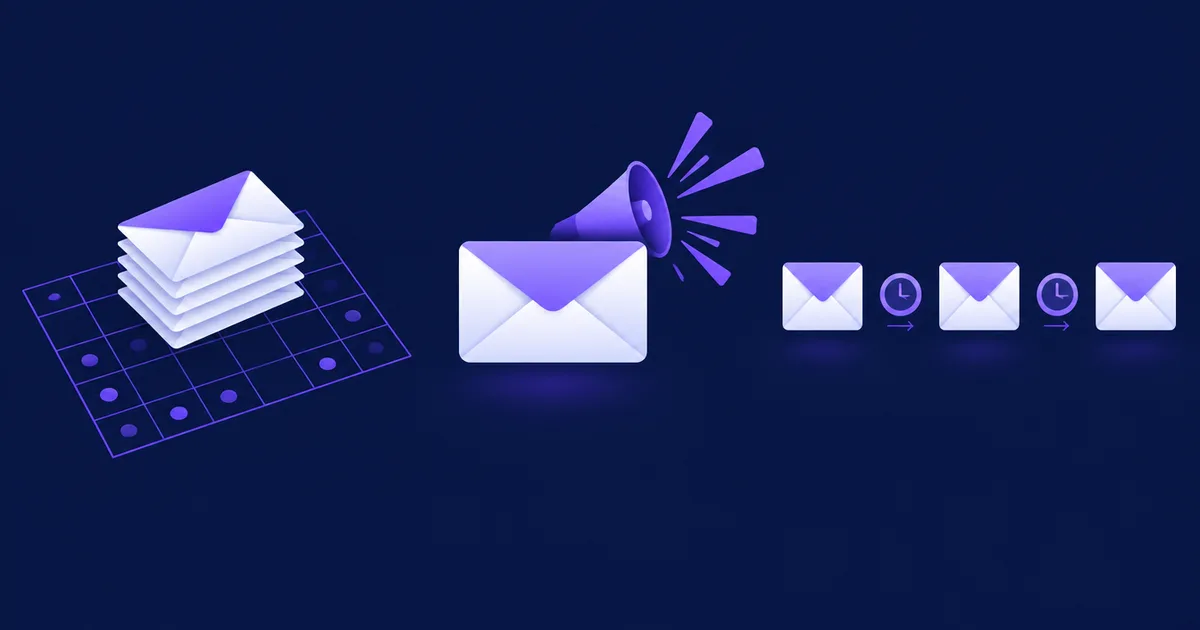
A newsletter is a recurring email sent to the whole list on a schedule, a mailing (one-off campaign, or broadcast) is a single email sent once to a list or segment for one purpose, and an autoresponder is a sequence of emails that each subscriber receives automatically, timed from the moment they joined. All three are marketing email; transactional email (receipts, password resets) is a separate category with different legal rules and should travel in a separate sending stream.
What is the difference between a newsletter, a mailing and an autoresponder?
The difference is the trigger: a newsletter is triggered by the calendar, a one-off mailing by a single occasion, and an autoresponder by the subscriber's own signup. Everything else, including content, frequency and the metrics you judge them by, follows from that.
The vocabulary is messy because tools and languages use the words differently. In Polish, German and Spanish marketing, "mailing" usually means a single bulk send to a list; in English the same thing is called a campaign, a broadcast or a one-off email. Some tools call every email a "campaign". Below are working definitions you can use regardless of the tool.
A recurring email with a recognisable format, sent to everyone on the list (or a stable segment) on a predictable schedule, for example "every Tuesday". Its job is to keep the relationship alive: news, tips, curated links, a short offer. Each issue is written once and sent to all current subscribers at the same time.
A single email written for one occasion and sent once to a list or segment: a sale, a launch, a webinar invitation, a price change announcement. It is not part of a series and has one clear call to action.
A set of emails written in advance and sent to each subscriber on days counted from when that person joined: day 0, day 2, day 5 and so on. Two people who sign up a week apart receive the same emails a week apart. A welcome series and a five-day email course are typical autoresponders.
A message triggered by something the recipient did or by an account they hold: order confirmation, invoice, shipping notice, password reset, signup confirmation link. It is sent to one person, its content is specific to them, and people expect it within seconds.
An automated newsletter built from content you already published: the tool reads your blog's RSS feed and sends new posts on a schedule (daily or weekly) or once enough new items exist. It saves writing time but has no editorial voice unless you add an introduction.
Examples of each type
- Newsletter: "Three things we changed in the shop this week" from a small online store, every Thursday at 10:00.
- Mailing: "Black Friday: 20% off ceramics until Sunday", sent once to customers who bought in the last 12 months.
- Autoresponder: a welcome email on day 0 with the promised discount code, a "how to choose the right glaze" guide on day 2, best-sellers on day 5.
- Transactional: "Order #10432 confirmed", "Your parcel has shipped", "Reset your password".
- RSS digest: "New on the blog this week", built from the two posts published since the last send.
An autoresponder is a simple form of marketing automation. Automations in the wider sense add conditions ("if the subscriber clicked, wait 3 days and send X, otherwise send Y"); the plain autoresponder only counts days. Our guide to email and SMS marketing automation on your own server covers the branching flows.
How do the email types compare side by side?
The table compares the five types by purpose, frequency, trigger, consent and metrics; the consent column describes the general EU and US rules, not the exceptions in each country.
| Type | Purpose | Typical frequency | Trigger | Marketing consent needed (EU) | Unsubscribe link | Metrics to watch (per send) |
|---|---|---|---|---|---|---|
| Newsletter | Relationship, education, regular offers | Weekly to monthly, fixed day | Calendar | ✓ Yes | ✓ Required | Click rate, unsubscribe rate, complaints, replies |
| Mailing / campaign | One occasion: sale, launch, event | Ad hoc | A decision to send | ✓ Yes | ✓ Required | Conversions, revenue, click rate, complaints |
| Autoresponder | Onboarding, course, nurturing | Fixed offsets, e.g. day 0, 2, 5 | Subscriber's signup date | ✓ Yes, if promotional | ✓ Required | Click and conversion per step, drop-off between steps |
| Transactional | Complete or service a transaction | Per event | Action by the recipient or account event | ✗ No (contract or legitimate need) | ~ Not required by CAN-SPAM | Delivery time, bounces, support tickets |
| RSS / digest | Distribute published content | Daily or weekly | New items in the feed plus schedule | ✓ Yes | ✓ Required | Click rate per item, unsubscribe rate |
As of November 2026. "Consent needed" follows Article 13 of the ePrivacy Directive and its soft opt-in exception for existing customers; national laws differ. This is not legal advice.
Open rates are left out of the metrics column on purpose. Apple Mail Privacy Protection preloads images, so opens are inflated for a large share of readers; we explain what still works in Apple Mail Privacy Protection and open rates.
Is a transactional email legally different from a marketing email?
Yes. In the US, CAN-SPAM's rules on unsubscribe links and physical addresses apply to commercial messages, while a "transactional or relationship message" only has to avoid false or misleading routing information; in the EU, direct-marketing email needs prior consent under the ePrivacy Directive, while transactional email relies on the contract or another lawful basis under the GDPR.
United States: CAN-SPAM's five categories
The statute defines a transactional or relationship message in 15 U.S.C. 7702(17) as an email whose primary purpose is one of five things:
- To facilitate, complete or confirm a commercial transaction the recipient previously agreed to enter into (order confirmation, receipt).
- To provide warranty, product recall, safety or security information about a product or service the recipient uses or bought.
- To notify a change in terms or features, a change in the recipient's status, or to send regular account statements for a subscription, membership, account or loan.
- To provide information about an employment relationship or benefit plan the recipient takes part in.
- To deliver goods or services, including product updates or upgrades, the recipient is entitled to under a transaction they agreed to.
A welcome email for a free newsletter is not on that list, and neither is "we miss you, here is 10% off". Those are commercial.
The mixed email trap
Many businesses add a "you might also like" block to order confirmations. The FTC's rule on primary purpose (16 CFR 316.3) says a message with both promotional and transactional content is treated as commercial if a recipient reading the subject line would likely conclude it advertises something, or if the transactional content does not appear, in whole or in substantial part, at the beginning of the body. Once it is commercial, all CAN-SPAM requirements apply: no deceptive subject, identification as an ad where required, a physical postal address and a working opt-out honoured within 10 business days, as the FTC's compliance guide lists them.
European Union: consent for marketing, the contract for transactions
Article 13(1) of the ePrivacy Directive allows email for direct marketing only to subscribers who gave prior consent. Article 13(2) adds the "soft opt-in": a business that obtained a customer's email in the context of a sale may market its own similar products to that customer, if the customer was given a clear, free and easy way to object when the address was collected and in every message. Member states implement this differently, so check your national law before relying on it.
Transactional email does not need marketing consent, because sending a receipt or a password reset is part of performing the contract or the service the person asked for (GDPR Article 6(1)(b)). The moment a transactional email carries promotion, you are back in marketing territory. This is not legal advice.
⚠️ Watch out: The double opt-in confirmation email ("click to confirm your subscription") should contain only the confirmation link and what the person signed up for. Adding an offer to it turns a request for consent into a marketing email sent before consent exists.
Why should marketing and transactional email use separate streams?
Because mailbox providers judge reputation partly by message category, and a bad campaign should never delay a password reset or an invoice. Separating streams means different From addresses, ideally different sending subdomains, and, if you use more than one IP, different IPs per message type.
Google's email sender guidelines say this directly: if you send from multiple IP addresses, use a different IP for each message type (for example account notifications versus promotions); messages of the same category should share the same From address; and you should not mix different types of content in one message, such as promotions in sales receipts. The same page sets the bar for all senders: keep the spam rate in Postmaster Tools below 0.3%, and give marketing and subscribed messages one-click unsubscribe plus a visible unsubscribe link in the body. One-click unsubscribe is defined in RFC 8058.
A simple stream plan for a small business
The plan below uses one domain, two sending subdomains and one From address per category. It is a pattern, not a requirement; adapt names to your domain.
# Sending plan for example.com
streams:
  transactional:
    from: "orders@mail.example.com"       # receipts, shipping, password resets
    reply_to: "support@example.com"
    unsubscribe: false                    # not marketing; no promo blocks
    provider: transactional-only mailbox or API
  marketing:
    newsletter:
      from: "news@news.example.com"       # weekly issue
    campaigns:
      from: "news@news.example.com"       # same category, same From
    autoresponder:
      from: "hello@news.example.com"      # welcome series, course
    unsubscribe: true                     # visible link + List-Unsubscribe
    one_click: true                       # RFC 8058 List-Unsubscribe-Post
dns:
  # each sending subdomain needs SPF (or aligned DKIM) and DKIM,
  # plus a DMARC record on example.com covering the subdomains
Each subdomain needs its own authentication. If you have not set that up yet, our guide to email deliverability for self-hosted senders walks through SPF, DKIM and DMARC records with examples.
✅ Advantages
- A spike in complaints after a campaign does not drag down receipts and resets.
- Postmaster data per subdomain shows which stream has a problem.
- Clear From addresses help readers recognise and filter your mail.
❌ Considerations
- More DNS records to publish and keep correct.
- A brand-new subdomain starts with no history, so ramp volume up gradually.
- Two providers or mailboxes mean two bills and two dashboards.
When should you use which type? An example week
Use an autoresponder for everything a new subscriber should receive regardless of when they joined, a newsletter for regular contact with everyone, a campaign for time-bound occasions, and transactional email for anything that follows an action or an account event.
Here is a week at a small online shop selling handmade ceramics, with about 3,000 subscribers and a few orders a day:
| Day | Type | Who receives it | |
|---|---|---|---|
| Every day | Welcome email with the 10% code (day 0), glaze care guide (day 2), best-sellers (day 5) | Autoresponder | Each new subscriber, timed from their signup |
| Every day | Order confirmation, shipping notice, invoice | Transactional | Each buyer, seconds after the event |
| Tuesday 09:00 | "From the studio": new pieces, one tip, one story | Newsletter | All active subscribers |
| Thursday 18:00 | "Workshop seats for December are open" | Campaign | Segment: subscribers within 50 km who clicked a workshop link before |
| Saturday | Nothing | - | Silence is a valid choice; two marketing emails a week is enough for this list |
Notice the overlap rule: a subscriber who joins on Monday gets the welcome email on Monday, the care guide on Wednesday and the Tuesday newsletter only from the following week, if you choose to hold back new subscribers from the newsletter during their welcome series. Many tools let you exclude a list or segment from a campaign; use it so new people do not get four emails in their first three days.
For a funnel that leads to a sale (lead magnet, nurture sequence, offer), see how to build an email sales funnel; for where subscribers come from in the first place, see how to build an email list.
How can you improve your newsletter? 10 concrete ways
Improve a newsletter by making each issue predictable in timing, useful in content and easy to scan, then measure clicks and replies per issue rather than opens. The ten changes below are ordered from the cheapest to the most work.
- Promise a frequency and keep it
Write the rhythm into the signup form ("every Tuesday, one tip and new pieces") and send on that day. Readers who know when you arrive are less likely to report you as spam.
- Give every issue one main call to action
Three equal buttons compete. Pick the one thing this issue is for and make secondary links plain text.
- Write the subject line and preheader together
The preheader is read as the second half of the subject. Our article on subject lines and preheaders has lengths and examples.
- Keep a fixed structure
The same sections in the same order (for example: one story, one tip, one product) make the email faster to read and faster to write.
- Send from a person and a monitored reply-to
"Anna from Studio Clay" with a reply-to someone reads beats noreply@. Ask a question at the end and answer the replies.
- Personalise with care
A first-name placeholder needs a fallback for people who never gave a name; an empty "Hi ," looks broken. Segment by interest where you have the data instead of guessing.
- Stay under Gmail's clipping limit
Gmail clips messages whose HTML is larger than about 102 KB, which can hide the unsubscribe link and tracking. See how to stay under the 102 KB limit.
- Make it readable without images
Use real text, not text baked into images, and add alt text. Many clients block images by default, and screen readers need the text.
- Make unsubscribing easy
A visible link plus one-click unsubscribe headers. Offering "fewer emails" as an option keeps some readers who would otherwise leave.
- Prune inactive subscribers every quarter
Send people who have not clicked in six months one "still interested?" email, then stop mailing those who do not respond. A smaller engaged list is easier on your sender reputation.
📋 Checklist
- Each type has a defined trigger and a From address
- Transactional emails contain no promotions
- Every marketing email has a visible unsubscribe link and one-click headers
- New subscribers are not hit by the welcome series and a campaign on the same day
- Each sending subdomain passes SPF or DKIM with DMARC alignment
How do you set up each type in NetSendo?
In NetSendo the type is chosen per message: a newsletter issue or a mailing is a One-time message, an autoresponder step is a Queue (Autoresponder) message with a sending day counted from signup, and transactional mail goes through the REST API or the built-in system emails. This applies to NetSendo 2.12.0, checked against its documentation and source on 21 November 2026.
- Newsletter or mailing: Address List → Add Email Message, type One-time, a subject and an optional Preheader field, lists to send to and lists to exclude on the Settings tab, then send now or schedule. Exclusions let you leave out, for example, a separate list of recent sign-ups who are still in their welcome series.
- Autoresponder: the same screen with type Queue (Autoresponder) and Sending day (since signup) set to 0, 2, 5 and so on. On a double opt-in list the series starts when the subscriber confirms. Queue messages work on every plan.
- Branching sequences: Automation → Email Funnels, which can start on list signup and has delay, condition and email steps.
- Separate streams: each mailbox under Settings → Mailboxes has Allowed Message Types (One-time, Autoresponder, System), and each list can have its own default mailbox, so newsletters and system emails can leave through different mailboxes and From addresses.
- Transactional email:
POST /api/v1/email/sendqueues one email to one address, with an optionalmailbox_idto pick the transactional mailbox. Broadcasts and autoresponders sent to a list getList-UnsubscribeandList-Unsubscribe-Postheaders automatically; a single API email without a list gets them only if you pass them in itsheaders. See the API reference. - RSS digest: there is no built-in RSS-to-email feature. You can build one with n8n's RSS Feed Trigger node and the NetSendo API or n8n integration.
Install it with the quick start guide. Self-hosting keeps subscriber data on infrastructure you control, which helps with GDPR obligations; compliance still depends on how you collect consent and run the system.
🎯 Expert tips
The welcome series is read by every subscriber you will ever have; a single newsletter issue is read once. Effort spent there pays back longest.
"Studio Clay Orders" and "Studio Clay News" tell the reader, and their filters, which is which.
Expired codes, old prices and dead links in day-5 emails are common because nobody sees them after setup. Subscribe yourself with a test address and read the whole series.
If you promised "one email a week" in the form, a Black Friday week with four mailings breaks that promise. Warn readers in advance or let them opt out of the sale emails only.
Frequently asked questions
What is the difference between a newsletter and a mailing?
A newsletter is recurring: the same format goes to the whole list on a fixed schedule, such as every Tuesday. A mailing (one-off campaign) is a single email written for one occasion, like a sale or launch, and sent once.
Is an autoresponder the same as marketing automation?
An autoresponder is the simplest form of automation: a fixed sequence of emails sent on days counted from each subscriber's signup. Marketing automation adds conditions and branches, for example sending a different email depending on whether the person clicked.
Do transactional emails need an unsubscribe link?
Under CAN-SPAM, a purely transactional or relationship message does not need an opt-out link; it only must not contain false or misleading header information. If you add promotional content, the email may count as commercial and then needs a working unsubscribe.
Do I need consent to send a newsletter to my customers?
In the EU, marketing email generally needs prior consent under Article 13 of the ePrivacy Directive. Many countries allow an exception for existing customers and similar products if they could object at collection and in every email; check your national law, as this is not legal advice.
How often should I send a newsletter?
As often as you can send something useful on a fixed day, which for most small businesses means weekly to monthly. Consistency matters more than frequency: promise a rhythm in the signup form and keep it.
Can I put a promotion in an order confirmation email?
Google's sender guidelines advise against mixing promotions into sales receipts, and under CAN-SPAM a mixed message is treated as commercial if the subject suggests an ad or the transactional part is not at the start. Keep receipts purely transactional.
Sources
- FTC: CAN-SPAM Act compliance guide for business
- 15 U.S.C. 7702 – CAN-SPAM definitions (Cornell LII)
- 16 CFR 316.3 – Primary purpose (eCFR)
- Google: Email sender guidelines
- Directive 2002/58/EC (ePrivacy), Article 13
- Regulation (EU) 2016/679 (GDPR)
- RFC 8058: Signaling one-click functionality for list email headers
Run newsletters, campaigns and autoresponders on your own server
NetSendo handles one-time messages, queue sequences, funnels and API email on infrastructure you control.