How to start email marketing: a step-by-step plan for a small business
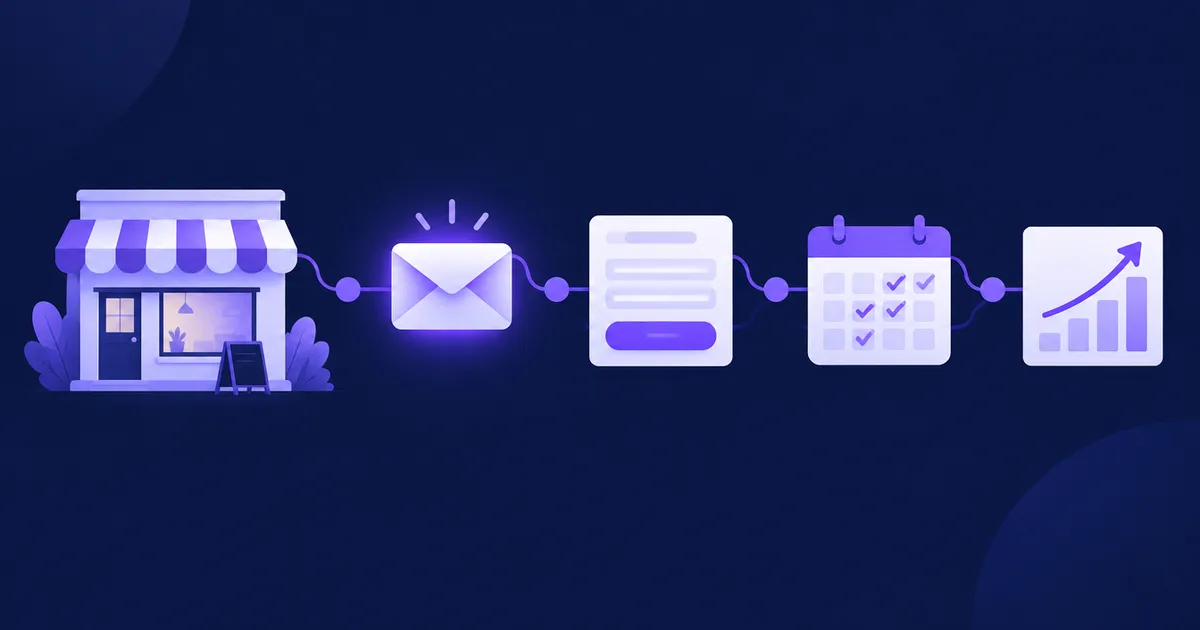
To start email marketing as a small business, pick one goal and one metric, choose a tool you can afford at 10,000 contacts (not just at 100), authenticate your sending domain with SPF, DKIM and DMARC, and collect consent through a signup form before you write a single campaign. Then send a three-email welcome series (welcome, value, offer), test every message on real inboxes, and judge the first month by clicks, conversions, unsubscribes and complaints rather than opens.
What should your first email marketing goal be?
Your first goal should be one business outcome you can count, such as booked calls, repeat orders or webinar sign-ups, tied to one metric you check every week. "Grow the brand" is not a goal you can measure in 30 days; "10 repeat orders from email in December" is.
Small businesses usually fail at email marketing for a boring reason: they start with a newsletter template, send three issues, see no obvious result and stop. Starting from the outcome forces better decisions about who you invite to the list, what you promise them and what each email asks them to do.
Pick one primary metric
| Business type | Good first goal | Primary metric (per email) | Guardrail metric |
|---|---|---|---|
| Online shop | Repeat purchases | Orders attributed to email (UTM-tagged links) | Unsubscribe rate |
| Service business, consultant | Booked calls or quotes | Clicks to the booking page | Spam complaints |
| Local business | Visits, reservations | Redeemed codes or reservations | Unsubscribe rate |
| Course, coaching, B2B content | Webinar or demo sign-ups | Registrations from email | Spam complaints |
As of November 2026.
The guardrail matters as much as the goal. A campaign that brings five orders and a spike in complaints is a loss: mailbox providers use complaints to decide whether your next email reaches the inbox at all.
If you sell through a sequence of steps, read our guide to the email sales funnel once the basics below are in place. This article is about getting the first month right.
Which email marketing tool should a small business choose?
Choose the tool by three things: what it costs at the list size you expect in a year, whether it can send an automatic welcome series, and whether you can export your contacts and their consent records when you leave. For most small businesses the real choice is between a SaaS service that charges per contact and a self-hosted platform you run on your own server.
✅ SaaS (hosted) tools
- Nothing to install or update; sending infrastructure is included.
- Free or cheap tiers for very small lists.
- Support and ready-made templates.
❌ Considerations
- Price usually rises with the number of contacts, so success makes it more expensive.
- Your subscriber data lives on the vendor's servers, often outside your country.
- Free tiers often limit automation, sends or branding.
✅ Self-hosted platforms
- Flat or no licence cost per contact; you pay for a server and for sending.
- Contact data stays on infrastructure you choose.
- Full access to the database, API and logs.
❌ Considerations
- You (or someone you pay) handle updates, backups and security.
- You must connect a sending provider such as Amazon SES and set up DNS yourself.
- Deliverability problems are yours to diagnose.
What it costs at 1,000 and 10,000 contacts
At around 1,000 contacts, cost rarely decides anything: many hosted tools have free or low tiers, and the difference is a few dollars a month. At 10,000 contacts it starts to matter. In our dated comparison of the cheapest plans with full marketing automation, checked on each vendor's pricing page on 8 November 2026, seven SaaS tools cost between $89 and $189 a month at 10,000 contacts; the tool-by-tool numbers and sources are in email marketing cost for 10k, 50k and 100k contacts, and the pricing models themselves are explained in per contact vs flat rate pricing.
With a self-hosted tool, the variable cost is sending. Amazon SES, for example, lists outbound email at $0.10 per 1,000 messages on its pricing page, so four sends a month to 10,000 people (40,000 emails) cost about $4 in sending fees, plus the server and your time. That time is real: if nobody on your team is comfortable with Docker, DNS and backups, a hosted tool or a managed instance is the better choice.
If you are comparing self-hosted options specifically, our comparison of self-hosted email marketing software covers NetSendo, listmonk, Mautic, Sendy, MailWizz and Keila, including licences and setup effort.
💡 Tip: Before you commit, export a test list from the tool. If you cannot get your contacts out with their signup date and source, you cannot prove consent later and you cannot leave easily.
How do you set up a sending domain that reaches the inbox?
Send from your own domain (not a free Gmail or Outlook address) and publish three DNS records for it: SPF, DKIM and DMARC. Gmail and Yahoo require authentication from every sender, and stricter rules from bulk senders; without them, a new sender's mail is likely to be rejected or filtered as spam.
What Gmail, Yahoo and Outlook require
| Requirement | Gmail: all senders | Gmail: 5,000+ messages/day | Yahoo: bulk senders | Outlook.com: 5,000+ messages/day |
|---|---|---|---|---|
| SPF or DKIM | ✓ one of them | ✓ both | ✓ both | ✓ both |
| DMARC (p=none is enough) | ~ recommended | ✓ aligned | ✓ aligned | ✓ aligned |
| Spam complaint rate | below 0.3% | below 0.3% | below 0.3% | not stated as a number |
| One-click unsubscribe (RFC 8058) | ~ recommended | ✓ required | ✓ required | ~ functional unsubscribe link |
| Valid forward and reverse DNS (PTR) for sending IPs | ✓ | ✓ | ✓ | ~ best practice |
As of November 2026. Sources: Google email sender guidelines, Yahoo sender best practices, Microsoft's requirements for high-volume senders.
Google also asks senders to keep the rate below 0.10% and never reach 0.30%. In numbers: if 2,000 people receive your newsletter, 0.3% is six spam complaints. A small list is not a safe list; a handful of irritated recipients is enough.
The three DNS records, in practice
Your sending provider (Amazon SES, Mailgun, your SMTP host or your own mail server) gives you the exact values. The shape looks like this:
; SPF: which servers may send for the domain (one SPF record per name)
example.com.                 TXT   "v=spf1 include:spf.your-provider.example ~all"

; DKIM: public key the provider uses to sign your mail (often a CNAME they give you)
s1._domainkey.example.com.   CNAME s1.dkim.your-provider.example.

; DMARC: start in monitoring mode and collect reports
_dmarc.example.com.          TXT   "v=DMARC1; p=none; rua=mailto:dmarc-reports@example.com"
The hostnames ending in your-provider.example are placeholders: copy the real ones from your provider's dashboard, never from a blog post. Start DMARC at p=none, read the reports for a few weeks, then move to quarantine once every legitimate source passes. For a full walk-through see SPF, DKIM and DMARC explained, and if you hit the SPF lookup limit, the fix for "too many DNS lookups".
⚠️ Warning: Many small businesses send marketing from the same domain as their invoices and staff mailboxes. If a campaign goes badly, the reputation damage lands on those emails too. A subdomain such as news.example.com for marketing keeps the streams apart while still looking like you.
How do you build a list legally?
Build your list only from people who asked to hear from you: a signup form on your website, a checkbox at checkout that is not pre-ticked, or an existing customer relationship where the law allows it. Never buy or rent a list; besides the legal risk, purchased addresses produce bounces and complaints that damage your domain from the first send.
The practical side (forms, lead magnets, where to place them) is covered in how to build an email list from scratch. Here is the legal minimum you need before the first campaign.
EU and UK: consent first
Under Article 13 of the ePrivacy Directive, marketing email to individuals needs prior consent, with a narrow exception for your existing customers who bought similar products and were given a chance to object. National laws implement this (for example the Polish Electronic Communications Law, the German UWG and the Spanish LSSI). Consent itself must meet the GDPR standard: freely given, specific, informed and unambiguous, and you must be able to show it (Article 7). In practice that means storing when and where each person signed up, what text they agreed to and their IP address. Double opt-in, where the subscriber confirms by clicking a link, is the simplest way to produce that proof.
United States: CAN-SPAM
The FTC's CAN-SPAM compliance guide does not require prior consent, but every commercial email must not use false or misleading header information or subject lines, must identify itself as an ad where applicable, must include your valid physical postal address and a clear way to opt out, and opt-outs must be honoured within 10 business days. The FTC lists penalties of more than $50,000 for each violating email.
Mailbox providers: one-click unsubscribe
Separately from the law, Gmail and Yahoo require bulk senders to support one-click unsubscribe as defined in RFC 8058 and to honour unsubscribes within two days. Two headers do the job, plus a visible link in the body:
List-Unsubscribe: <https://example.com/unsubscribe/7f3a9c>, <mailto:unsubscribe@example.com?subject=unsubscribe>
List-Unsubscribe-Post: List-Unsubscribe=One-Click
Any serious email tool adds these headers for you; check them in the raw source of a test email ("Show original" in Gmail). The details are in our developer's guide to RFC 8058.
This is not legal advice. Check the rules for the countries where your subscribers live, and ask a lawyer if you are unsure.
What should your first three emails say?
Your first three emails should welcome the subscriber and deliver what you promised, give them one genuinely useful piece of help, and only then make an offer. Send the first within minutes of signup, the second two or three days later and the third after another three or four days.
- Email 1: Welcome (minutes after signup)
Deliver the promised lead magnet or discount, say in one sentence who you are, and tell people what you will send and how often. Ask one small question ("What are you working on right now? Just hit reply.") – replies are a strong positive signal and tell you what to write next.
- Email 2: Value (day 2–3)
Solve one specific problem your customers have, completely, in the email itself. A checklist, a short how-to, a mistake to avoid. No pitch, one link at most.
- Email 3: Offer (day 5–7)
Make one clear offer that follows from email 2, with a reason to act that is true (a real deadline, real limited stock or simply "here is how to book"). One call to action, repeated once.
Storytelling in email: an example
A story works in email when it is short, specific and leads straight to the point you want to make. The structure is simple: a situation, a problem, a turning point, a lesson, and a next step. Here is the second email of a small bakery that sells sourdough courses:
Subject: The loaf I threw away 14 times
Preheader: and the one change that fixed it

Hi [[fname]],

In my first winter of baking, I threw away fourteen loaves in a row.
Flat, sour, dense as a brick. I changed the flour, the oven, the recipe.

The fix turned out to be a thermometer. My kitchen was 17 °C,
and my starter simply needed more time than any recipe said.

So here is the one thing I'd tell you before your first loaf:
measure your room temperature and let the dough rise until it has
grown by about half, whatever the clock says.

On Friday I'll send you the full schedule I use in a cold kitchen.

Anna
P.S. What temperature is your kitchen? Hit reply and tell me.
Notice what it does not do: no logo banner, no three offers, no "Dear valued customer". It reads like a person, solves one problem and sets up the next email. If you write the subject and preheader last, our guide to subject lines and preheaders shows how to test them.
How do you send your first campaign safely?
Send yourself test emails first, check them on at least Gmail, Outlook and a phone, then send to your real list, starting with the most engaged people if the list is older or larger than a few thousand contacts. A first send to a cold list is where most new senders damage their reputation.
📋 Pre-send checklist
- From name is a person or your brand, and the From address uses your authenticated domain.
- The test email in Gmail shows "SPF: PASS", "DKIM: PASS" and "DMARC: PASS" under "Show original".
-
List-UnsubscribeandList-Unsubscribe-Postheaders are present, and the visible unsubscribe link works. - Your postal address is in the footer.
- Every link works and carries UTM parameters, so your analytics can attribute visits and sales.
- Personalisation falls back gracefully when a first name is missing.
- The email reads well with images turned off, and has a plain-text part.
- The HTML is well under 102 KB, so Gmail does not clip it (why that matters).
Importing an old list
If you already have addresses from customers or past events, do not blast them all at once. Remove anything older than about two years with no activity, check that you have a lawful basis for each segment, and send first to the people who bought or engaged most recently. If those sends produce low complaints and few bounces, widen the audience over the next sends. Remove hard bounces immediately; keep sending to dead addresses and providers will treat you as a spammer.
How often to send
Once a week is a sustainable start for most small businesses: often enough to be remembered, rare enough to have something worth saying. Tell subscribers the frequency in the welcome email and keep to it. Consistency beats volume.
What should you measure in the first month?
In the first month, measure clicks, conversions, unsubscribes, spam complaints and bounces; treat the open rate as a rough signal at best. Opens are recorded by a tracking pixel, and Apple Mail Privacy Protection loads that pixel automatically for many users, so opens are inflated and unreliable for decisions.
| Metric | What it tells you | How to calculate (per send) | Watch out when |
|---|---|---|---|
| Click rate (%) | Whether the content made people act | unique clickers ÷ delivered × 100 | It falls for 3+ sends in a row |
| Conversions (count) | Whether email moves the business goal | orders, bookings or sign-ups from UTM-tagged links | Clicks are high but conversions stay at zero: check the landing page |
| Unsubscribe rate (%) | Whether frequency and content match the promise | unsubscribes ÷ delivered × 100 | A sudden jump after one email |
| Spam complaint rate (%) | Whether people feel spammed | complaints ÷ delivered × 100 (Gmail: Postmaster Tools) | Anything approaching 0.1%; never reach 0.3% |
| Bounce rate (%) | List quality | bounces ÷ sent × 100 | Hard bounces after an import |
| Open rate (%) | Rough trend only | unique opens ÷ delivered × 100 | Never use it alone to pick an A/B winner |
As of November 2026. Complaint thresholds from Google's sender guidelines.
Gmail complaint data comes from Google Postmaster Tools, which needs a verified domain and enough volume to show numbers; set it up in week one so it is ready when you need it. Why opens mislead, and what you can still read from them, is explained in Apple Mail Privacy Protection and open rates.
Also read the replies. For a small list, ten replies to "what are you working on?" are worth more than any dashboard: they tell you what to write and what to sell.
A 30-day plan to launch email marketing
Here is the whole start compressed into four weeks. One person can do it alongside a normal job, at a few hours a week.
📋 Week 1: foundations
- Write down one goal, one primary metric and one guardrail metric.
- Choose the tool, using your expected list size in 12 months for the price check.
- Connect a sending provider and publish SPF, DKIM and DMARC (p=none) for your domain or a marketing subdomain.
- Register the domain in Google Postmaster Tools.
📋 Week 2: list and consent
- Create the list and turn on double opt-in.
- Publish a signup form on the pages with the most traffic, with a clear promise ("one email a week about…").
- Prepare a simple lead magnet if you have one (a checklist, a discount, a template).
- Write the consent text and privacy notice; store signup date, source and IP.
📋 Week 3: welcome series
- Write the three emails: welcome, value, offer.
- Set them up as an automatic sequence (day 0, day 2–3, day 5–7).
- Sign up yourself with a Gmail and an Outlook address and check every step arrives, renders and authenticates.
📋 Week 4: first campaign and review
- Send the first one-off campaign to subscribers and, if you have them, recent customers with a lawful basis.
- Record clicks, conversions, unsubscribes, complaints and bounces in a simple spreadsheet.
- Read every reply and pick next month's topics from them.
- Decide the weekly send day and put the next four emails in your calendar.
Once this runs, the next steps are segmentation and automation beyond the welcome series. Our guide to marketing automation workflows picks up from here.
How do you do this in NetSendo?
NetSendo is a self-hosted email and SMS marketing platform that you install with Docker on your own server, or run as NetSendo Cloud on EU servers. Each step above maps to a part of the panel:
- Sending: add a mailbox under Settings → Mailboxes, for example Amazon SES over SMTP, Mailgun, Gmail API or SendGrid. NetSendo sets no sending limits of its own; volume depends on the provider. Under Settings → CRON Settings, Message limit / minute (default 100) controls the sending pace.
- Signup forms: build a form, set it to Active and embed it with the HTML, JavaScript or iFrame code, or use the WordPress plugin. A form can send people to its own redirect URL after signup.
- Double opt-in: a switch on the list (Settings → Subscription). It applies to NetSendo forms; contacts added by import, Add Subscriber, the API or the WordPress plugin go onto the list as active, so collect proof of consent for those yourself.
- Welcome series: create Queue (Autoresponder) messages with Sending day (since signup) set to 0, 2 and 5, or use Automation → Email Funnels when you need conditions such as "if they clicked, wait 3 days".
- First campaign: a One-time message has a subject, an optional preheader and the
[[fname]]placeholder for the first name. Add a visible unsubscribe link with[[unsubscribe]]: NetSendo adds the one-clickList-Unsubscribeheader to campaign mail, but not a link in the body. Test sends a copy with[TEST]in front of the subject. The A/B test tab is a GOLD feature. - Measuring: each message's Statistics page shows sent, open rate, click rate and CTOR, plus a recipients list with delivery errors.
Install it with the quick start guide, see the configuration reference for mailboxes, and compare what SILVER and GOLD include on the pricing page. Self-hosting keeps subscriber data on infrastructure you control, which helps with GDPR obligations; compliance still depends on how you collect consent and run the system.
🎯 Expert tips
"One email every Tuesday" in the signup form sets an expectation. Breaking it (silence for two months, then three emails in a week) is a reliable way to collect complaints.
Use a reply-to address someone actually reads and ask a question in the welcome email. Replies help you learn what readers want and are a positive engagement signal.
Invoices, password resets and order confirmations should not share a sending stream with newsletters. A bad campaign should never delay a receipt.
Having a buffer of finished emails is what keeps a weekly schedule alive in a busy month.
People who have not clicked in six months or more: send them one "still interested?" email, then stop mailing those who do not respond. A smaller, active list delivers better.
Frequently asked questions
How do I start email marketing with no list?
Put a signup form with a clear promise on your most visited pages, offer a small incentive such as a checklist or discount, and invite existing customers where the law allows. Never buy a list: purchased addresses cause bounces and spam complaints.
How much does email marketing cost for a small business?
At around 1,000 contacts many tools are free or cost a few dollars a month. At 10,000 contacts the cheapest SaaS plans with full automation cost about $89 to $189 a month (checked November 2026), while self-hosting costs a server plus sending, e.g. Amazon SES at $0.10 per 1,000 emails.
Do I need SPF, DKIM and DMARC to send newsletters?
Yes in practice. Gmail and Yahoo require SPF or DKIM from every sender, and SPF, DKIM and an aligned DMARC record from bulk senders; without them new senders are often rejected or filtered as spam.
Do I need consent to send marketing emails?
In the EU and UK you generally need prior consent, with a narrow exception for existing customers, and you must be able to prove it under the GDPR. In the US, CAN-SPAM does not require prior consent but requires a working opt-out, a postal address and honest headers. This is not legal advice.
How often should a small business send emails?
Once a week is a sustainable start for most small businesses. Tell subscribers the frequency when they sign up and keep to it; consistency matters more than volume.
What is a good first email to send to new subscribers?
A welcome email sent within minutes of signup that delivers what you promised, says who you are and how often you will write, and asks one simple question people can answer by replying.
Sources
- Google: Email sender guidelines
- Yahoo: Sender best practices
- Microsoft: Outlook's new requirements for high-volume senders
- RFC 8058: Signaling one-click functionality for list email headers
- FTC: CAN-SPAM Act, a compliance guide for business
- Directive 2002/58/EC (ePrivacy), Article 13
- Regulation (EU) 2016/679 (GDPR)
- Amazon SES pricing
Start email marketing on your own server
NetSendo gives you forms, double opt-in, welcome sequences and campaigns on infrastructure you control.